Đăng nhập
Không tải được video này.
Prompt gốc của nezbuilds, nguyên văn.
<inputs>
Ask me for: 8 to 12 UI states I want the shape to become (e.g. button, loader, player, slider, toggle, tabs, chart, command palette, toast), pure black and white or one accent color, and a royalty-free song around 120 BPM (e.g. Mixkit, free for commercial use).
</inputs>

<direction>
Dribbble-level UI motion. One shape, never cut: every state is the same element morphing its size, radius and color while its content swaps with a short blur. A cursor drives every change with real clicks and drags. Light warm-gray canvas, black and white components, one clean UI font (Geist). Springs everywhere, a tiny overshoot at most. The camera zooms so each state fills the frame. The last frame is the first frame, so it loops.
Banned: bouncy easing, particle bursts, glows, gradients on UI chrome, mismatched icon strokes, dead time, anything that looks like a template.
</direction>

<structure>
120 BPM, 7 bars, something happens on every beat.
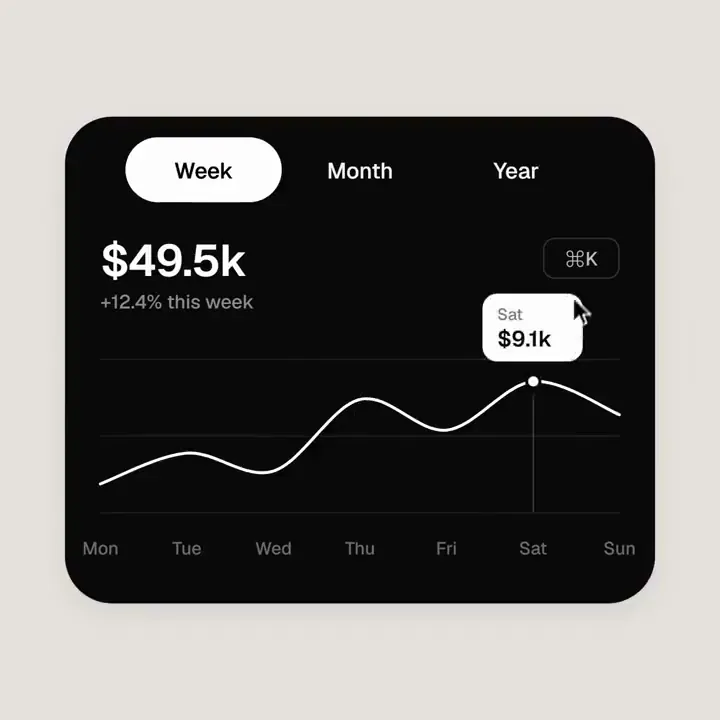
Button → loader → check → dynamic island → music player with a play/pause morph → scrub the progress bar → it becomes a volume slider that stretches when dragged past max → a toggle flips on the beat → the knob becomes a liquid tab indicator → the tabs open into a chart that draws itself, with a tooltip on hover → it collapses into ⌘K → type to filter → enter → toast → back to the button.
</structure>

<build>
1. One HTML file, square 1440x1440. Every style is computed from time inside seek(t): no CSS transitions, no timers, no state carried between frames.
2. Springs are closed-form step responses. A value that changes target many times is the sum of one spring per change, so it stays a pure function of time.
3. The tab indicator's two edges ride different springs, so the leading edge stretches ahead of the trailing one. Same trick for the toggle knob.
4. Drags are direct manipulation: while the cursor is held, the value is computed from its position. On release it springs back from wherever it was.
5. Analyze the song with numpy for the beat grid and start on a downbeat. Place every UI sound by its measured peak.
6. Render with Playwright: 4 subframes per frame, blended with ffmpeg tmix for motion blur at 60fps.
7. Render one frame per beat before the full render. Fix anything off the grid, cramped or hard to read.
</build>

<gotchas>
Never put will-change on anything the camera scales or the text renders blurry. Text that swaps inside a morphing container needs its own enter and exit timing or it overlaps. Make the last frame identical to the first, cursor position and speed included, or the loop stutters.
</gotchas>

<start>
Ask me for the inputs, then show me the state list on the beat grid before you write any code.
</start>
7cd071086155 Mã rút gọn SHA-256 của SKILL.md hiện tại, dùng để đối chiếu bạn đang cài đúng bản.Các dòng "Ước tính từ prompt" được rút ra bằng cách dò từ khóa trong prompt, không phải kết quả chạy thử. Chưa kiểm thử riêng: skill này đóng gói lại prompt công khai của tác giả.
Là prompt gốc của nezbuilds cho Claude Opus 5.5, đóng gói thành tệp SKILL.md để agent như Claude Code hay Codex nạp lại khi bạn cần làm việc tương tự.
Bấm "Cài vào agent", chọn agent của bạn rồi dán lệnh được sao chép; hoặc tải ZIP và giải nén vào thư mục skills. Mở phiên mới và mô tả việc cần làm.
Có. Skill này nằm trong nhóm skill Free: xem, sao chép và tải về đều không cần tài khoản. Các skill còn lại cần đăng nhập tài khoản OPCAIOS (miễn phí). Agent và mô hình bạn chạy skill có thể tính phí riêng theo nhà cung cấp.
OPCAIOS tuyển chọn, đóng gói prompt thành SKILL.md và ZIP cài được, viết hướng dẫn và cập nhật; việc đó không mua quyền sở hữu prompt của nezbuilds. Prompt vẫn thuộc về người sáng tạo.
Video xem trước được tắt tiếng và phát lặp để trang nhẹ. Nếu video không tải được, hãy thử tải lại trang; một số trình duyệt tiết kiệm dữ liệu chỉ hiện ảnh bìa.
Video và prompt thuộc về nezbuilds. Best Skill chỉ tổng hợp để tham khảo; hãy ghi nguồn tác giả khi bạn dùng lại.