FreeTuyển chọn

Không tải được video này.
Prompt gốc của twoclipping, nguyên văn.
<inputs>
Ask me for: a one-word brand name for the wordmark (a verb works best), 9 to 12 high-res photos, a royalty-free song around 120 BPM with a drop and a quiet breakdown (Mixkit, free for commercial use), and a free stock clip of a plain wall with moving plant shadows (Pexels).
</inputs>

<direction>
An Apple-keynote launch film, 2D only, one continuous take. Every scene is made out of the previous one: nothing fades, blurs or cuts. Objects change shape instead: text rises out of a mask line, icons pop from zero on a spring, bars draw across, pages push, and a black shape floods the whole frame and contracts into the next scene. Warm off-white canvas, black UI, iOS 26 liquid glass over the photos. Archivo (wdth 125, weight 800) for the wordmark, Geist for UI. A cursor drives every change with real clicks, drags and long-presses. The camera zooms screen-studio style so each moment fills the square, and the cursor scales with it.
Banned: crossfades, blur-ins, brightness "developing", 3D flips, particles, glows, holds longer than 1s, anything that looks like a template.
</direction>

<structure>
120 BPM, 54 beats, something happens on every beat.
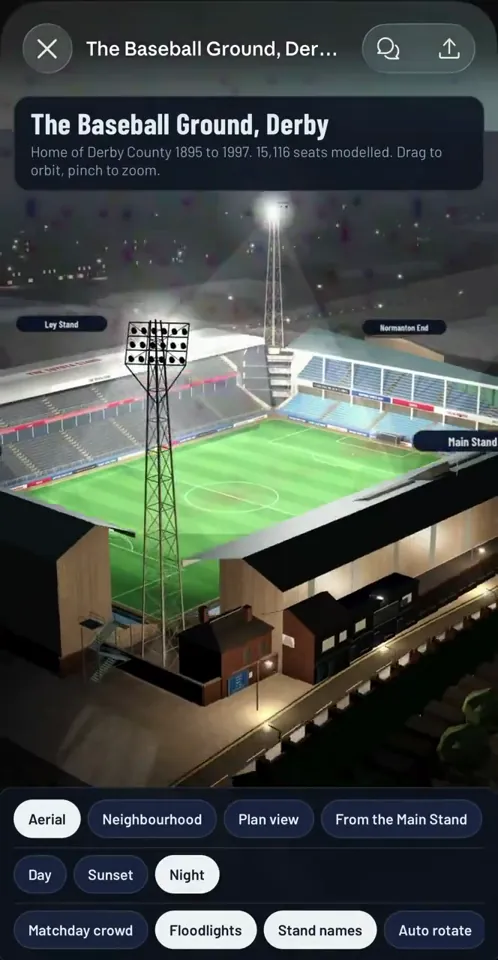
Open: the wordmark squeezes into its own period like an accordion, the dot grows into a black pill, a label rises inside it. Click: six iris blades close over the label and snap open onto a photo. The circle becomes a square, shrinks, the grid unfolds from behind it like a paper map (center, plus, corners), reflows into a bento, and a click zooms into one tile, landing exactly on the drop.
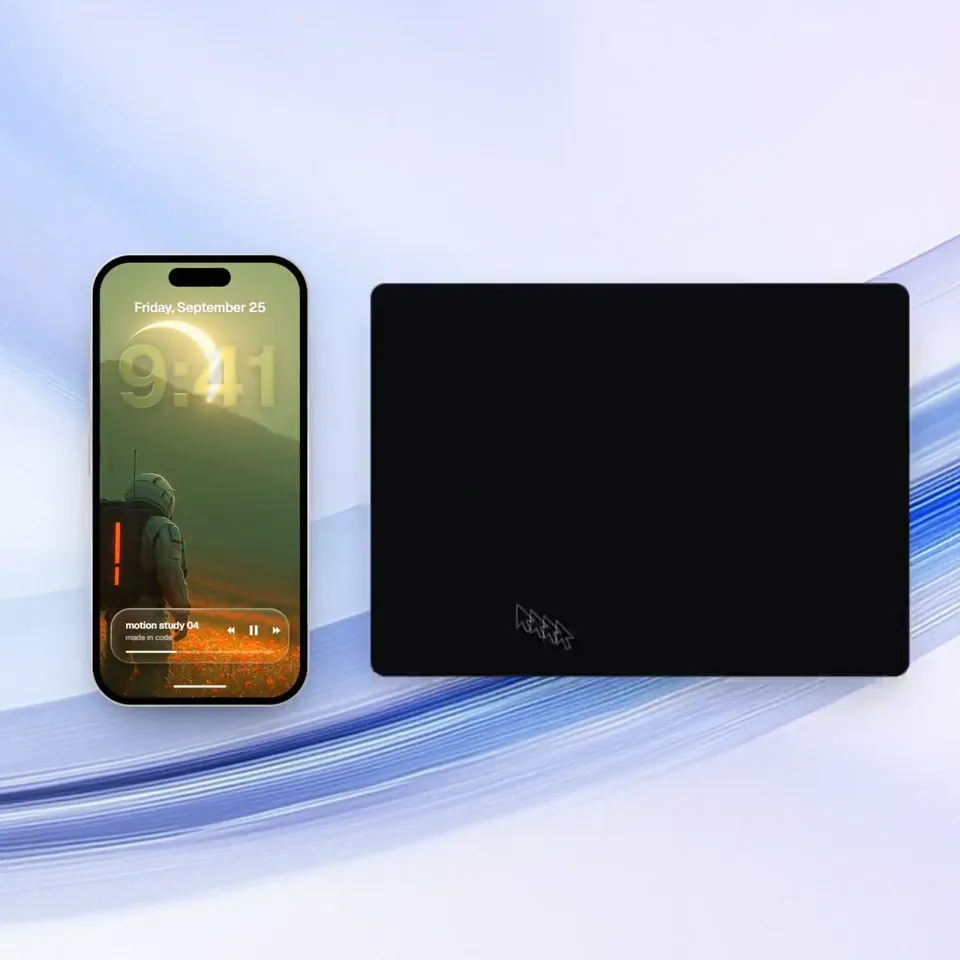
Glass: a glass word pops in letter by letter, melts into a droplet that stretches into a glass toolbar. The adjust icon turns it into a slider. Dragging relights the photo from day to golden hour (two aligned shots), and the knob turns into a glass lens while held. It lifts into a glass orb, the next photo opens inside it as a circle, and the orb expands into a lock screen: glass clock digits, date, and a home bar that stretches into a glass music player.
Stage: the lock screen pulls back into a phone (the bezel grows out of the screen edge). The Dynamic Island stretches like liquid, pinches off, flies over and grows into a Mac window that rolls up like a blind. Long-press the wallpaper, drag it onto a Safari tab, the page pushes in, drop it and it becomes the hero of a landing page. Scroll: the hero morphs into a framed print on a product card, with the mat and molding growing out of the photo's edge. Pick a frame color (it paints across) and a size, then the nav button flies down into "Order print".
Order: one black shape keeps morphing: Ordered ✓ → Printing % → On its way (a van on a route) → Delivered ✓.
Wall: the delivered circle floods the frame edge to edge, holds black for a beat, and contracts into the framed print hanging on the real wall footage. The same iris opens onto the print, closes again, the frame floods the screen and contracts into the pill → the dot → the letters spring back out, landing on the beat return. Last frame = first frame.
</structure>

<build>
1. One HTML file, square 1440x1440. Every style is computed from time inside an async seek(t): no CSS transitions, no timers, no state between frames.
2. Springs are closed-form step responses. A value with many targets is the sum of one spring per change, so it stays a pure function of time.
3. Liquid glass: each glass element holds its own clone of the scene behind it, filtered with an SVG feImage displacement map (a rounded-rect distance field) through three feDisplacementMaps at slightly different scales for chromatic edges, plus a rim light. Glass letters: a canvas distance field per glyph gives the map, mask and highlights.
4. Goo: blur + alpha threshold, then composite the source atop it so the glass stays sharp inside.
5. Iris: 6 blades around a hexagonal aperture. Each blade is its two vertices, both edge extensions and the SHORT arc between them.
6. Wordmark squeeze: every letter moves toward the dot by the same factor and its drawn width follows (narrow the wdth axis, scale the rest), so the letters stay touching.
7. Footage: re-encode all-intra (ffmpeg -g 1), load it as a blob URL, await 'seeked' before drawing each frame.
8. Sound: a downloaded SFX for every event (Mixkit), never synthesized, each placed by its measured peak. The song starts on a downbeat: the zoom lands on the drop, the wall sits in the breakdown, the wordmark returns with the beat. Loudnorm to -14 LUFS.
9. Render with Playwright: 4 subframes per frame blended with ffmpeg tmix, 60fps. Check one frame per beat, then scan for single-frame pops (frame-difference spikes 3x their neighbours).
</build>

<gotchas>
backdrop-filter: url() misreads displacement maps in Chromium, so clone the scene instead. A flood must overscale past the corners and take about 0.3s, or half the screen changes in one frame. A child with visibility: visible shows through a hidden parent, so use inherit. Text that swaps inside a morphing shape needs its own mask. python http.server can't range-seek video, so use the blob URL.
</gotchas>

<start>
Ask me for the inputs, then show me the beat map and 4 stills (open, glass, stage, wall) before you write the full film.
</start>
725c378afec3 Mã rút gọn SHA-256 của SKILL.md hiện tại, dùng để đối chiếu bạn đang cài đúng bản.Các dòng "Ước tính từ prompt" được rút ra bằng cách dò từ khóa trong prompt, không phải kết quả chạy thử. Chưa kiểm thử riêng: skill này đóng gói lại prompt công khai của tác giả.
Là prompt gốc của twoclipping cho Claude Opus 5.5, đóng gói thành tệp SKILL.md để agent như Claude Code hay Codex nạp lại khi bạn cần làm việc tương tự.
Bấm "Cài vào agent", chọn agent của bạn rồi dán lệnh được sao chép; hoặc tải ZIP và giải nén vào thư mục skills. Mở phiên mới và mô tả việc cần làm.
Có. Skill này nằm trong nhóm skill Free: xem, sao chép và tải về đều không cần tài khoản. Các skill còn lại cần đăng nhập tài khoản OPCAIOS (miễn phí). Agent và mô hình bạn chạy skill có thể tính phí riêng theo nhà cung cấp.
OPCAIOS tuyển chọn, đóng gói prompt thành SKILL.md và ZIP cài được, viết hướng dẫn và cập nhật; việc đó không mua quyền sở hữu prompt của twoclipping. Prompt vẫn thuộc về người sáng tạo.
Video xem trước được tắt tiếng và phát lặp để trang nhẹ. Nếu video không tải được, hãy thử tải lại trang; một số trình duyệt tiết kiệm dữ liệu chỉ hiện ảnh bìa.
Video và prompt thuộc về twoclipping. Best Skill chỉ tổng hợp để tham khảo; hãy ghi nguồn tác giả khi bạn dùng lại.