



Orca is an open source application that lets you run multiple coding agents at the same time — Claude Code, Codex, OpenCode, Pi, Oh My Pi and dozens of other agents — each agent working in its own git worktree, and you monitor all of them on one screen. If you're used to assigning a task to one agent then sitting and waiting, Orca lets you assign five tasks to five agents and only come back when an agent needs you.
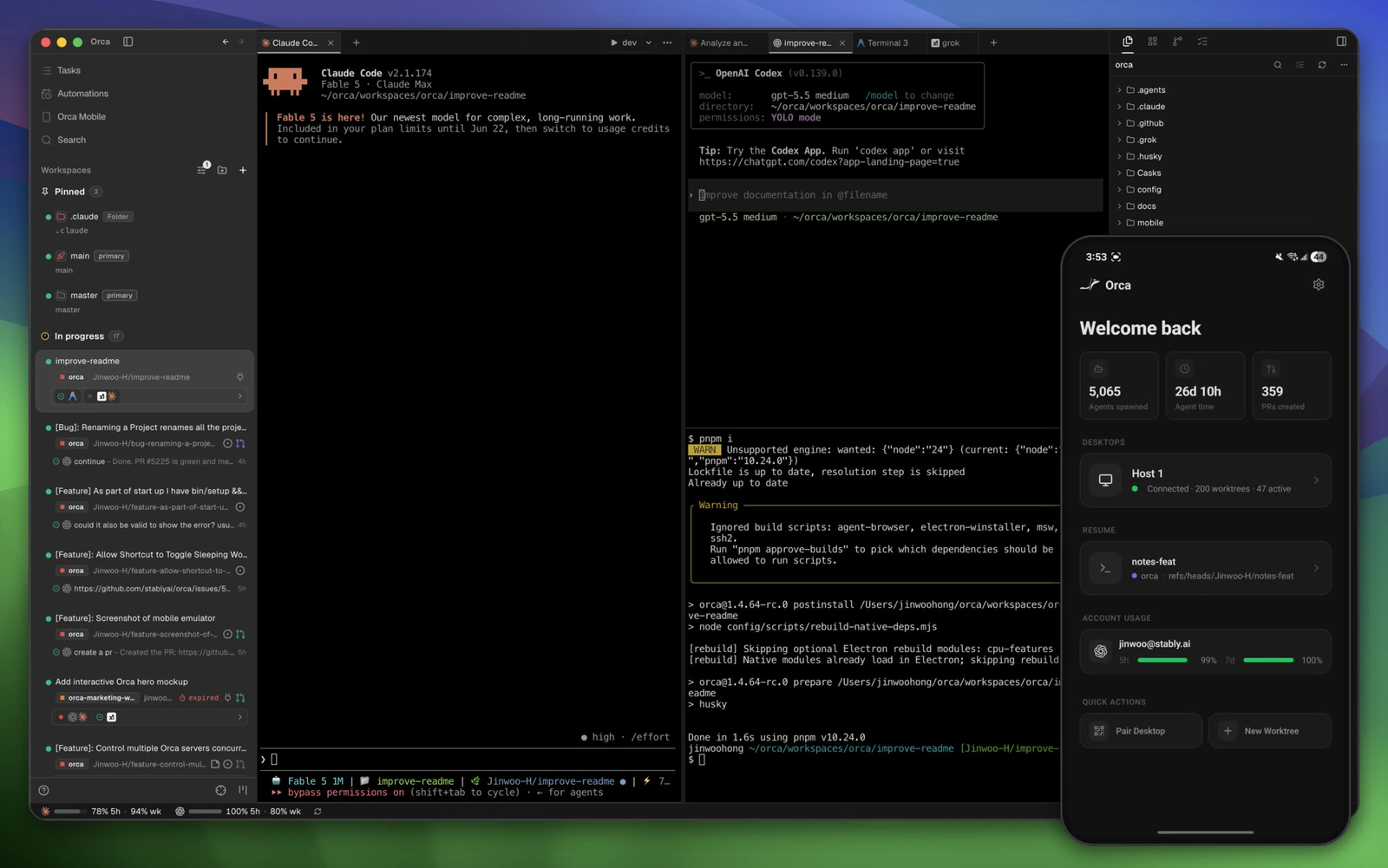
Orca on the computer: list of worktrees on the left, agents running in the middle, the accompanying phone app in the corner on the right. Image: official project README.
What is Orca?
Orca is developed by Stably, released under the MIT license. The development team calls this an "agent development environment" (ADE — Agent Development Environment): instead of an editor centered around a code writer's cursor, Orca is centered around a team of agents running in parallel.
Orca doesn't write code itself. It's a coordination layer: it opens terminals, creates worktrees, starts the agents you choose, lets you know when an agent is done and helps you review the changes. The agents underneath still use your own account and subscription plan, so Orca is free, while the AI costs come from the agents you use.
A few numbers (October 2026, according to GitHub): the project launched in March 2026, has around 96,000 stars, the latest version is 1.4.229 (October 17, 2026), runs on macOS, Windows, Linux and has iOS and Android apps. The README notes that the development team "ships daily", so the real list of features is in the changelog.
Why run agents in separate worktrees?
When two agents edit the same folder, they overwrite each other: agent A just edited a file, agent B reads the old version then writes it back. Git worktree solves this — each worktree is its own working directory of the same repo, on its own branch. Whichever agent works in that directory, runs tests in that directory, and your main branch stays untouched.
You can create worktrees yourself with git worktree add, but when you have five agents at once, remembering which agent is where, whether it's done, what it changed — that's the tedious part. Orca handles that: it creates worktrees, attaches agents, displays the status and changes of each one.
A typical workflow that the README suggests: split one request across five agents, each agent in one worktree, compare the results and merge the best version. Another way is to assign five different tasks to five agents and handle them one by one as each agent reports it's done.
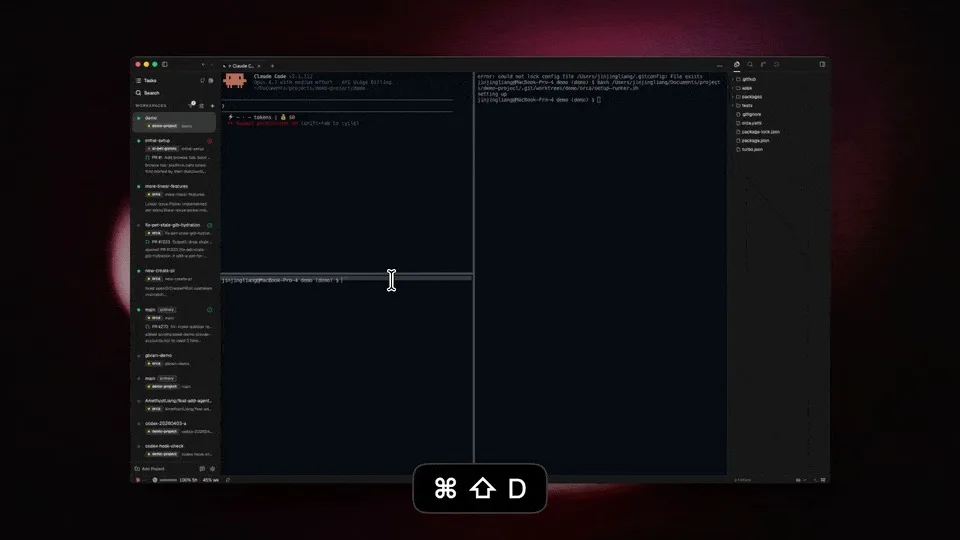
Split-pane terminal in Orca (keyboard shortcut ⌘⇧D to split). Image: official README.
Main features
According to the official README, Orca has:
- Parallel worktrees: each agent gets its own isolated worktree, tracked together in the sidebar.
- Split-pane terminal: Ghostty-style terminal, drawn in WebGL, split panes without limit, scroll history stays after restart.
- Design Mode: click an element in the actual Chromium window, Orca sends the HTML, CSS and screenshot of that area straight into the agent's prompt.
- Diff annotations: add notes to each line in the changes created by AI then send back to the agent to revise.
- GitHub and Linear: view PRs, issues, project boards right in the app and open worktrees from a task.
- Worktrees over SSH: run agents on a powerful machine far away, still edit files, use git and terminal normally, auto-reconnect and port forwarding.
- Phone app: get notified when an agent is done and send the next request from your phone.
- Drag files into agent: the VS Code editor auto-saves, drag files or images into the prompt.
- Track usage: see how much Claude and Codex you've used, when your limit resets, switch accounts without logging back in.
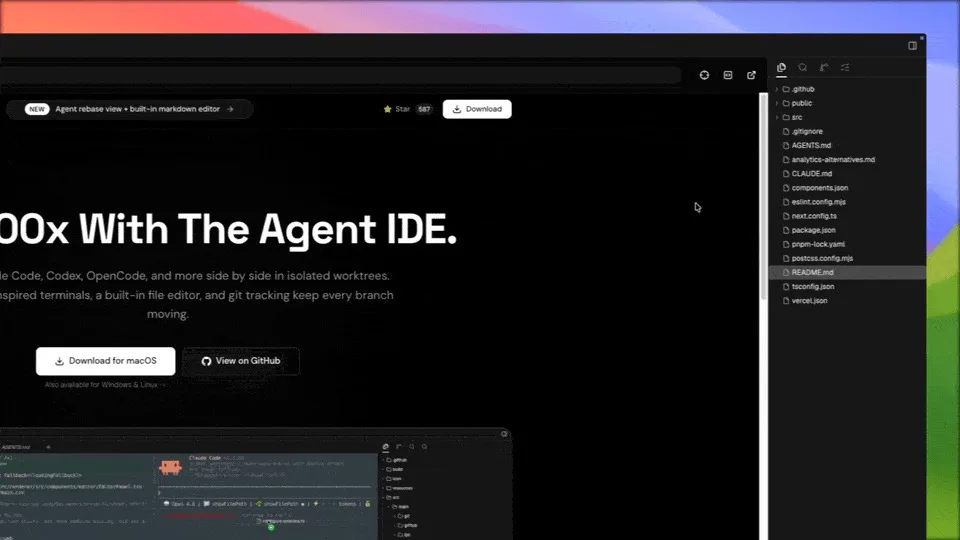
Design Mode runs on the Chromium browser built into Orca. Image: official README.
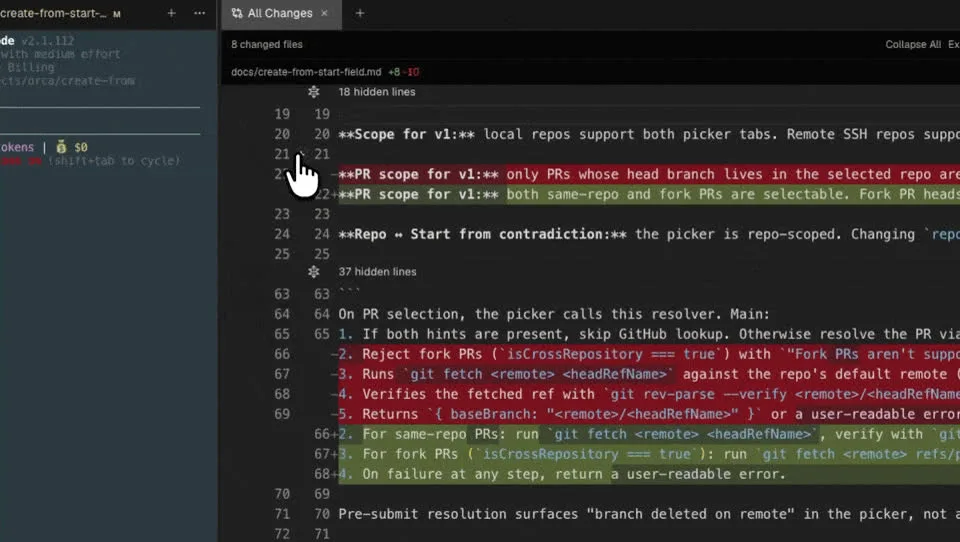
Diff annotations: add notes to a line of code then send back to the agent. Image: official README.
Which agents does Orca support?
The README puts it simply: any agent that runs in the terminal can run in Orca. The preset list with icons includes over 30 agents, among them Claude Code, Codex, Cursor CLI, GitHub Copilot CLI, Grok, OpenCode, Antigravity, Pi, Oh My Pi, Hermes Agent, Devin, Goose, Cline, Kimi, Qwen Code, Amp, and Droid.
That means you can have Claude Code on one branch, Codex on another, and an open-source agent like Oh My Pi running a cheap model for odds and ends — all in the same window.
How is Orca different from Cursor or running agents in the terminal normally?
| Criterion | Orca | Cursor | Terminal + tmux |
|---|---|---|---|
| Focus | Orchestrating multiple CLI agents | AI-powered code editor | Managing sessions yourself |
| Agents | Any CLI agent, using your credentials | Cursor's agents, per plan | Any CLI agent |
| Worktree | Create and track built-in | Background agent execution available | Do it yourself with git worktree |
| Review changes | Annotated diff, send back to agent | Yes | Use git yourself |
| Cost | Free, MIT | Paid plans available | Free |
Cursor works well when you want to write code yourself with AI help alongside. Orca works well when you've handed most of the coding work to agents and need a place to manage multiple agents at once.
Installing Orca
Download the installer from onorca.dev/download (macOS Apple Silicon/Intel, Windows, Linux AppImage), or use a package manager:
# macOS (Homebrew)
brew install --cask stablyai/orca/orca

# Arch Linux (AUR)
yay -S stably-orca-bin
After installing, open the app, add a repo (a project directory with git), pick an agent you've already set up and logged into, then create your first worktree. The mobile app pairs with your computer to track things remotely.
Controlling Orca from the command line
Orca has an orca command so that agents (or your scripts) can control the app. Some commands, according to orca --help on version 1.4.229:
orca status                 # app and runtime status
orca repo add <path>        # add a project to Orca
orca worktree create        # create a new worktree managed by Orca
orca worktree ps            # summary of all worktrees
orca agent launch           # start an agent in a worktree
orca serve                  # run Orca headless on a server
orca automations create     # create scheduled tasks
There's also an orchestration command group for agents to message each other, create and assign tasks, and set up "decision gates" waiting for approval — useful when you want one agent to orchestrate others.
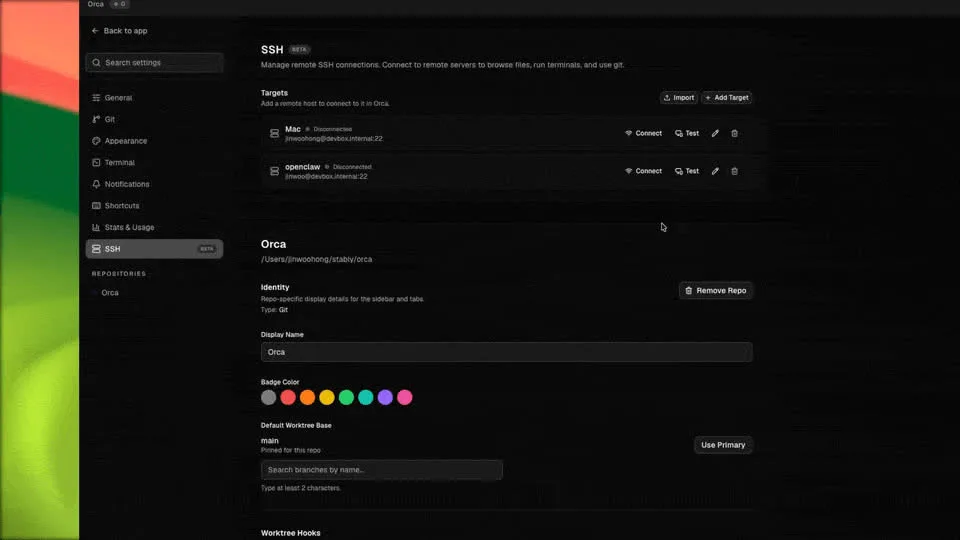
SSH settings screen: add a remote machine as a place to run agents. Image: official README.
What should you watch out for?
- AI costs go up with each agent. Five agents running in parallel is five times the model usage. Track usage in Orca and set limits at your provider.
- Disk space. Each worktree is its own working directory; Node.js projects may need to reinstall libraries in each worktree.
- You still have to review. Orca makes it faster to look at diffs, but merging code into the main branch is still your call — especially when comparing results from multiple agents.
- Usage data. Orca collects anonymous usage data and lets you turn it off; check the telemetry page before using it on sensitive projects.
- Changes fast. The software updates almost daily; the interface and commands might differ from this post. Check the GitHub changelog if something looks off.
Video review Orca
Some videos introducing and testing Orca (in English):
Christian Lempa: using Orca as his main terminal and code editor.
Tonbi's AI Garage: installation, worktrees and Design Mode.
Alex Hitt: git worktrees and running agents in parallel.
AI Stack Engineer: running Claude Code, Codex and OpenCode all at once.
Frequently asked questions
Is Orca free?
Yes. Orca is open source under the MIT license. The only cost comes from the agents and AI models you use inside it.
Does Orca write code by itself?
No. Orca orchestrates coding agents like Claude Code, Codex or Oh My Pi; the agents do the writing.
I'm not sure git worktrees will work?
They do. Orca creates and manages worktrees for you. A basic understanding of git branches still helps when merging results.
Does Orca run on Windows?
Yes. Orca has installers for Windows, macOS and Linux, plus iOS and Android apps to monitor from afar.
Can I run agents on a server?
Yes, through SSH worktrees or the orca serve command to run Orca headless on a remote machine.
Conclusion
Orca is right for you if you've been using coding agents daily and start to feel that waiting for one agent to finish at a time is the bottleneck. Start small: two agents, two worktrees, one easy task, then gradually scale up as you get comfortable reviewing and merging results. If you're new to coding agents, get comfortable with one agent first — read What is Oh My Pi? for more open source agent options.
Sources: Orca README on GitHub, onorca.dev, orca --help command version 1.4.229. GitHub stats pulled October 19, 2026.
Translated from Vietnamese with AI. Read the original.
Want to apply this in your business?
Book a free 30-minute call (Vietnam time, in English or Vietnamese).