



The best AI image upscaling tool depends on what you need. Beginners who want something free and running on their own machine: choose Upscayl, because it has a click-button interface and is open source. Those needing custom workflows and multiple steps: choose ComfyUI. Those needing consistent quality for print images and willing to pay: consider Topaz Gigapixel. According to GitHub (checked on 04/11/2026), the upscayl/upscayl repository has around 51,700 stars, while Real-ESRGAN released its final version on 20/9/2022. This post compares 5 tools: Upscayl, Real-ESRGAN, ComfyUI, Clarity Upscaler and Topaz Gigapixel. I score them across five criteria: price, ability to run on your own machine, difficulty, update level and risk. There's no absolute ranking; I haven't measured image quality with numbers.
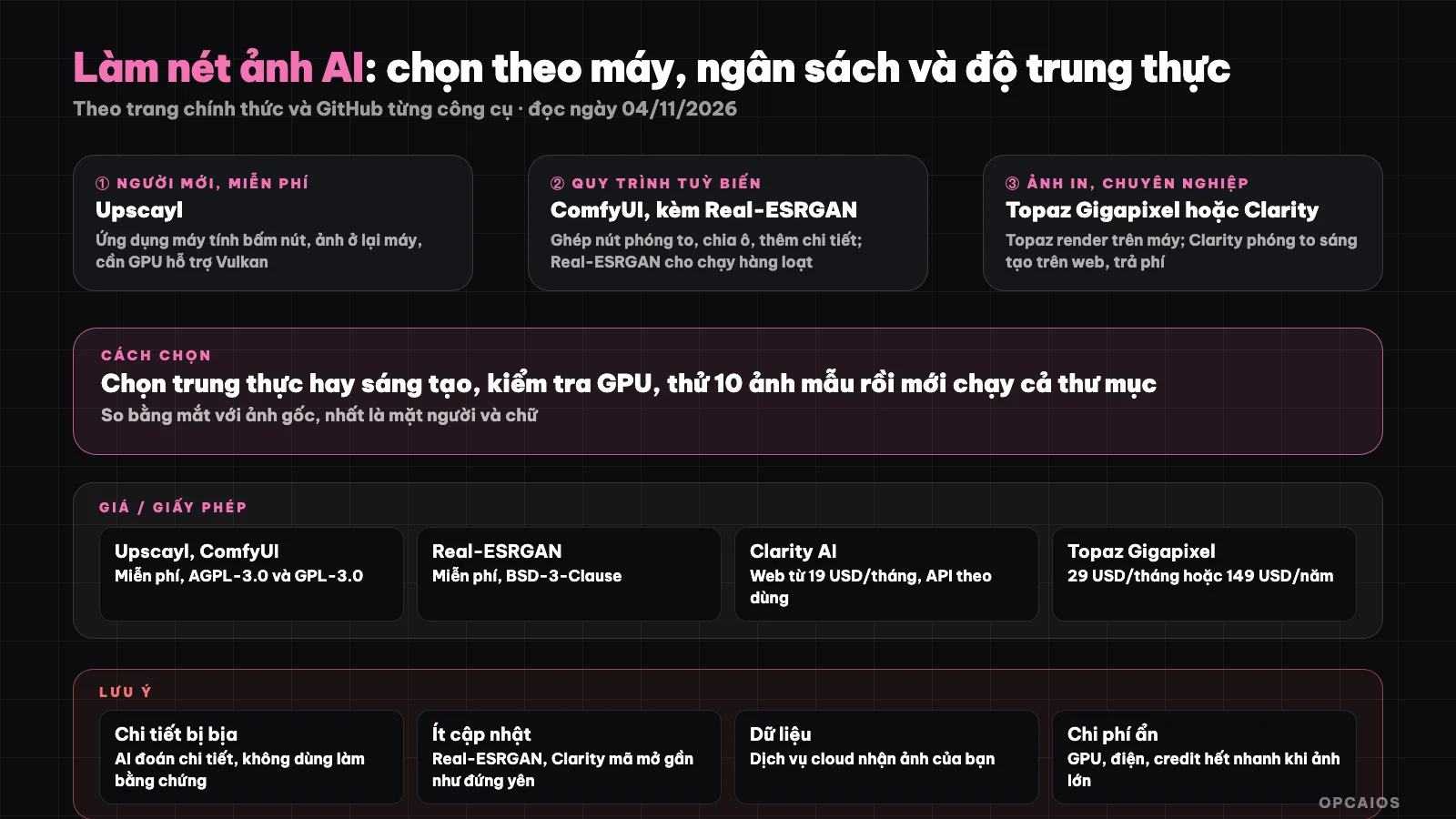
Three main needs lead to three different choices; Real-ESRGAN and Clarity are supplementary options. Diagram: OPCAIOS.
Quick comparison table of 5 AI image upscaling tools
Five tools split into two groups. Group running on your machine, free: Upscayl, Real-ESRGAN, ComfyUI. Paid service group: Clarity AI (web version of Clarity Upscaler) and Topaz Gigapixel. The table below summarizes starting prices checked on 04/11/2026, before tax and subject to change, along with our estimated difficulty.
Logos of the tools in this post, taken from each project's official page.
| Tool | Best for | Starting price (04/11/2026) | Self-host | Vietnamese | Difficulty |
|---|---|---|---|---|---|
| Upscayl | Beginners, wanting free | Free desktop version; Upscayl Cloud Pro plan 24.99 USD | Yes (runs on your machine) | Yes, Vietnamese interface file available | Easy |
| Real-ESRGAN | Batch processing via command line | Free (BSD-3-Clause) | Yes | No (command line, English) | Medium |
| ComfyUI | Multi-step custom workflows | Free (GPL-3.0); cloud version available | Yes | No Vietnamese seen yet | Hard |
| Clarity Upscaler | Adding creative detail | Free source code; web from 19 USD/month | Partial (older source version) | No | Medium |
| Topaz Gigapixel | Print images, professional work | 29 USD/month or 149 USD/year | Yes (render on machine) with cloud | No | Easy |
What criteria did I use?
I chose based on five criteria, mostly from official documentation checked on 04/11/2026. OPCAIOS downloaded Real-ESRGAN and ComfyUI to our work machine to try, but haven't integrated them into daily workflow yet. For the other tools, I only read documentation, haven't used them.
- Price and license: checked pricing page and LICENSE file on GitHub.
- Running on your machine or in the cloud: does your image leave your machine or not.
- Difficulty: installing one file, installing Python, or connecting nodes.
- Update level: code push date and latest release date according to GitHub API.
- Hardware requirements: what type of graphics card is needed.
- Risk: copyright of input images, details AI "makes up," commercial use terms.
Detailed evaluation of each tool
Each tool below has a definition, figures with sources and read date, strengths and limitations. The order goes from easiest for beginners to paid options. GitHub stars and prices may have changed after 04/11/2026.
1. Upscayl: best for beginners who want free
Upscayl is an open-source desktop application for upscaling and sharpening images using AI, running on Linux, macOS and Windows. The project is developed by the Upscayl team, licensed AGPL-3.0. According to the README, Upscayl uses the Real-ESRGAN model and Vulkan architecture; the core part upscayl-ncnn is also open source. According to the GitHub API read on 04/11/2026, the repository has around 51,700 stars, the last code push was on 05/10/2026, but the latest release on GitHub is still v2.15.0 (25/12/2024). The upscayl.org homepage mentions the ability to upscale up to 16 times and batch processing; these are figures announced by the project, which we have not verified. The README clearly states that a graphics card supporting Vulkan is needed; many integrated cards cannot run it. Besides the free desktop version, the project also has Upscayl Cloud: the pricing page on 04/11/2026 lists a trial package of 10 credits and a Pro package at 24.99 USD for 300 credits per month.
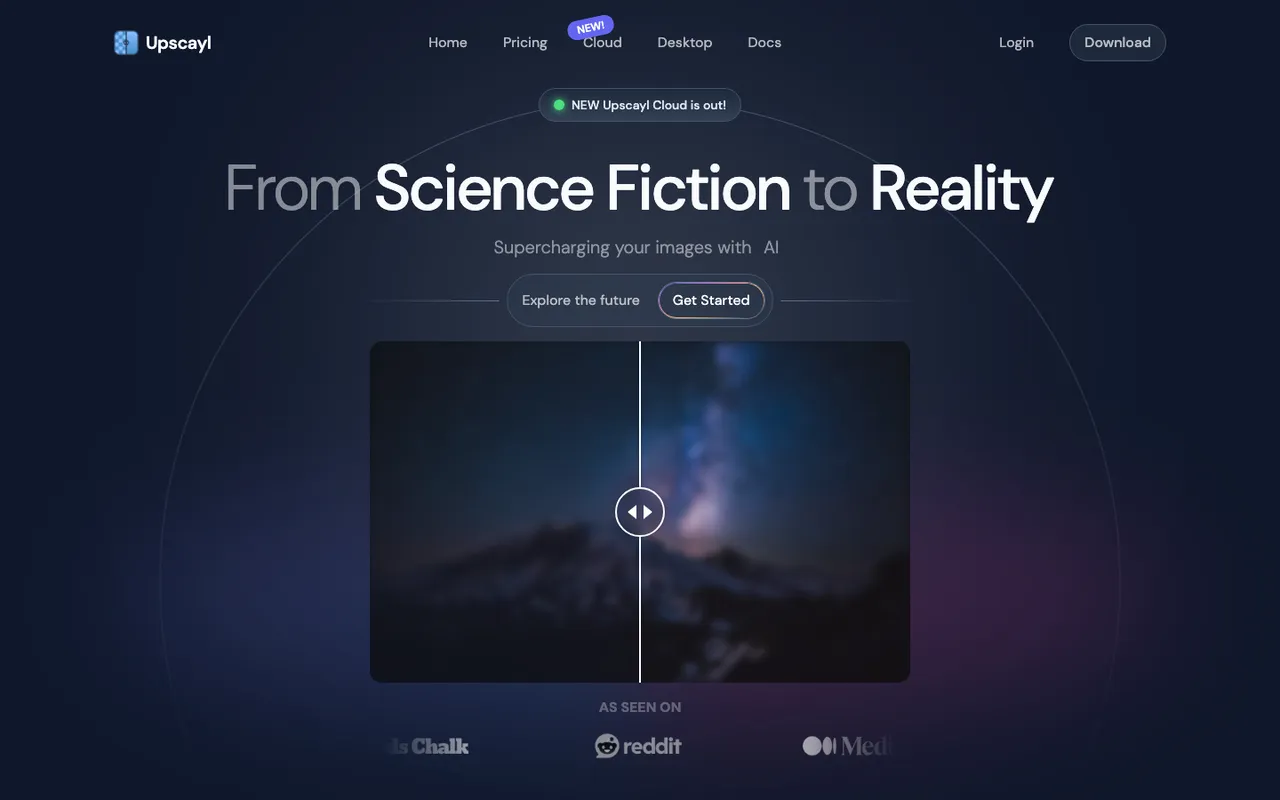
Upscayl homepage (upscayl.org), captured on 04/11/2026. Screenshot: OPCAIOS.
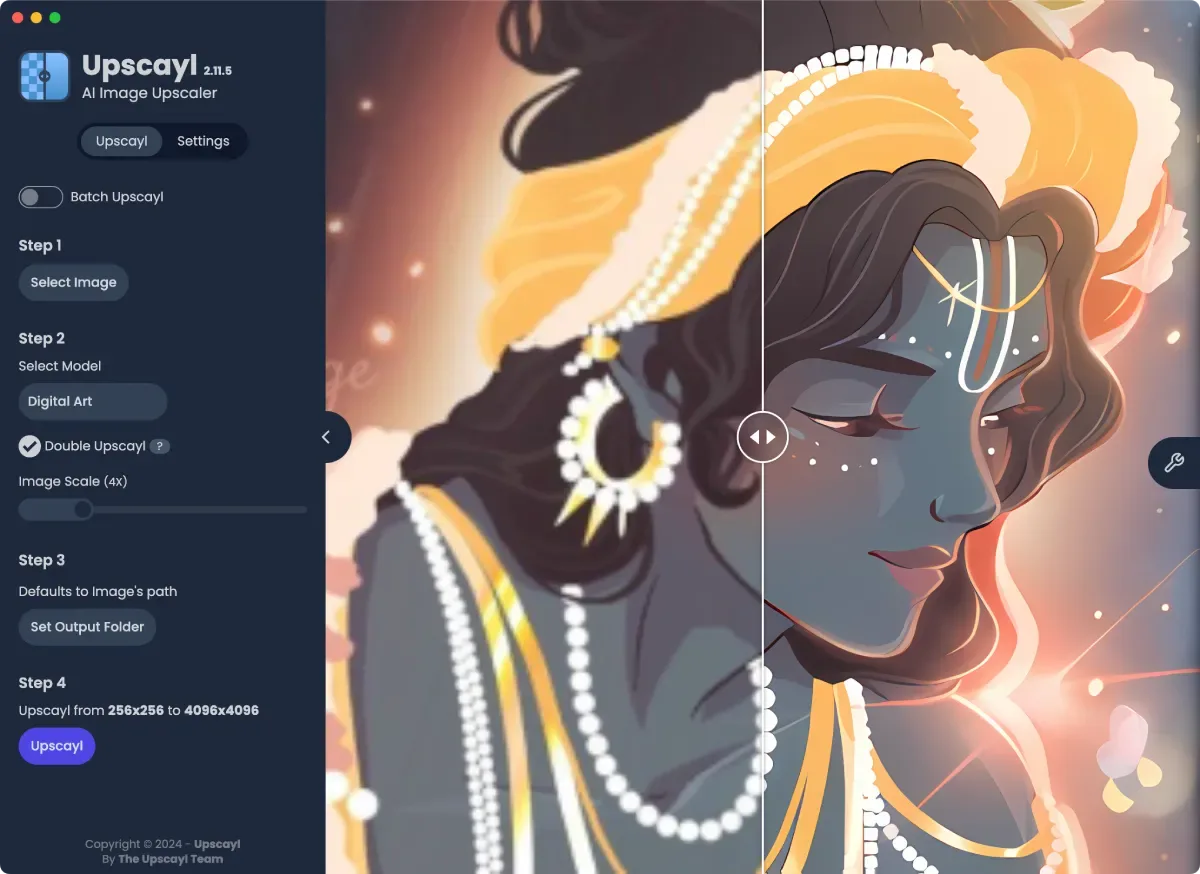
Upscayl interface. Image: upscayl.org.
Strengths: Installs like regular software. Four clear steps. Images stay on the machine when using the desktop version. Vietnamese language file in the source code.
Limitations: Requires GPU supporting Vulkan. GitHub release version unchanged for nearly two years. GAN-based models sometimes make images look "plastic", losing skin texture.
2. Real-ESRGAN: best for batch processing via command line
Real-ESRGAN is an algorithm and open-source code for real-world image and video restoration and upscaling, published by Xintao Wang and colleagues, associated with Tencent ARC Lab according to the README. BSD-3-Clause license, allowing commercial use with the condition of maintaining copyright notice. According to the GitHub API read on 04/11/2026, the xinntao/Real-ESRGAN repository has around 37,300 stars, the last code push was on 06/08/2024 and the latest release v0.3.0 on 20/09/2022. To be frank: the project is nearly abandoned, though not yet archived. The README provides ready-to-run files for Windows, Linux, macOS using Intel, AMD, Nvidia GPU via the ncnn-vulkan version, no need to install CUDA or PyTorch. There are separate models for anime art and animation. Real-ESRGAN is the "engine" behind many other tools, including Upscayl.
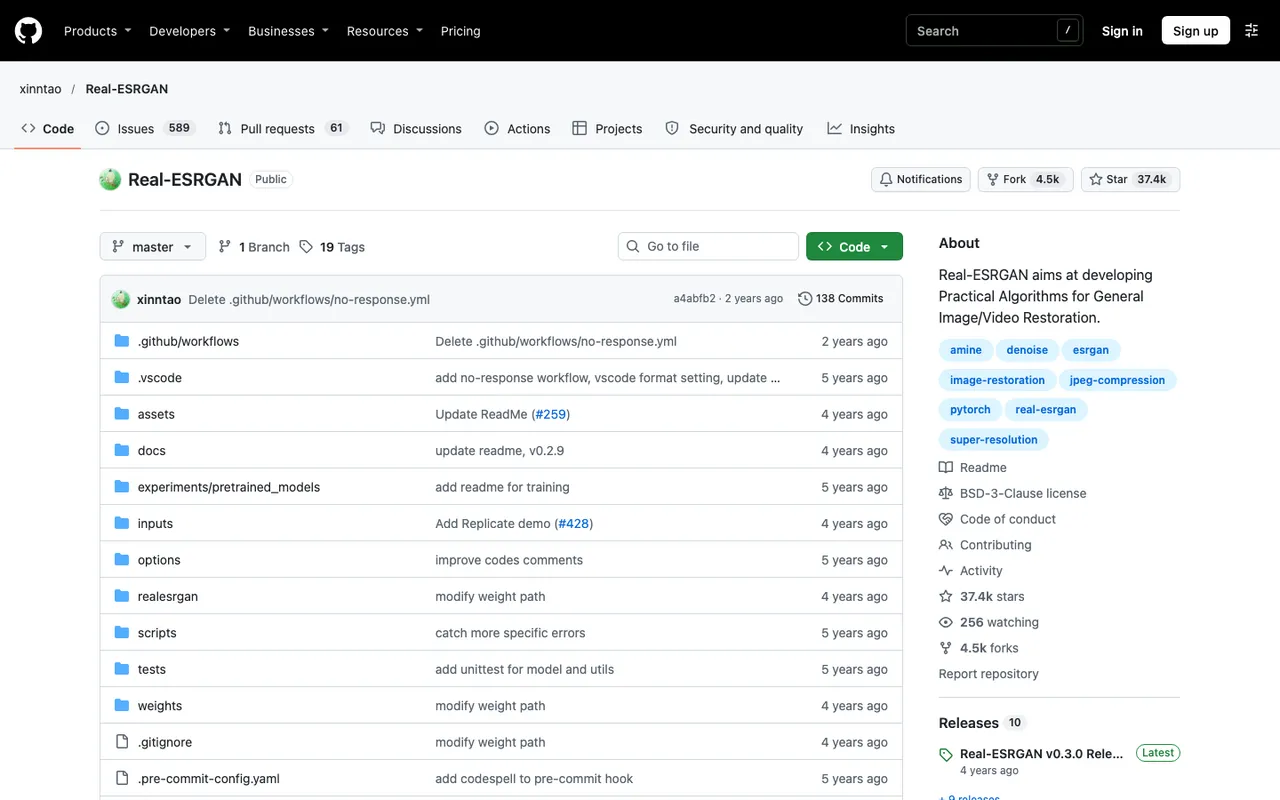
xinntao/Real-ESRGAN GitHub page, captured on 04/11/2026. Screenshot: OPCAIOS.
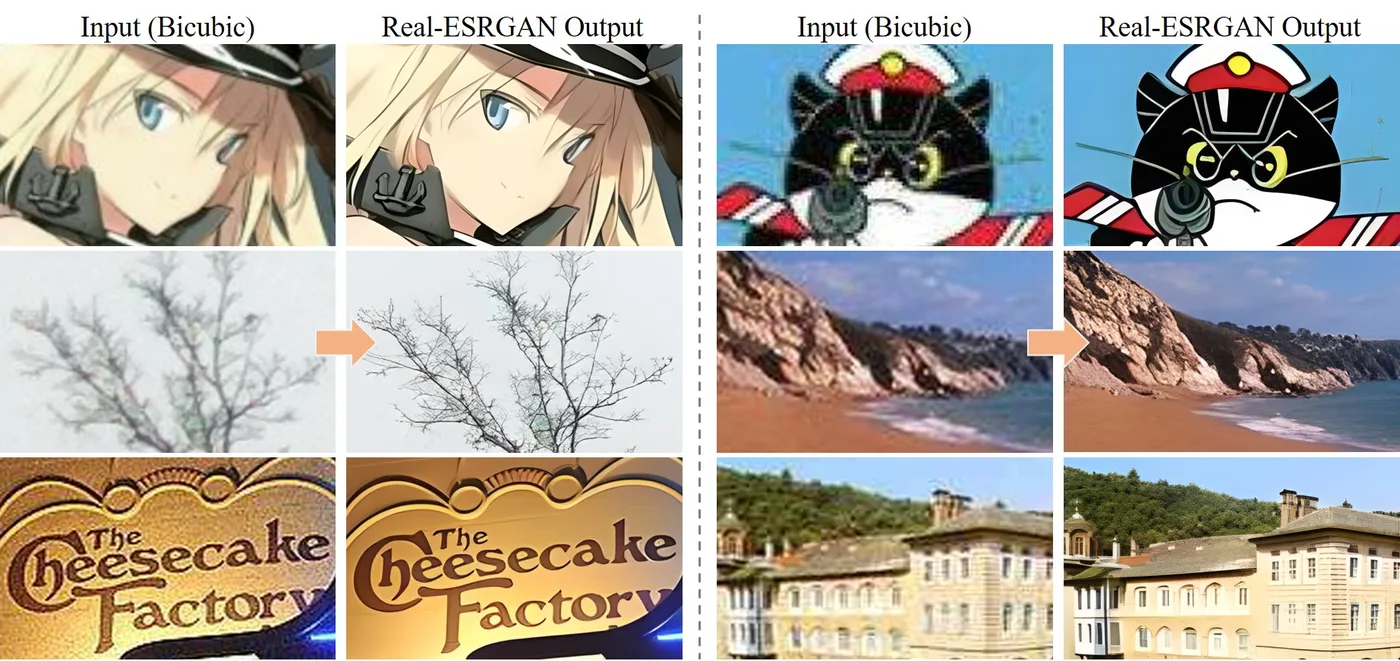
Real-ESRGAN interface. Image: README of GitHub xinntao/Real-ESRGAN.
Strengths: Free, permissive license. Ready-to-run files, write scripts to process entire folders. Lighter than diffusion models.
Limitations: No interface. No longer actively updated. Lower quality than newer models on images with small text or faces.
Read more: What is Real-ESRGAN?
3. ComfyUI: best for multi-step customizable workflows
ComfyUI is an interface, API and core for running diffusion models as a node graph, developed by Comfy Org, licensed GPL-3.0. According to the GitHub API read on 04/11/2026, the Comfy-Org/ComfyUI repository has around 144,900 stars and released v0.44.0 on exactly 04/11/2026, meaning very regular updates. The README states ComfyUI runs on Windows, Linux, macOS via desktop application, portable version or cloud version; manual installation supports GPU NVIDIA, AMD, Intel, Apple Silicon. When sharpening images, ComfyUI is not a single button click. You connect nodes: load an upscaling model (including Real-ESRGAN models), split the image into tiles, run it through a diffusion model again to add details. Clarity Upscaler itself also has a free workflow in file format for ComfyUI. In return, beginners will spend time learning how to load models and connect nodes.
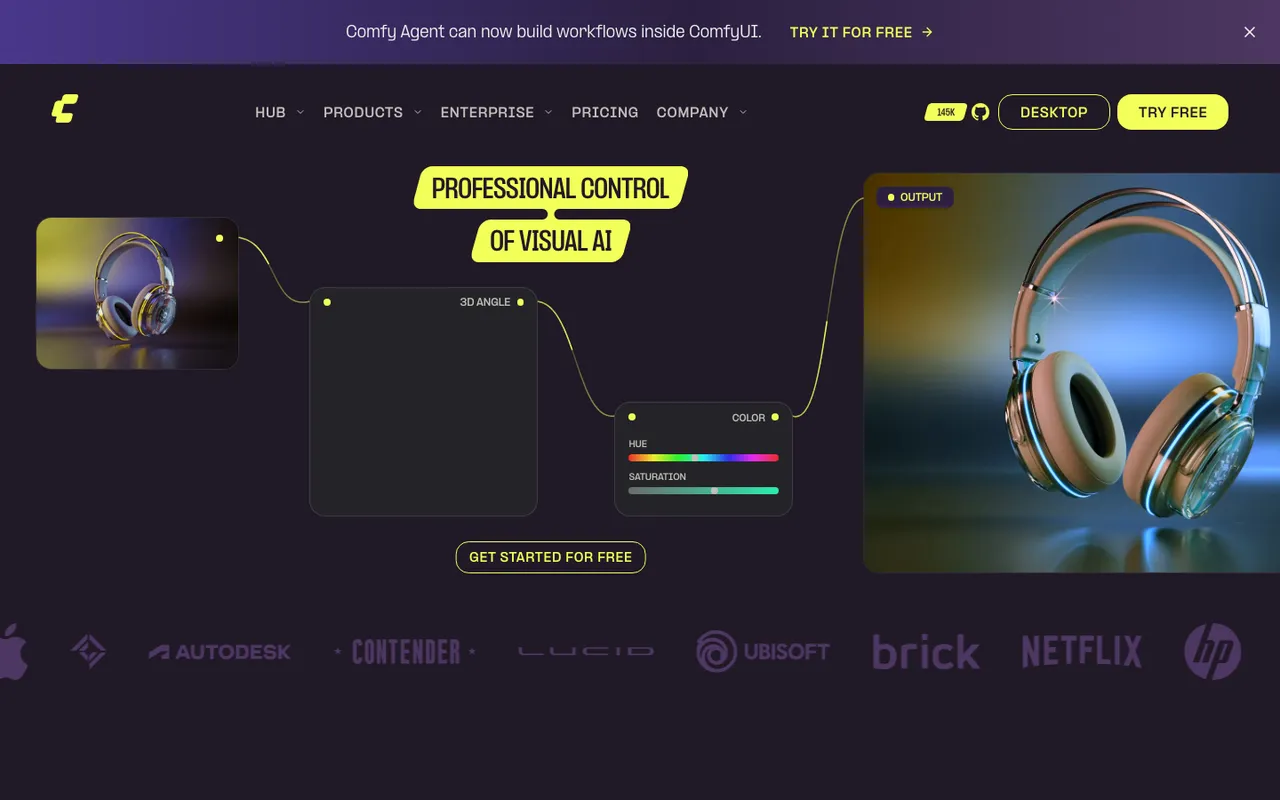
ComfyUI homepage (comfy.org), captured on 04/11/2026. Screenshot: OPCAIOS.
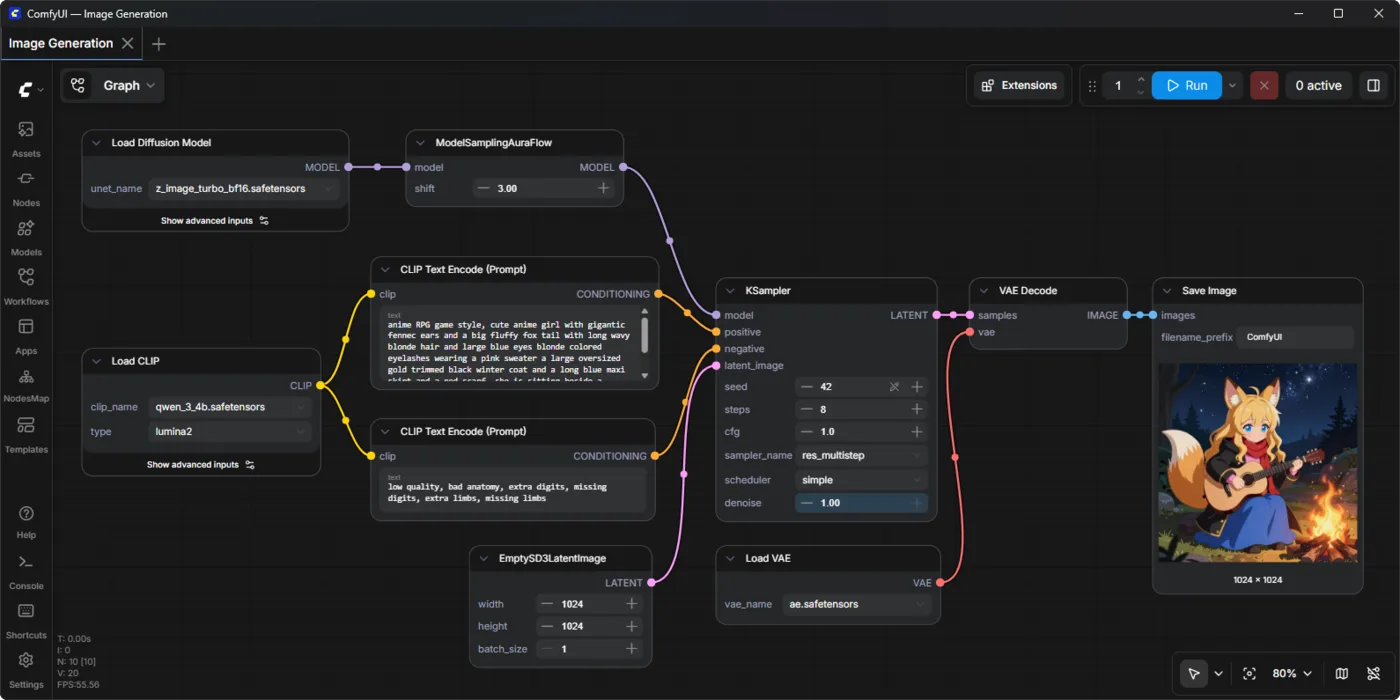
ComfyUI interface. Image: README of GitHub Comfy-Org/ComfyUI.
Strengths: Most flexible. Continuously updated. Can use multiple types of upscaling and sharpening models in the same workflow.
Limitations: Difficult for beginners. Requires fairly powerful GPU for diffusion models. Community custom nodes need source verification before installation.
Read more: What is ComfyUI?
4. Clarity Upscaler: best for creative upscaling, adding details
Clarity Upscaler is an image upscaling and sharpening tool based on diffusion models, introducing itself as an open alternative to Magnific, developed by independent developer philz1337x. Source code on GitHub licensed AGPL-3.0, around 5,200 stars, last code push on 06/03/2025 (read on 04/11/2026). README dated 05/03/2025, upscaling feature using Flux is only available on ClarityAI.co web application and API, not open source. In other words, the open-source version is nearly stagnant, while new features are on the paid service. The clarityai.co pricing page on 04/11/2026: Starter plan 19 USD/month (13 USD/month if paid annually) for 1,200 credits; Pro 49 USD/month; API pay-as-you-go, Clarity Upscaler 0.005 USD per megapixel. The "creative" upscaling style can add details not in the original image, suitable for illustrations, not suitable for images requiring accuracy.

Clarity AI homepage (clarityai.co), captured on 04/11/2026. Screenshot: OPCAIOS.
Strengths: Adds details aggressively for illustrations. Clear pricing for API. Free workflow available for ComfyUI.
Limitations: Open-source version nearly no longer updated. Can alter faces, text. Best version requires paid subscription.
Read more: What is Clarity Upscaler?
5. Topaz Gigapixel: best for printing and professional work
Topaz Gigapixel is an AI image upscaling software by Topaz Labs (Dallas, USA), running on Windows 10, 11 and macOS. The gigapixel page read on 04/11/2026 mentions both unlimited rendering on machine and unlimited cloud image rendering; the Wonder 2 and 3 generation models on Intel Mac must run on cloud. The company announces "6 times" upscaling and somewhere mentions "up to 16 times"; we have not verified this. Price read on 04/11/2026: Personal plan 29 USD/month if paid monthly, or 149 USD/year; Pro plan 499 USD/year. The pricing page states the regular plan only allows commercial use by organizations with revenue under 1 million USD/year. No perpetual license visible on the page, meaning subscription model. The page also has some monthly price figures that don't match between display and structured data, so check again when purchasing.
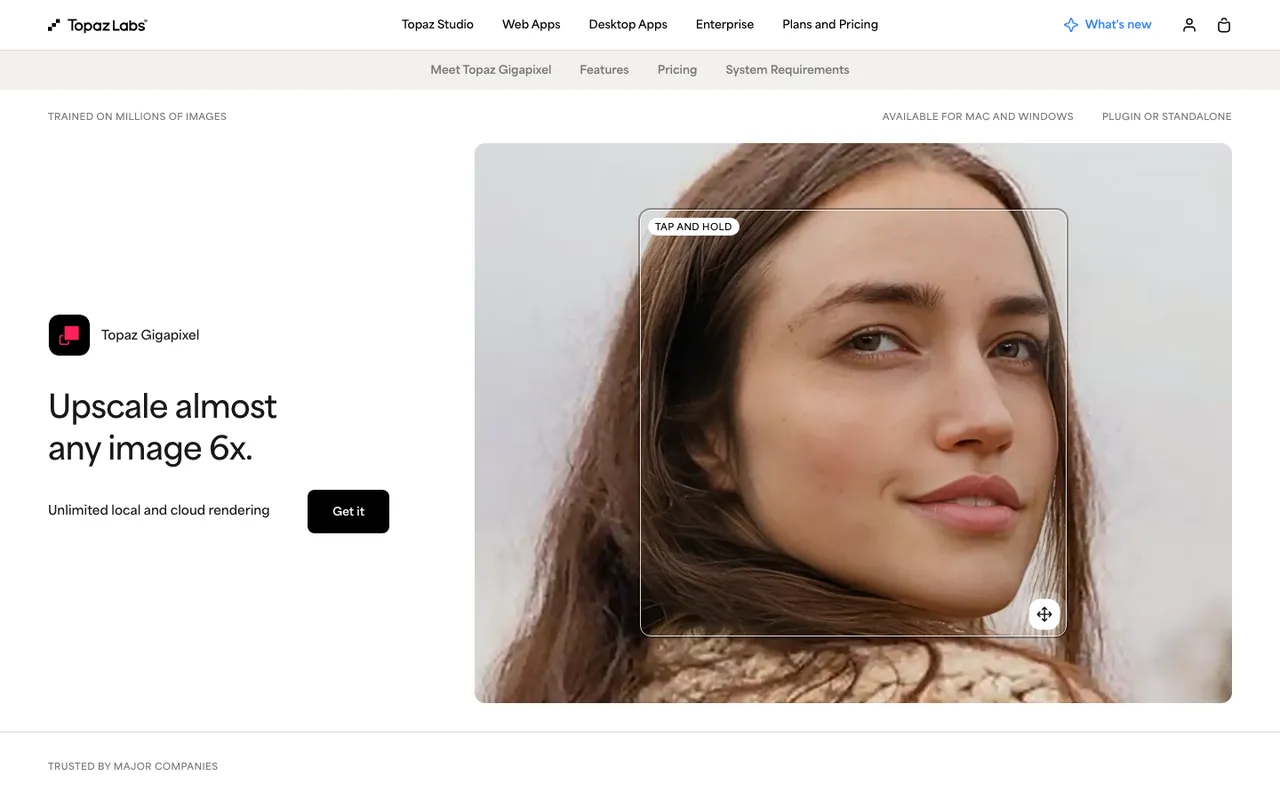
Topaz Gigapixel homepage (topazlabs.com), captured on 04/11/2026. Screenshot: OPCAIOS.
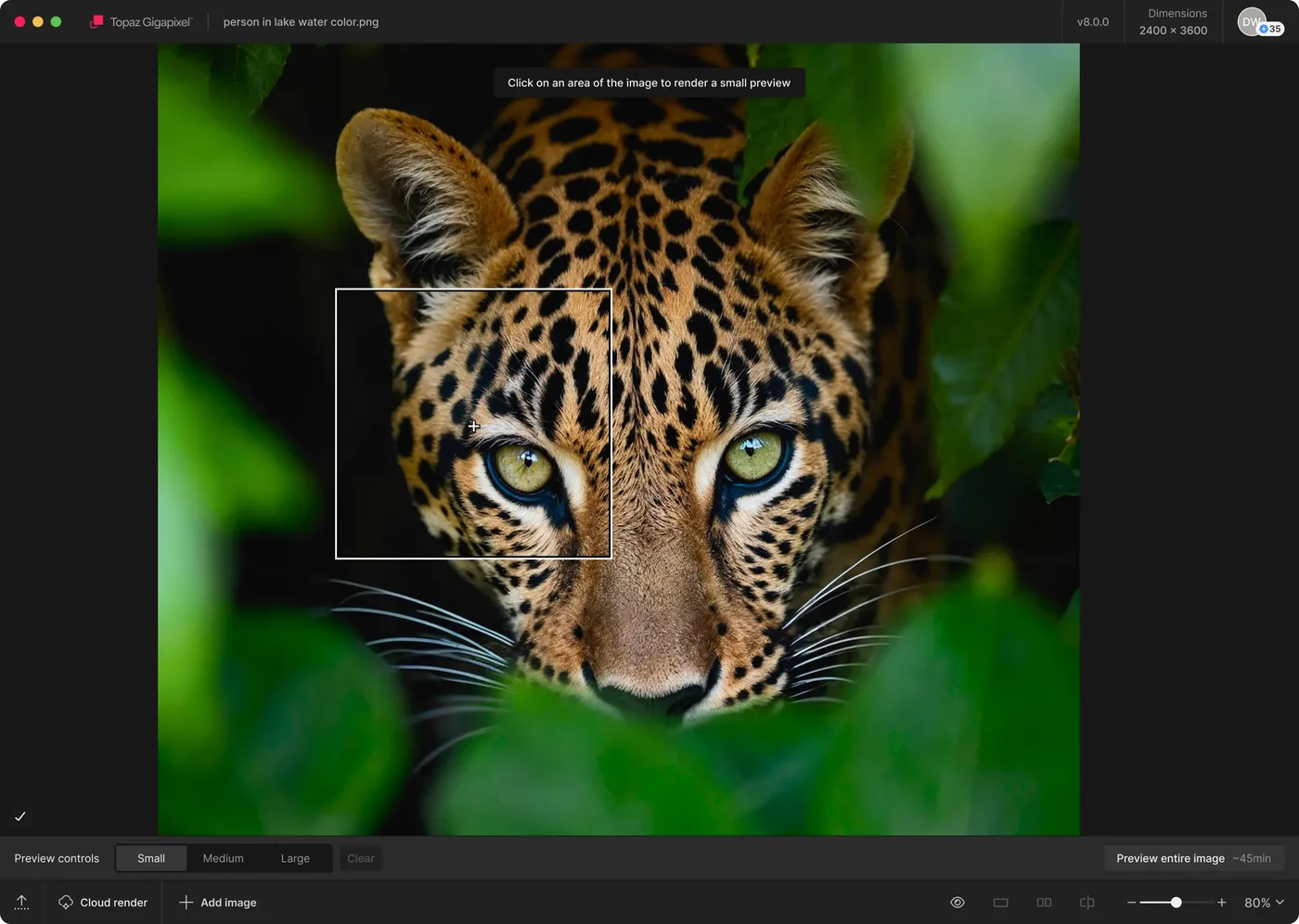
Topaz Gigapixel interface. Image: topazlabs.com.
Strengths: Clean interface. Many models for each image type: faces, text, low-resolution images. Can render on machine.
Limitations: Subscription, not cheap. Commercial use limited by revenue. No Vietnamese language.
Which AI image upscaling tool should I choose? By situation
Choosing an AI image upscaling tool based on your specific situation is easier than finding the "best one". First, determine whether the image needs to be authentic. Next, check if your machine has a suitable GPU. Finally, consider your budget and whether the image can stay on your device.
| Situation | Recommendation | Reason |
|---|---|---|
| Upscaling old product images, new to AI | Upscayl | Free, one-click, image stays on your device |
| Enlarging 500 images in one folder | Real-ESRGAN (ncnn version) | Run via script, no interface needed |
| Want to combine enlargement with added detail, face fixing | ComfyUI | Chain multiple nodes in one workflow |
| Illustration or AI images that need to look "better" rather than accurate | Clarity AI | Creative upscaling style |
| Large-format print images for clients, need stable tool | Topaz Gigapixel | Commercial software, many specialized models |
| Machine has no dedicated GPU | Upscayl Cloud, Clarity AI, or Topaz cloud | Processing on vendor's servers |
Example (hypothetical): a small shop has 200 product photos taken on an old phone. The shop owner can try Upscayl on 10 images first, compare before and after by eye, then run the entire folder. If text on packaging gets distorted, they should switch models or keep the original image.
Risks and general notes
AI upscaling has four main risks: fabricated details, copyright of the original image, data when uploading to the cloud, and hidden costs. The section below is for reference only, not legal advice.
- Fabricated details: the model guesses details; it doesn't recover truth. Don't use upscaled images as evidence, documents, or identity photos.
- Copyright: upscaling doesn't turn someone else's image into yours. Only process images you have the right to use.
- Personal data: cloud services receive your images. Images with faces, documents should prioritize tools that run on your device and read the terms carefully.
- Software license: Upscayl, ComfyUI, Clarity use AGPL or GPL. Using internally is usually fine; if you modify code and provide it as a service to others, read the code disclosure obligations carefully.
- Hidden costs: GPU, electricity, learning time; with services, credits run out fast when upscaling very large images.
OPCAIOS experience
OPCAIOS is the website opcaios.org, run by one person using AI agents like Claude Code, Antigravity, Codex. On image upscaling, our real experience is limited, and we say so clearly. We've downloaded Real-ESRGAN and ComfyUI to our work machine to try, but haven't put them into daily workflow yet. We haven't used Upscayl, Clarity AI, or Topaz Gigapixel, and haven't measured image quality by numbers. So the comments in this post are based on official documentation read on 04/11/2026. This post was written by multiple Claude Code subagents running in parallel, each agent reading the source for one tool group. If you need a stable workflow, our advice is to test on a small sample image set first, compare by eye, then choose.
Read more: What is Real-ESRGAN?, What is ComfyUI?, Making social media templates yourself instead of Canva, Creating images and video with Gemini.
Frequently Asked Questions
Which AI image upscaling tool is free and easiest to use?
Upscayl is the easiest free option among the five tools in the post. The desktop version downloads like regular software and runs on Windows, macOS, and Linux with four clear steps: select image, select model, select folder, click button. Your image never leaves your computer. The requirement is that your machine has a graphics card that supports Vulkan; the README says many integrated cards won't work. If your machine doesn't meet this, you can try Upscayl's cloud version, which has a 10 credit trial package according to the pricing page as of 04/11/2026.
Does AI image upscaling need a GPU?
Most tools that run locally need a GPU. Upscayl and the ncnn version of Real-ESRGAN use Vulkan and work with Intel, AMD, and Nvidia GPUs according to the README. ComfyUI supports many GPU types but diffusion models need lots of graphics memory. Topaz Gigapixel can render on Apple Silicon and Windows machines, though some models must run in the cloud. If you don't have a GPU, use cloud services like Clarity AI, accepting that images will be uploaded to the company's servers.
Is Real-ESRGAN still worth using in 2026?
Real-ESRGAN still works, but has essentially stopped being updated. According to the GitHub API checked on 04/11/2026, the last release was v0.3.0 on 20/09/2022 and the last code push was on 06/08/2024. Remaining advantages: BSD-3-Clause license, ready-to-run files, lightweight, good for batch processing. Many tools like Upscayl still use Real-ESRGAN models under the hood. If you need higher quality for faces or text, try newer models through ComfyUI or paid services.
How is "creative" upscaling different from "faithful" upscaling?
Faithful upscaling tries to preserve the original image content exactly, just sharpening and increasing pixels. Creative upscaling uses diffusion models to paint in extra details, like how Clarity Upscaler works. The creative result looks more "beautiful," but may alter faces, text, and patterns. For product photos, documents, real photos, choose the faithful type. For illustrations or AI-generated images, the creative type usually works better. Always compare with the original image before using.
Where can I learn to use ComfyUI and other AI image tools?
The fastest way is to start with the official documentation. ComfyUI has a desktop app for Windows and macOS; the README recommends beginners use this version. Then try a simple upscaling workflow, then add sharpening steps with diffusion models. You can also read What is ComfyUI? on the blog. If you want a structured learning path, applying AI to images, content, and running a small business, check out OPCAIOS's AI application training course.
Sources: upscayl.org, upscayl.org/pricing, github.com/upscayl/upscayl, github.com/xinntao/Real-ESRGAN, github.com/Comfy-Org/ComfyUI, comfy.org, github.com/philz1337x/clarity-upscaler, clarityai.co/pricing, topazlabs.com/gigapixel, topazlabs.com/pricing (checked 04/11/2026); not checked/not verified: Comfy Cloud pricing, Upscayl Cloud package prices beyond Pro, actual image quality (we haven't measured), the "16x" and "6x" claims from vendors, prices and ratings may change. Experience is OPCAIOS's.
Translated from Vietnamese with AI. Read the original.
Want to apply this in your business?
Book a free 30-minute call (Vietnam time, in English or Vietnamese).