



What is Google Analytics 4 (GA4)?
GA4 is the current version of Google Analytics, Google's service that collects data from websites and apps to create reports on how users interact with them. According to Google's help page (read 25/10/2026), you attach a measurement code snippet to your pages, data is recorded anonymously per user, then consolidated into reports. This post explains what GA4 is, how to create an account and install the tag, which events are measured by default, data retention time, how to read metrics for a small website, and OPCAIOS's experience. An honest note: GA4 tells you what people do on your website, not what they think, and metrics for low-traffic websites fluctuate heavily so don't jump to conclusions.
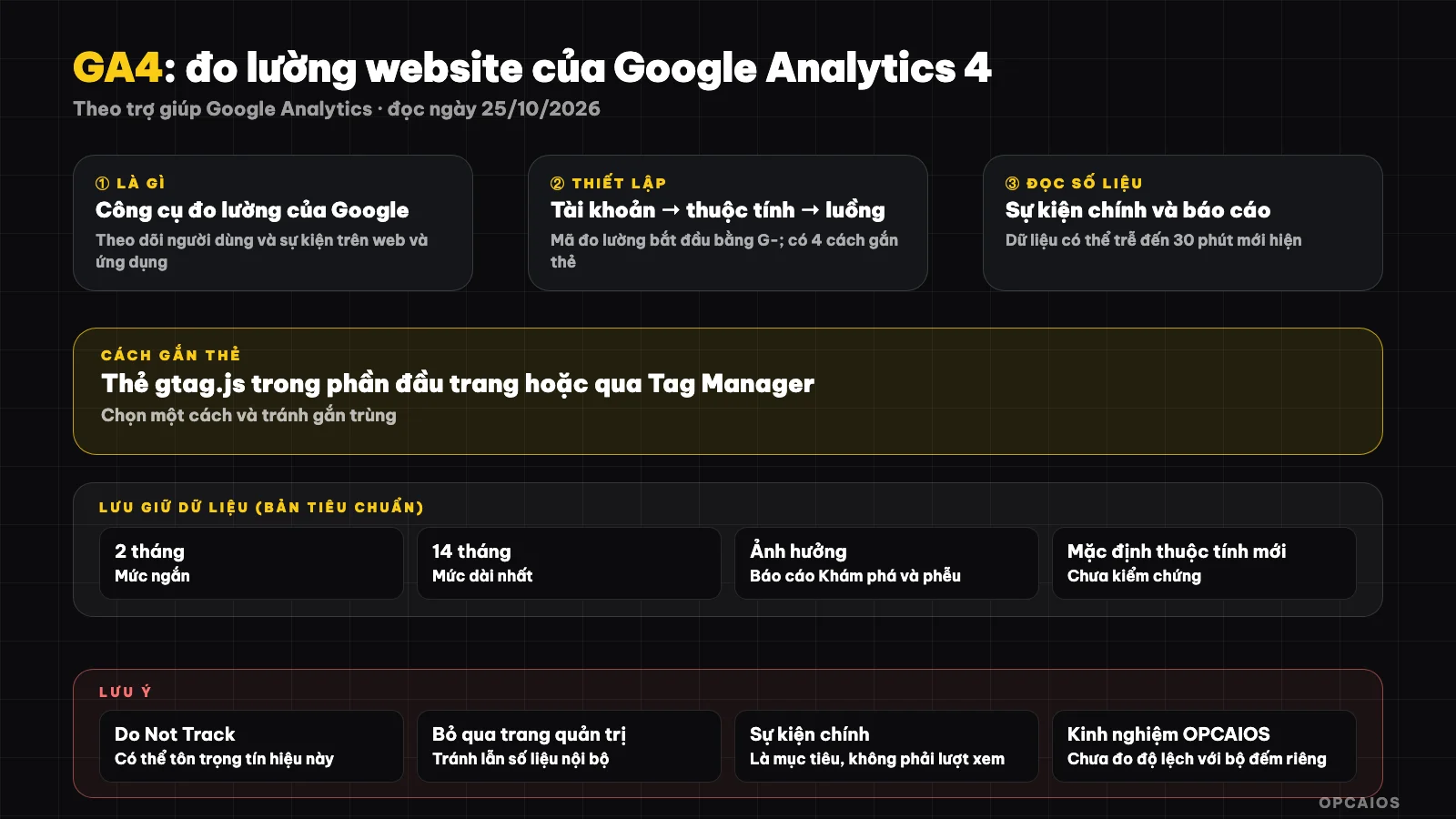
The path of GA4 data from web page to report. Diagram: OPCAIOS.
What is GA4 and how does it differ from the old version?
GA4 measures based on events: each page view, scroll, click, file download or form submission is an event with parameters. This approach differs from the session and page view measurement style of the old Universal Analytics. We haven't found Google's official page about when the old version stops, so I'm not stating a specific date.
A property is a website or app you track. A data stream is the channel receiving data from your website, with a measurement code starting with "G-". A key event is an event you mark as important to your business, like submitting a contact form. According to Google (read 25/10/2026), a key event is an event that measures an action particularly important to your business's success.
What does GA4 measure right when you turn it on?
When you enable enhanced measurement for your web data stream, GA4 automatically records a group of common events without needing to write additional code. This is enough for a small website to know which pages are viewed, whether readers scroll down, and where they click to leave.
The list below is from Google's help page on enhanced measurement, read 25/10/2026:
| Event | When it's sent |
|---|---|
| page_view | Each time a page loads or browser history state changes; cannot be turned off |
| scroll | First time a user scrolls to the bottom of the page (90% vertical depth) |
| click | When clicking a link to a different domain |
| view_search_results | Search results page, detected via URL parameters like q, s, search, query, keyword |
| video_start, video_progress, video_complete | Embedded YouTube videos with JS API support; progress sent at 10%, 25%, 50%, 75% |
| file_download | When clicking a link to a file with a common extension |
| form_start, form_submit | First interaction with a form and when submitting; needs a custom dimension to use form parameters in reports |
To turn it on: go to Admin, under Data collection and modification, select Data streams, open your stream then turn on the Enhanced measurement toggle; you need Editor permissions or higher. Google also reminds you to ensure you're not collecting personally identifiable information.
How to set up GA4 for your website
Setting up GA4 involves five steps: create an account, create a property, create a web data stream, get the measurement code then add the Google tag to your website. There are four ways to add the tag, and the easiest for non-coders is to paste the measurement code into the dedicated field if your website platform has one.
Steps from Google's setup page (read 25/10/2026):
- Go to analytics.google.com, select Start measuring, name your account and choose data sharing settings.
- Create a property: enter name, reporting timezone, currency, then industry and business size.
- Add a data stream, select Web, enter your website address and stream name.
- Open the stream, copy the Measurement ID in the stream details section; the code starts with "G-".
- Add the tag using one of four methods.
| Method to add tag | Use when |
|---|---|
| Paste measurement code into platform's field | Website builder or CMS has a code input field |
| Select Manual setup, paste entire tag snippet into custom HTML section | Other platforms don't have a dedicated field |
| Paste the tag right after the head tag on each page | You edit HTML yourself |
| Google Tag Manager | You want to manage multiple tags in one place |
After installation, data may take up to 30 minutes to appear; check using the Real-time report.
How long is data kept?
With a standard GA4 property, you choose to keep user-level data and other event data for 2 months or 14 months. This only affects Explorations reports and funnel reports, while standard aggregate reports are not affected.
Details by page on Google's data retention policy (read 25/10/2026):
- Age, gender, and interest data are always kept for only 2 months.
- Reducing retention time will delete old data at the next monthly processing run, while increasing it applies to all already-collected data.
How do I read metrics for a small website?
With a small website, just look at four questions: where do people come from, what pages do they read, do they take the action you want, and is the weekly trend going up or down. Ignore small percentages; compare multiple consecutive weeks instead of a single day.
| Question | Check here | How to act |
|---|---|---|
| What channel do visitors come from? | Traffic source report | Increase effort on channels that bring real readers |
| What pages get read? | Pages and screens report | Write more topics similar to good pages |
| Does anyone take the main action? | Main events | Fix call-to-action buttons, forms, page speed |
| Do people scroll? | Scroll events | If few people scroll, move the main point to the top |
To know what Google keywords bring visitors, GA4 cannot replace Search Console; see What is Google Search Console. For a service sales page, set form submission as the main event, then cross-check against real customers you receive by hand to verify GA4 isn't overcounting. If you want to tie ad sources to each customer, see more at What is CRM.
Limits, privacy, and common pitfalls
GA4's biggest limit is it only sees people who let the tag run. Browsers blocking tracking, ad blockers, or people who refuse consent all make the numbers lower than reality, so treat GA4 as a trend, not accounting figures.
- Personal data: don't put email addresses or phone numbers into event parameters or URLs. Google requires you to ensure you're not collecting personally identifiable information when using advanced measurement.
- Privacy and consent: depending on where you are, you may need to notify and get consent before measuring. Legal content is for reference only, not legal advice.
When do you not yet need GA4?
If your website still has very few readers or no actions to measure yet, Search Console and counting real visitors by hand is enough for the first few months. GA4 helps when you start making decisions based on what content drives action.
| Situation | Suggestion |
|---|---|
| New website, no posts yet | Not needed yet; make content first |
| Has blog and contact form | Set up GA4, mark form submission as an event |
OPCAIOS experience
Website opcaios.org has GA4 support in its source code: administrators enter the measurement code in the SEO settings section and the Google tag is placed right in the HTML head so Google's tag verification tool can read the page source. The tag is skipped in the admin area and login page, and doesn't run with browsers that have the "Do Not Track" signal enabled. Several site goals (like form submission, booking) are sent to GA4 as events through the same internal tracking function. The admin area also has a tab to read GA4 reports through a read-only service account, if the administrator configures it.
What we don't say: we don't publish traffic volume or GA4 metrics, and haven't measured how much GA4 differs from our internal counter. We also haven't checked how many readers use tracking blockers. The "Do Not Track" signal is a voluntary browser mechanism, so this is our choice to respect privacy rather than a Google requirement. To connect with organic search, see What are SEO and GEO and how to measure whether AI cites your website.
Read more: 6 best website measurement tools in 2026.
Frequently Asked Questions
Is GA4 free?
The page we read didn't mention pricing, so we haven't verified it. Google's data retention page does mention "standard" and "360" properties, meaning there are separate paid versions; open Google's official pricing page before you decide.
How long after installing it before I see data?
According to Google's setup page (read 25/10/2026), data can take up to 30 minutes to appear. You can check quickly using the Real-time report—open your website in another window and see if there's one active user.
What is a key event and how do I set it?
It's an event that measures an action that's especially important to your business, for example submitting a contact form. You create or choose the event that measures that action, then mark it as a key event in GA4. Only mark a few events that are truly important.
Can GA4 replace Google Search Console?
No. GA4 tells you what users do on your website, while Search Console tells you how your website appears on Google and which keywords it shows up for. The two tools complement each other.
How do I learn to read data and use AI to analyze it?
You can check out OPCAIOS's AI application training course, where we guide you through combining measurement tools with AI-powered workflows.
Source: Google Analytics help pages on setup (answer 9304153), advanced measurement (9216061), key events (9267568) and data retention (7667196), read 25/10/2026. Not verified: GA4 pricing and 360 version, default retention of new properties, Google Analytics sunset date, the term "conversion renamed to key event" (page doesn't say clearly). Experience is from OPCAIOS.
Translated from Vietnamese with AI. Read the original.
Want to apply this in your business?
Book a free 30-minute call (Vietnam time, in English or Vietnamese).