



What is a website security audit?
A security audit is going through a fixed list of common weak points (configuration, login, software dependencies, backups, network ports) to find and close the most obvious vulnerabilities. This post collects 15 tasks that a solo operator can start in an afternoon, based on a real audit and hardening session by OPCAIOS for a website running Next.js, through Nginx and Cloudflare, following the OWASP Top 10:2025 framework. The honest part: this is not professional security advice, an afternoon is not enough to guarantee absolute safety, and OPCAIOS does not guarantee that its site or yours is immune to attack. The list only helps you close the most common open doors; websites with payments, sensitive personal data, or large traffic should hire independent testing experts. The post contains no attack commands or commands that could damage the system; every step is either checking or defensive configuration.
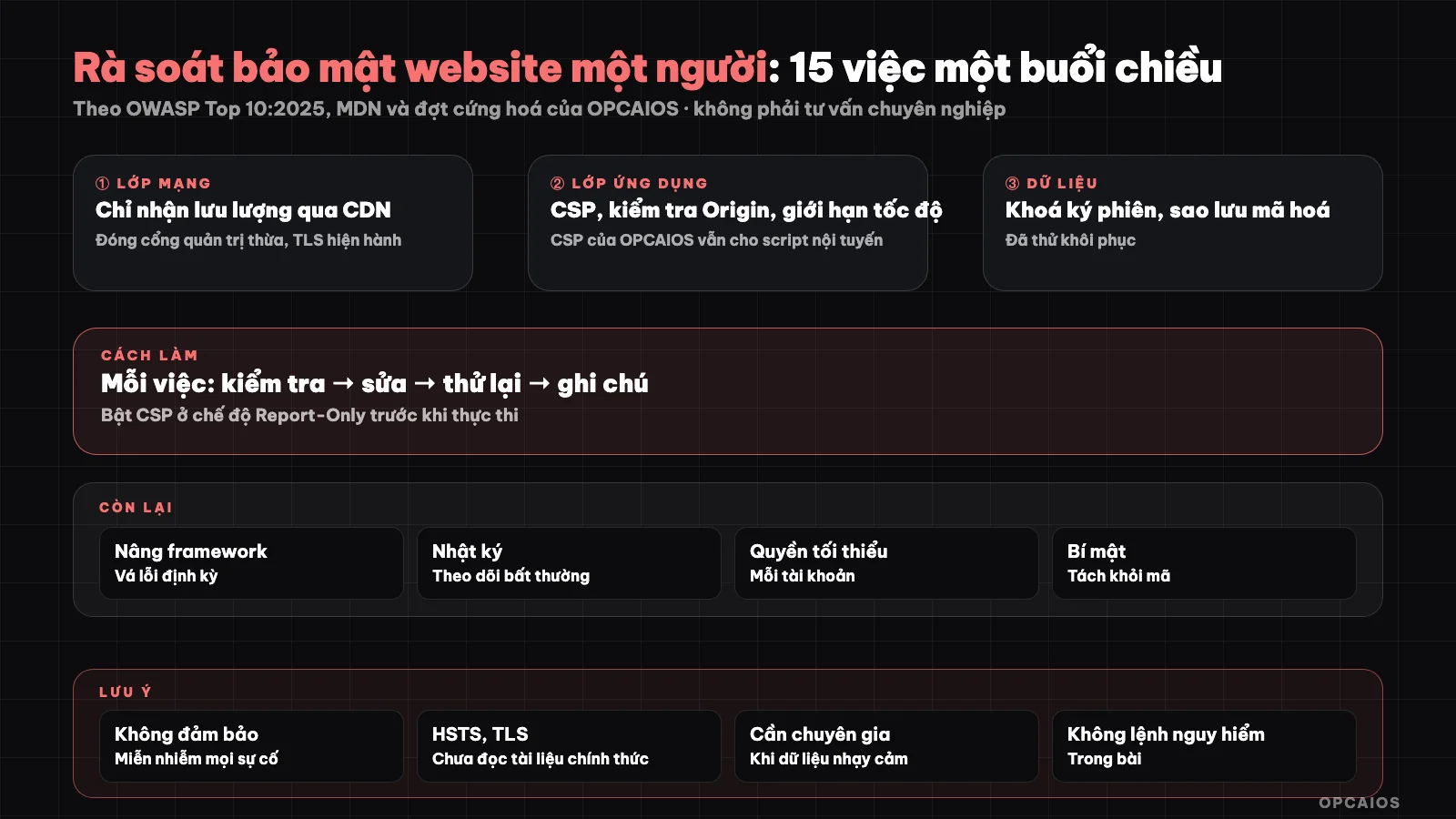
15 tasks divided into 5 groups, from least risky changes to most. Diagram: OPCAIOS.
What is the OWASP Top 10 framework?
OWASP (a nonprofit organization for web application security) publishes a list of 10 common risks. The current version on the official site (read 25/10/2026) is OWASP Top 10:2025, which includes: broken access control, misconfigured security, software supply chain errors, cryptographic failures, injection, unsafe design, authentication failures, software or data integrity failures, logging and monitoring failures, and improper exception handling. Many of the tasks in the list below fall right into these categories (configuration, authentication, supply chain, logging). For example, tasks 9 and 10 belong to misconfigured security, tasks 6 and 7 to authentication failures, tasks 3 and 12 to supply chain, and task 15 to logging and monitoring failures. Use this list as a map to see what areas you are missing, not as a scorecard to "pass". First, mark tasks you have done. Next, rank undone tasks by priority at the end of the post. Finally, review again every 3 months.
How to plan the afternoon
Do this in order: tasks that only check first, tasks that change configuration second, high-risk tasks (changing networks, upgrading frameworks) last and only when you have a backup. Before each change, record the old configuration so you can revert.
Group A: browser and response headers
1. Turn on Content Security Policy (CSP)
Content Security Policy (CSP) is an HTTP header that tells the browser what sources a page is allowed to load resources from, and the main goal is to reduce the damage from XSS. According to MDN (documentation read 25/10/2026), the safe order has 3 steps. First, deploy using the Content-Security-Policy-Report-Only header to only report. Next, look at the violation reports and fix the legitimate parts. Finally, switch to the Content-Security-Policy header to enforce. MDN also recommends prioritizing nonce or hash instead of domain lists, and avoiding 'unsafe-inline' when possible. OPCAIOS reality: the website has CSP turned on with a list of allowed sources, but the current version still allows inline scripts, meaning it has not reached the strict level MDN recommends. A consequence to remember on Next.js or any platform: each new script, iframe, or external connection must be added to the policy, or the browser will block it. Example assumption: add a new chat widget but forget to declare it, the widget will disappear.
2. Add basic security headers
Prevent embedding pages in foreign frames (frame-ancestors in CSP, according to MDN replacing X-Frame-Options), upgrade HTTP to HTTPS for child resources, and HSTS. Check using a tool to see your browser headers.
3. Scan third-party resources
List every script, font, iframe embedded from elsewhere. Remove what you don't use; each one you keep is a supply chain risk.
Group B: Login and Sessions
4. Check Origin for write requests
Origin check is rejecting requests that modify data (POST, PUT, DELETE) sent from another website to your logged-in session. Broken access control tops the risk groups in OWASP Top 10:2025. OPCAIOS performs Origin check at the application middleware layer: write requests to cookie-based paths must have an Origin header matching the server, otherwise return 403. Webhooks and token-based APIs are intentionally excluded, since those calls do not go through the browser session. The process has 3 steps. First, list the write paths using cookies. Next, add Origin check to the middleware for exactly those paths. Finally, test a fake request from a different domain using a tool like curl and confirm you get 403. The lesson: when adding a new cookie-based path, remember to include it in the protected list, since forgotten paths won't be checked. For example, a new data export button on the admin page needs to be added to the list the same day it is created.
5. Rate limiting for login and forms
Rate limiting is allowing each address only a certain number of attempts within a time window, applied to login and forms. Authentication failure is one of 10 risk groups in OWASP Top 10:2025, and when the threshold is exceeded the application should return 429 (Too Many Requests) with a Retry-After header. There are 3 details worth remembering. First, group IPv6 addresses by range rather than individual addresses, since an IPv6 user can change addresses within the same range very easily. Second, gradually clean up counters over time instead of deleting them all at once, to avoid accidentally reopening the door to someone guessing passwords. Third, return a generic error message to the client instead of technical messages, since detailed messages help attackers guess the system. OPCAIOS consolidates rate limiting functions into a shared utility so every new form can reuse it, avoiding each place writing its own way. For example, the document signup form and the admin login page both call one rate limiting function instead of two separate pieces of code, so when adjusting the threshold you only fix it in one place.
6. Session signing key is unique and long enough
Session cookies and two-step authentication tickets should be signed with a private secret, random, stored outside the source code. Do not use default values or share the key with something else.
7. Enable two-factor authentication for admin accounts
And also for important vendor accounts (domain, hosting, email, CDN). This is one of the cheapest and most effective things to do.
8. Protect against formulas in CSV export files
If the admin page allows CSV export, cells starting with special characters can be interpreted as formulas by spreadsheets. Use a shared function to disable them when exporting.
Group C: Network and Infrastructure
9. Accept traffic only through CDN
Accept traffic only through CDN means the origin server only accepts connections from CDN address ranges, so anyone calling directly to the origin server address will be rejected. If you use a CDN or front-facing protection layer, configure this on your web server. OPCAIOS does this correctly, and as a result direct calls to the origin address receive a 403 code instead of being served. OPCAIOS uses Cloudflare as its CDN and configures Nginx to only accept Cloudflare's address ranges. Misconfigured security is one of the 10 risk groups in OWASP Top 10:2025. Two takeaways: First, direct checks must go through the domain name, not the server address, because the origin address is already blocked. Second, when the CDN provider changes address ranges, your list must update accordingly, or you will block yourself and real customers cannot get in. The risk level is high according to the summary table, so only do this when you have a backup of the old configuration and a backup access route. Example scenario: after making the change, try opening the website from 2 different networks to make sure customers can still get in.
10. Close unused ports
Close unused ports means shutting down any services listening from the Internet that don't need to be public, because scanning tools like Shodan or Nmap find these ports very quickly. The process has 3 steps. First, list the services currently listening from outside the internet, for example admin panel, container management tools, and bot control panel. Next, for anything that doesn't need to be public, close the port and access it through an authenticated tunnel instead. Finally, check again from an outside network to make sure the port is closed. OPCAIOS's review closed 2 unnecessary admin ports using the above method. Changing firewall rules can easily lock you out of the server, so keep a backup access route ready, such as the server provider's control panel, before making changes. According to the summary table, this is high-risk work but high-priority, because public admin ports are the first target of automated scanning tools. Only do this when you have a backup and enough time to handle any issues that arise.
11. TLS sufficiently modern
Set the minimum TLS version to a modern level on the CDN or server (we set minimum 1.2). Check after making the change by accessing it in real conditions from a few devices.
Group D: Software and Dependencies
12. Upgrade frameworks and libraries with published vulnerabilities
Run your package manager's dependency checking tool to see warnings. OPCAIOS upgraded the framework to a new major version to clear warnings; it does this using a separate deployment directory and keeps the old version to roll back if needed. Categorize warnings: handle ones that affect runtime first, handle ones only in build tools later. Upgrading major versions should be done separately, not combined with afternoon work if you don't have a test environment yet.
13. Keep secrets separate from code
Don't put API keys or passwords in your code repository. Check your repository history to see if you ever accidentally committed them; if you did, consider them compromised and change the keys.
Group E: Backup and Monitoring
14. Encrypt backups, store outside server, and test recovery
Back up regularly, encrypt before uploading to external storage, keep multiple versions over time. Most important: actually test recovery at least once, and store the encryption passphrase in two separate locations, because losing both makes the backup useless. OPCAIOS does this correctly, including the recovery test step.
15. Have minimum logging and alerting
OWASP lists insufficient logging and alerting as its own category. Minimum: log access and errors, have notifications when service goes down, and have a way to see who logged into admin and when. A regular check schedule (quarterly) should also be on your list.
Summary table of 15 tasks
| # | Task | Risk when doing | Priority |
|---|---|---|---|
| 1 | CSP (report first) | Medium, may block incorrectly | High |
| 2 | Other security headers | Low | Medium |
| 3 | Third-party review | Low | Medium |
| 4 | Origin checking | Medium | High |
| 5 | Rate limiting | Low | High |
| 6 | Session locking | Low (logs out users) | High |
| 7 | Two-factor authentication | Low | Very high |
| 8 | Anti-CSV formula | Low | Low |
| 9 | Accept through CDN only | High | High |
| 10 | Close unused ports | High | High |
| 11 | Minimum TLS | Medium | Medium |
| 12 | Upgrade dependencies | High | High |
| 13 | Secrets separate from code | Low | Very high |
| 14 | Encrypted backup + test recovery | Low | Very high |
| 15 | Logging and alerting | Low | Medium |
OPCAIOS Experience
We carried out this review by having an AI agent read code and configuration, propose fixes, the owner review them, then apply; afterward closing each item and checking again. A few takeaways:
- Fixes in code (CSP, Origin, rate limiting) are fast and easy to undo; fixes in infrastructure (network, CDN, firewall) need authorized people and are easy to lock yourself out.
- Don't remove CSP or Origin checks when "something stops working"; find the blocked source and add it in the right place.
- One review session is just the starting point. We don't claim our site is immune, and we have no independent penetration test results to publish. To understand more broadly about data when using AI, see business data security when using AI.
Related: if you build your own server, see installing n8n on VPS; on legal matters when running a solopreneur business, see legal checklist for solopreneur business registration; on how we operate, see AI system operating on its own.
Frequently Asked Questions
Is an afternoon session enough to make a website safe?
No. Enough to close the most common configuration errors, but safety is an ongoing process (updates, monitoring, periodic reviews). This is not professional security advice.
Which task should I do first?
Two-step authentication, secrets separate from code, and backups with restore tested: three cheap tasks, low risk, high impact. Then move to CSP and infrastructure changes.
Can CSP break a website?
Yes, if you enforce it right away. According to MDN, start in report-only mode, see violations, fix them, then switch to enforcement.
Do I need to hire an expert?
If your site has payments, sensitive personal data, or compliance requirements, you should get independent testing. This list is not a substitute for that.
I'm just starting out, what else should I learn?
Read the OWASP Top 10 list and official documentation for the platform you use, then practice each item in a test environment. If you need a roadmap for applying AI to technical work safely, you can check out OPCAIOS's AI application training.
Source: OWASP Top 10:2025 (top10.owasp.org) and MDN documentation on Content Security Policy (read 25/10/2026); unverified: actual effectiveness of each measure on your site, official documentation on TLS and HSTS not read during this writing; experience is OPCAIOS's.
Translated from Vietnamese with AI. Read the original.
Want to apply this in your business?
Book a free 30-minute call (Vietnam time, in English or Vietnamese).