



AI for office workers means using an assistant like Claude, ChatGPT, or Gemini to handle drafting, summarizing, and organizing in daily work, while the worker remains the checker and takes responsibility. This post does not promise AI gets it right every time, does not promise how many hours you'll save (we haven't measured that for anyone), and does not override your company's rules. You'll get a table of 7 repeated office tasks, each with how to hand it over, how to check it, and the risks; 3 tasks to keep for yourself; a set of data rules when using AI at work; a short comparison of Claude, ChatGPT, Gemini based on their official pages; and one task to try this week.
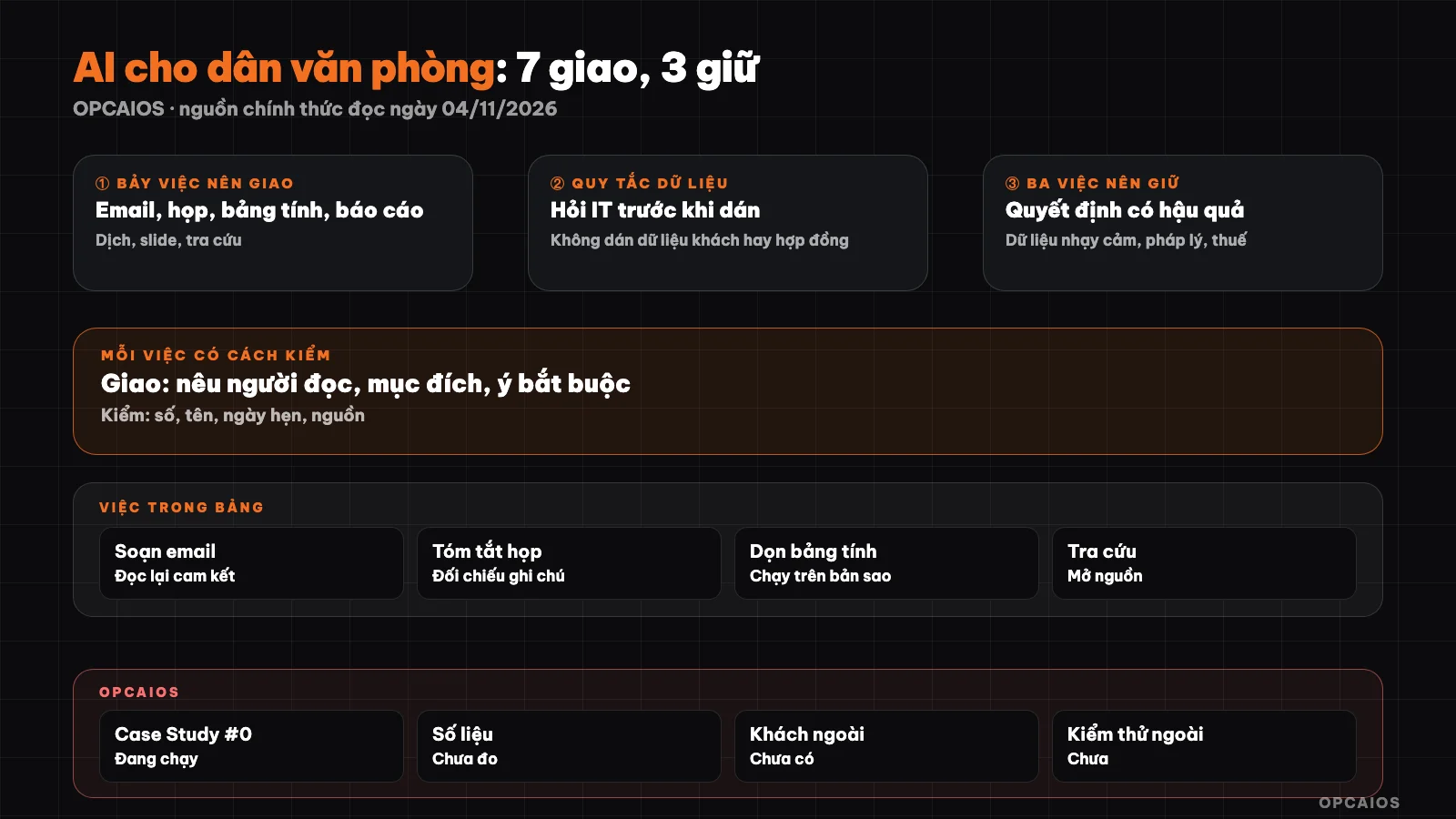
Hand over seven tasks, keep three tasks, all results go through human checker. Diagram: OPCAIOS.
Which office tasks should be handed to AI?
Tasks to hand to AI are repeated tasks with clear inputs and can be checked quickly by eye: drafting email, summarizing meetings, cleaning up spreadsheets, building report frameworks, translating and rewriting, outlining slides, initial research. The common point is AI creates a draft, and you decide the final version. Tasks not to hand over wholesale are tasks where a small error causes big consequences, or where you don't understand enough to spot the mistake. Easy rule to remember: if you can't check the result in a few minutes, don't hand it over, or ask someone with expertise to check for you. Language models write very smoothly, so wrong sentences still read like right ones; that's why the "how to check" column in the table below matters as much as the "how to hand over" column. If you're new to this, read more at what is a prompt to understand why how you describe the task decides the output quality, and learn AI for beginners for a proper learning path.
Table of 7 tasks to hand over: how to hand over, how to check, where's the risk?
| Task | How to hand over | How to check | Main risk |
|---|---|---|---|
| 1. Draft email | Name the recipient, purpose, tone, required points | Re-read name, number, meeting date, commitments | AI commits on your behalf; info leaks |
| 2. Summarize meeting | Paste notes or transcript (already approved to record), ask for: decisions, to-dos, owner, deadline | Cross-check each task against original notes | Wrong owner assigned, fake deadline |
| 3. Clean spreadsheet | Describe columns, give 5 anonymized sample rows, ask for formula or steps | Run on a copy, compare total before and after | Silent formula error; personal data |
| 4. Draft report | Provide figures and your main points, ask to build framework and style | Trace every number back to your source | AI makes up numbers or source |
| 5. Translate, rewrite | Name the reader, tone, terms to keep as-is | Someone who knows the language re-reads key parts | Wrong nuance, wrong terminology |
| 6. Prepare slide | Give goal, audience, slide count, source content; ask to outline each slide | One idea per slide, figures match source | Generic slides, lost main point |
| 7. Research | Ask specifically, ask to cite sources | Open sources, read the excerpt | Fake or outdated sources |
How to hand work to AI so the result is usable?
Handing over well has four parts: context, task, output format, and constraints. Miss one part and AI will guess, and usually guess generic. The template below is an example for you to copy and fill in the bracketed parts:
Context: I am a [position] at [company type], recipient is [recipient role].
Task: draft email to [purpose] based on these points: [point 1], [point 2], [point 3].
Format: under 150 words, polite and direct tone, one request sentence at the end.
Constraints: don't add numbers, names, or commitments beyond the points above.
If information is missing, ask me before writing.
The last line matters: it turns AI from a guesser into someone who asks back. For repeated tasks, save this template in a note to reuse; when you have many templates, group them into a fixed description set the way in context pack for solo workers.
Data rules: what can you paste into AI at a company?
The first rule is to ask your IT department or read your company's policies first, because your company might ban it or only allow approved tools. When you don't have policies yet, follow these principles:
- Use a work account provided by your company if you have one; don't put work data into your personal account.
- Anonymize before pasting: replace customer names with "Customer A", remove phone numbers, addresses, account numbers.
- Don't paste passwords, API keys, ID numbers, personnel files, payroll, health data.
- Check the data settings of the tool. According to Anthropic's privacy page, conversations on personal Free, Pro, Max accounts can be used to improve the model if you turn on the Model Improvement option, and Claude's pricing page says the Team plan is "No model training on your content by default". OpenAI, according to search results (we couldn't access the original page because it's blocked), states that Business and Enterprise plans don't use data for training by default.
- When in doubt, don't paste. See also 5 data security rules when using AI.
What are 3 things you should keep for people to do?
Three things to keep are work where responsibility cannot be handed to software. One: decisions with consequences, like hiring or firing, discipline, large payments, staff reviews; AI can list options, but people decide. Two: handling other people's sensitive data, like customer files, colleagues, patients, because you don't have the right to give them to an outside service on your own. Three: content needing legal or tax work, like contracts, filings, documents to government agencies; AI helps you understand terms and prepare questions, but the specialist must read and sign. This is not legal advice. These three things share one reason: a mistake once might not be fixable.
Claude, ChatGPT or Gemini for office work?
All three can do the tasks in the table; choose based on the tool you use every day and your company's rules, not based on rankings. We only state what we read on official pages on 04/11/2026. Claude's pricing page lists Projects and Claude for Microsoft 365 in paid plans, and notes the ability to create and edit files by running code. Gemini's plan page says the Google AI Pro plan has Gemini in Gmail, Docs, Vids, so it suits people living in Google Workspace. ChatGPT's pricing page was blocked when we read it, so we couldn't compare features. Price and limits change often, so this post doesn't repeat the price table; see Gemini, ChatGPT or Claude for deeper comparison.
OPCAIOS's experience
OPCAIOS is a website built by one person with AI agents, not a large multi-department office environment, so we don't represent how a big company uses AI. What we apply to ourselves is a rule for every agent: read documents in order at the start of a session, keep logs at the end, and important work always has someone review it. We haven't measured hours saved, don't have outside customers, and Case Study #0 is still running on the website itself so we don't have published numbers.
Frequently Asked Questions
Can office workers who don't know how to code use AI?
Yes. The tasks in the table only require you to write your request in regular Vietnamese and check the results. You don't need to know how to code; you need to know what you want, have source data, and understand the work well enough to recognize wrong answers. Start with something small like an email, not with an important report.
Will AI replace office workers?
We don't have data to answer for the entire market. What can be observed at the individual level: AI does well with drafting and organizing, but work requiring context, relationships, and accountability still needs people. This article doesn't predict employment; it only suggests how to divide work between you and the tool.
Can I paste company data into ChatGPT, Claude, or Gemini?
It depends on your company's policy, so ask IT first. If there's no policy yet, anonymize the data, don't paste sensitive information, and prioritize work accounts with data commitments. Check the training settings for each tool, since personal and business plans have different defaults.
Which of the 7 tasks should I start with?
Start with a low-risk task that you can check quickly: drafting an email or summarizing notes from your own meeting. Avoid starting with a report containing numbers or content to translate for a contract. After a week, note which tasks you had to correct the most and which ones worked almost immediately, then expand to the next task.
Can AI make up information in a report?
Yes. Language models sometimes generate numbers, names, or sources that sound plausible but don't exist. Ways to reduce risk: only input your own numbers, ask AI not to add figures, and personally verify each cited source. See what is a personal AI assistant to learn how to set limits for your assistant.
Next Steps
Copy the table of 7 tasks from above into your notes, choose exactly one low-risk task (hint: draft an internal email), use the task template in the article, then note what you had to correct. Do this for a week and that's enough to know which AI tasks fit your work.
Source: Claude pricing page (claude.com/pricing), Anthropic privacy page on model training data, Gemini plan page (gemini.google/subscriptions) read on 04/11/2026; OpenAI business plan data policy only read through search results because the original page and ChatGPT pricing page returned 403 errors when accessed; unverified: current ChatGPT features and pricing, limits for each plan, your company's specific policies. Experience is from OPCAIOS.
Translated from Vietnamese with AI. Read the original.
Want to apply this in your business?
Book a free 30-minute call (Vietnam time, in English or Vietnamese).