



What is a Cron Job?
Cron is a time-based scheduler common on Unix systems; the tasks it runs according to a schedule are called cron jobs, typically used for system maintenance but can automate anything. According to Wikipedia (read on 25/10/2026), each line in a crontab file has five time fields followed by a command: minute, hour, day of month, month, day of week. This post explains what a cron job is, the five-field syntax, shorthand strings, limitations, common errors, and OPCAIOS's experience.
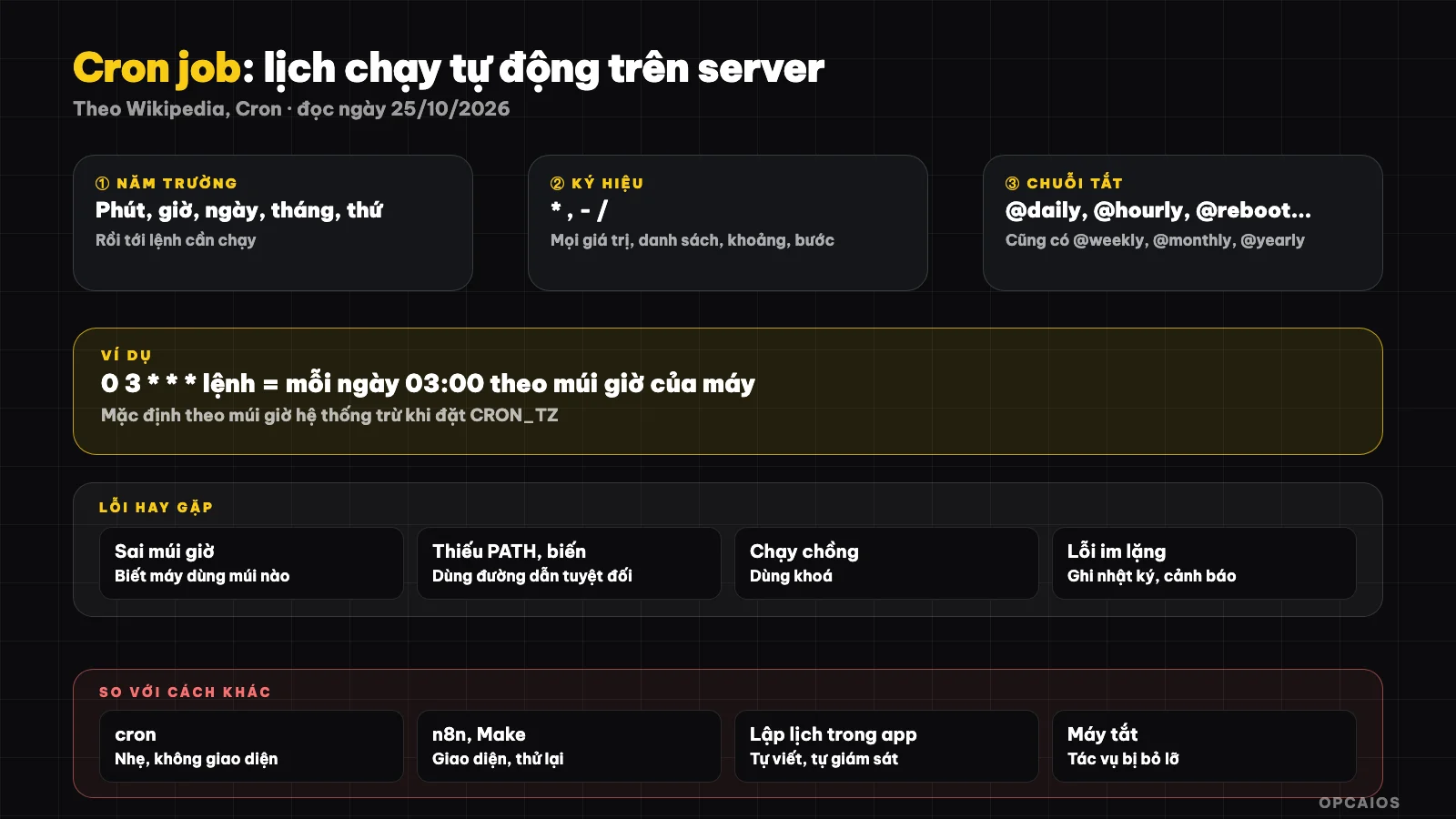
Five time fields then command: write the schedule accurately, remember timezone. Diagram: OPCAIOS.
What is a cron job and where does it come from?
Cron is a background service that checks if any tasks are due and runs them. The name comes from the Greek word for time, Chronos. The original Unix Version 7 checked every minute, which wasted resources; the Purdue University version in 1979 slept until the next task was due and expanded to all users.
Today Vixie cron is the most common according to Wikipedia. Cron is suited to repetitive work; if something only runs once, use at. If you use a VPS, cron is your server's most basic scheduling tool.
Crontab syntax: five fields
Each crontab line has five fields then a command: minute (0–59), hour (0–23), day of month (1–31), month (1–12), day of week (0–6, Sunday first). The * means "every value", comma lists values, hyphen is a range, slash is a step.
| Schedule | Crontab line | Meaning |
|---|---|---|
| Every day at 03:00 | 0 3 * * * lenh |
Minute 0, hour 3, every day |
| Every 15 minutes | */15 * * * * lenh |
Step 15 minutes |
| Monday at 08:30 | 30 8 * * 1 lenh |
Day of week = 1 |
| 1st of every month | 0 0 1 * * lenh |
Midnight on the 1st |
There are shorthand strings according to Wikipedia: @yearly, @monthly, @weekly, @daily, @hourly, and @reboot (runs when the service starts). Note: with steps like */5 in the day field, cron doesn't remember the previous run so intervals aren't always even.
Limitations and common errors
The most common error is wrong timezone, the runtime environment differs from the login environment (missing environment variables and PATH), no logging so errors are silent, and the machine shutting down right at the scheduled time causes the task to be missed.
- Timezone: defaults to the system timezone, unless you set the
CRON_TZline. Know what timezone your server uses. - Minimal environment: use absolute paths for commands and files.
- Overlapping runs: a task longer than the repeat interval will overlap; use a lock so only one runs.
- Missed when machine shuts down: Wikipedia doesn't discuss this thoroughly; anacron was merged into cronie in 2009 but this post doesn't detail its function. For machines not running 24/7 consider a different schedule.
- No error notification: redirect output to a log file, and add an alert when it fails.
Cron and other scheduling methods
Cron is simple and available but has no interface, no automatic retries, and only runs on one machine. For multi-step workflows or when you need to see status, a workflow tool is more suitable.
| Method | Strengths | Weaknesses |
|---|---|---|
| cron on server | Lightweight, available, stable | No interface, manage logs yourself, single machine |
| Workflow tool (n8n, Make) | Interface, retries, service integration | Need to run another system |
| Scheduling in app | Close to business logic | Must write it yourself, monitor yourself |
| Agent tool scheduling | Convenient for AI tasks | Depends on the product |
Want to know where to start automating, see what to automate first if you work alone.
OPCAIOS's experience
We use cron for daily database backups on our server: the script notes that the server timezone is Europe/London so a 21:00 schedule corresponds to roughly 03:00 Vietnam time, and the output goes to a log file. The script also checks that the backup contains important tables before counting it as successful. See 3-2-1 backup.
What we learned is that timezone errors are very easy to make so we write the timezone clearly in the script's comments. Limitation: we don't publish the full path or schedule of our server, and this post doesn't yet compare performance between scheduling methods.
Frequently Asked Questions
Does Cron run on Windows?
Cron is for Unix systems. Windows has Task Scheduler; we haven't done a detailed comparison so this post focuses on cron.
How do I check if a cron job has run?
Redirect the output to a log file and check the update time; add alerts when it fails instead of just relying on the absence of errors.
Why does the command work when I type it manually but cron doesn't run it?
Usually due to a different environment (missing PATH, environment variables) or relative paths. Use absolute paths.
Can cron run every second?
The smallest unit in crontab is a minute, following the five-field syntax.
Where should I start?
Create a simple task that writes a line to a file every 5 minutes to test it, then replace it with the real job. If you need help building automation workflows, see AI application training services.
Source: Wikipedia, "Cron", accessed 25/10/2026; this summary post does not go into detail about missed tasks when the machine is off or the uses of anacron. The schedule examples table is an illustration by OPCAIOS. The experience is from OPCAIOS.
Translated from Vietnamese with AI. Read the original.
Want to apply this in your business?
Book a free 30-minute call (Vietnam time, in English or Vietnamese).