



What is DNS? DNS (Domain Name System) is a hierarchical, distributed naming system that maps easy-to-remember domain names to IP addresses so users can visit websites by name instead of a string of numbers. According to Wikipedia (accessed 25/10/2026), Paul Mockapetris created DNS in 1983 and RFCs 1034, 1035 (1987) completed the specification. This post explains what DNS is, the steps a DNS query goes through, common record types, TTL and update delays, common errors, and OPCAIOS's experience.
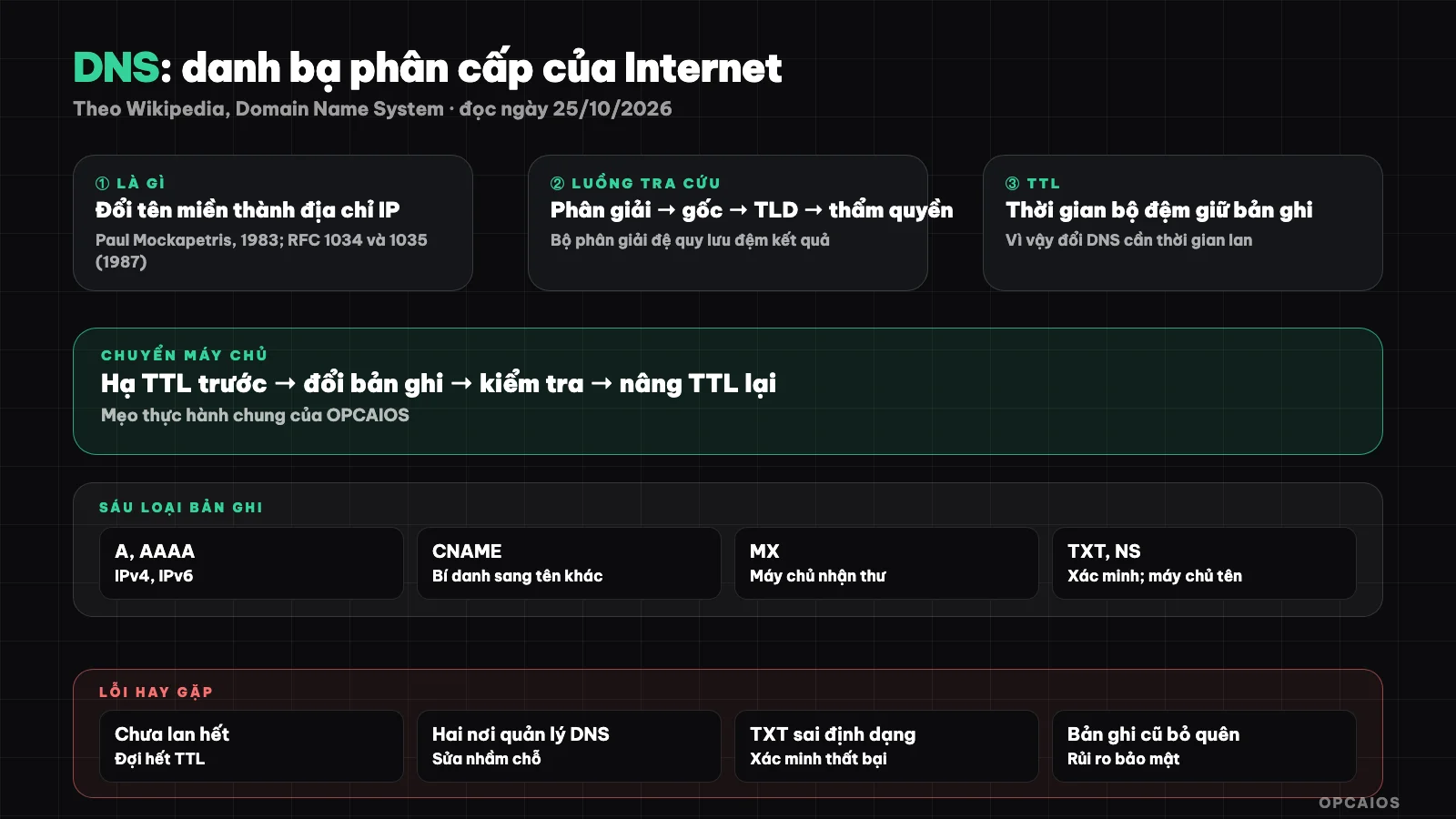
DNS works like the Internet's hierarchical phonebook. Diagram: OPCAIOS.
What is DNS and why is it needed?
Computers talk in IP addresses, but people remember names. DNS is the translation layer between the two: you type a domain name, and the system returns the address of the corresponding server. Without DNS, you'd have to memorize the numerical address of every website.
It also runs in the background for many things beyond the web: routing email (MX records), verifying domain ownership (TXT records), and configuring email authentication. If you rent a VPS or build a website, DNS is the first thing you have to deal with.
What steps does a DNS query go through?
According to Wikipedia, the lookup system descends a tree of authority: the root server at the top points to the servers of each top-level domain like .com; that server points to the authoritative server, which holds the real records of the domain and is the source of truth for it.
Most users go through a recursive resolver run by their ISP or router: it does each lookup step for you and caches the result. That's why the next query is faster, and also why DNS changes take time to spread.
| Step | Role |
|---|---|
| Recursive resolver | Receives the question from your machine, looks it up, caches it |
| Root server | Points to the server of the top-level domain |
| TLD server (.com, .vn...) | Points to the authoritative server of the domain |
| Authoritative server | Holds the real records and answers |
Common DNS record types
Records are individual lines of configuration for a domain. The six most common according to Wikipedia are A, AAAA, CNAME, MX, TXT, and NS.
| Record | Used for |
|---|---|
| A | Points a name to an IPv4 address |
| AAAA | Points a name to an IPv6 address |
| CNAME | An alias pointing to another name |
| MX | Points to the mail server of the domain |
| TXT | Free text, often used for verification and email configuration |
| NS | Points to the authoritative name servers of a zone |
To send email legitimately and reach the inbox, you'll need to add TXT records for SPF, DKIM, DMARC, see what is email marketing.
TTL and why changing DNS takes time
Each record has a TTL (time to live): the number of seconds caches keep the result. Long TTL reduces load and speeds things up, but changes spread slowly; short TTL is the opposite. According to Wikipedia, this caching is precisely why changes need time to propagate.
OPCAIOS's practical tip when planning to move servers: lower TTL to a short value beforehand, change the record, check it, then raise TTL again. This is common practice, not cited from a source.
Common errors and misconceptions
Common errors are typing the record value wrong, forgetting a record for www, changing DNS but the cache hasn't updated yet, and confusing where you registered the domain with where you manage DNS.
- Update hasn't spread: wait for TTL to expire before concluding it's wrong.
- CNAME at the domain root: many providers restrict it; check your provider's documentation.
- Two places managing DNS: changes you make won't work if the name servers point elsewhere.
- Malformed TXT records cause verification to fail.
- Forgetting to clean up old records pointing to abandoned servers: a security risk, see audit your website security.
OPCAIOS's experience
We manage DNS for opcaios.org through Cloudflare, where the website and many subdomains (for example for learning, project management) all point through; see what is Cloudflare. When we need to verify ownership with Google, adding a TXT record to DNS is convenient, see Google Search Console.
Limitations: this post does not disclose our server addresses or a real list of our records. The Wikipedia portion only reads the first 100,000 characters of a very long page, so later sections (for example DNSSEC, DNS over HTTPS) remain unread and this post doesn't cover them.
Frequently Asked Questions
What is DNS, simply put?
It's the Internet's "contact list": it converts domain names into IP addresses so your browser knows where to connect.
How long does it take for a DNS change to take effect?
It depends on the TTL and cache; it could take anywhere from a few minutes to several hours or more. Lower your TTL before switching if you need it to be faster.
What's the difference between A and CNAME?
A points directly to an IPv4 address; CNAME is an alias that points to another domain name.
What is a TXT record used for?
Free text, commonly used to verify ownership and configure email authentication.
Where should I start when I first buy a domain?
Determine where you manage DNS, create an A record for your website and MX for email. Need help building a foundation, check out AI application training service.
Source: Wikipedia, "Domain Name System", accessed 25/10/2026; only read the first 100,000 characters, haven't read the rest. The tip about lowering TTL is common knowledge from OPCAIOS. The experience is OPCAIOS's.
Translated from Vietnamese with AI. Read the original.
Want to apply this in your business?
Book a free 30-minute call (Vietnam time, in English or Vietnamese).