



What is CDN? CDN (Content Delivery Network) is a group of servers distributed in many locations storing copies of data. When users request content, it is served from the server nearest to them, so it is faster and less affected by heavy traffic. According to MDN (read on 25/10/2026), the main benefits include reducing load on the origin server, reducing latency because servers are near users, and having ready-made cache configuration. This post explains what CDN is, how it works, when you need it, what should not be cached, how to check, and OPCAIOS's experience.
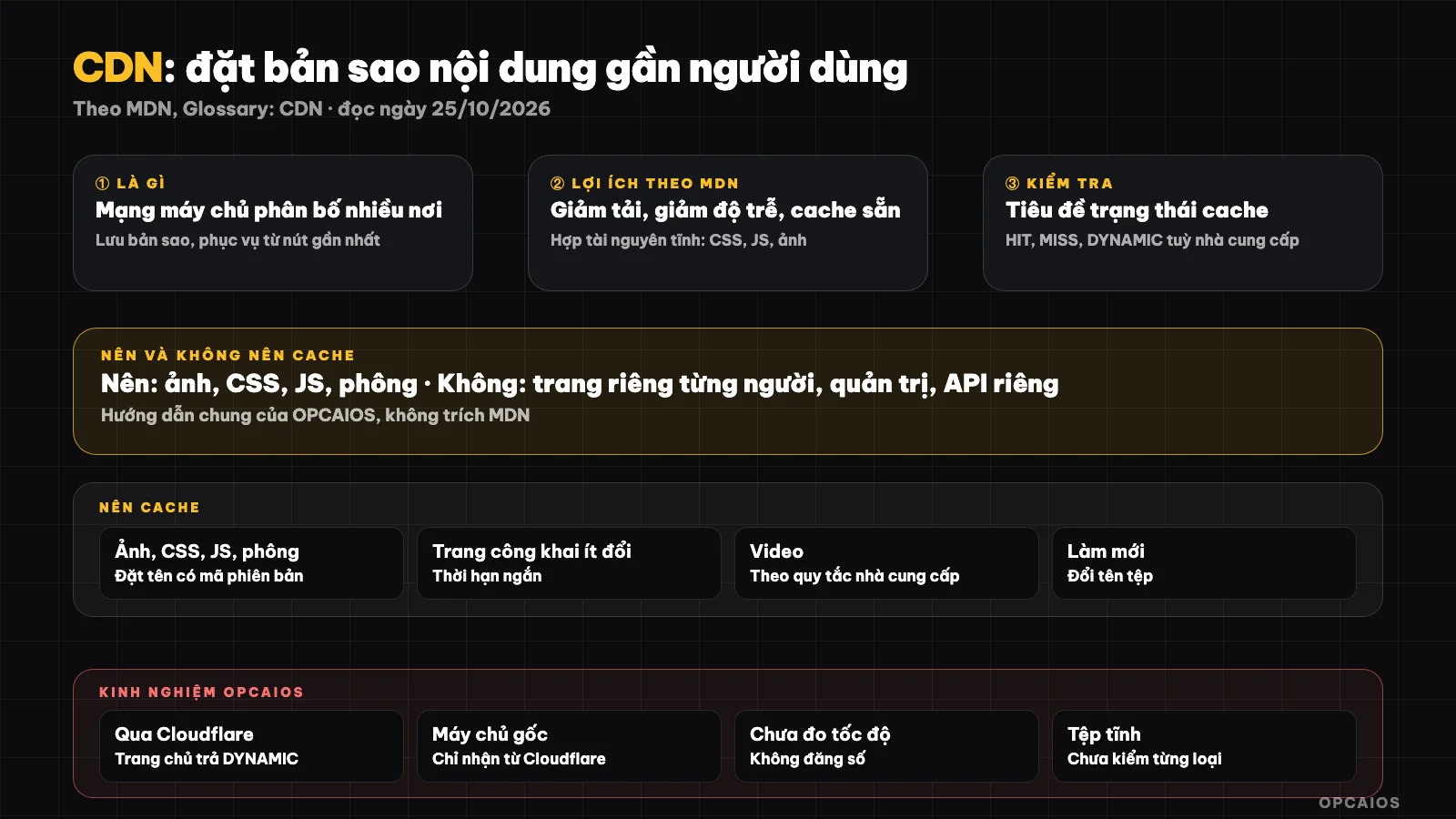
CDN places copies of content near users, only asking the origin server when needed. Diagram: OPCAIOS.
What is CDN and how does it work?
CDN is a layer of intermediate servers placed everywhere. The first time someone requests a file, a CDN node fetches it from the origin server and saves it; subsequent people near that node are served directly from the saved copy. This way the network distance becomes shorter and the origin server does less work.
MDN notes that CDN is typically used for static resources like CSS and JavaScript files of libraries, and there are static websites that are served entirely by CDN. Many CDN services today also serve as protection and traffic routing, like Cloudflare.
Benefits of CDN
Three benefits according to MDN are reducing origin server load, reducing latency, and having ready-made cache configuration. For a small website running on a VPS, CDN helps you handle spikes in traffic without needing to upgrade the server immediately.
| Benefit | Practical meaning |
|---|---|
| Reduce origin server load | Fewer requests to your server |
| Reduce latency | Users far away still load faster |
| Pre-configured cache | Less need to fine-tune yourself |
| Protection layer (depending on provider) | Can add attack defense, hide origin server address |
Loading speed affects user experience and web metrics, see Core Web Vitals. The last two items in the table are features of some providers, not of the pure CDN concept.
What content should and should not be cached?
Cache static content that changes rarely: images, CSS, JavaScript, fonts, videos. Do not cache content specific to each person (shopping cart, account page, admin dashboard) because you might serve data to the wrong person.
| Type | Cache? | Note |
|---|---|---|
| Images, CSS, JS, fonts | Yes | Name files with version code for easy refreshing |
| Public HTML pages that change rarely | Maybe | Set short expiry or use refresh mechanism |
| Pages by user, admin, private API | No | Risk of data leaking between users |
| Response with login cookie | Careful | Check provider's rules |
This is a general guideline from OPCAIOS, not a quote from MDN.
How to check if CDN is working
Look at response headers: many CDNs have cache status headers telling you if a request hit the cache (HIT), missed (MISS), or was not cached (DYNAMIC or BYPASS). The header name and value differ by provider.
curl -sI https://your-domain.vn/image.webp | grep -i -E "server|cache"
If an image is always MISS or DYNAMIC, check the Cache-Control header from the origin server and the cache rules of the service. With Next.js, see Next.js là gì about how to serve static files.
OPCAIOS's experience
The website opcaios.org goes through Cloudflare. On 25/10/2026, running curl -I on the homepage showed the server is Cloudflare and cache status is DYNAMIC, meaning the dynamic HTML page is not cached at the node; images and static files follow separate rules, we have not checked each file type in this post.
We configured the origin server to only accept traffic from Cloudflare, so direct access to the origin address is denied; details see notes about Nginx and security review. Limitation: we have not measured the load time reduction thanks to CDN so we do not include numbers.
Frequently Asked Questions
Can CDN replace a server?
No. CDN serves copies of content; logic and data still sit on the origin server. A purely static website can be served almost entirely by CDN.
Does a small website need CDN?
Not mandatory, but when visitors are far from your server or traffic spikes happen, it's very useful; many CDN providers offer free plans.
Does CDN help with SEO?
Indirectly: faster pages improve user experience. SEO depends on many other factors; see SEO and GEO.
Why did I edit an image but users still see the old one?
Because of caching at the CDN or in the browser. Rename the file, add a version code, or clear the cache following your provider's instructions.
Where should I start?
Point your domain to a CDN service with a free plan, check cache headers for images, and keep private pages uncached. Need support, see AI application training service.
Source: MDN Web Docs, "CDN" entry, read 25/10/2026; have not read documentation of specific CDN providers (Cloudflare learning page returned 403 error). Response headers from opcaios.org checked by OPCAIOS on 25/10/2026. The should/should not cache table is general guidance from OPCAIOS. Experience is from OPCAIOS.
Translated from Vietnamese with AI. Read the original.
Want to apply this in your business?
Book a free 30-minute call (Vietnam time, in English or Vietnamese).