



Which automatic short video cutting tool should you choose? If you want to paste a link and get vertical clips right away, OpusClip is the easiest service: it has a Free plan and a Starter plan at 15 USD/month (OpusClip pricing page, read on 04/11/2026). If you want to self-host for free, OpenShorts (MIT license) does the same job: picks the best segments using AI, crops to 9:16 following faces, and adds subtitles. If you're familiar with Claude Code, Video Use turns an agent into an editor from raw footage. The other three tools don't cut clips automatically: OpenCut is a manual editor, VidBee downloads and transcribes, Reclip only downloads video. They still fit into a complete video cutting workflow. "Best" here is judged by price, self-hosting ability, difficulty, Vietnamese support, and update frequency, not a ranking.
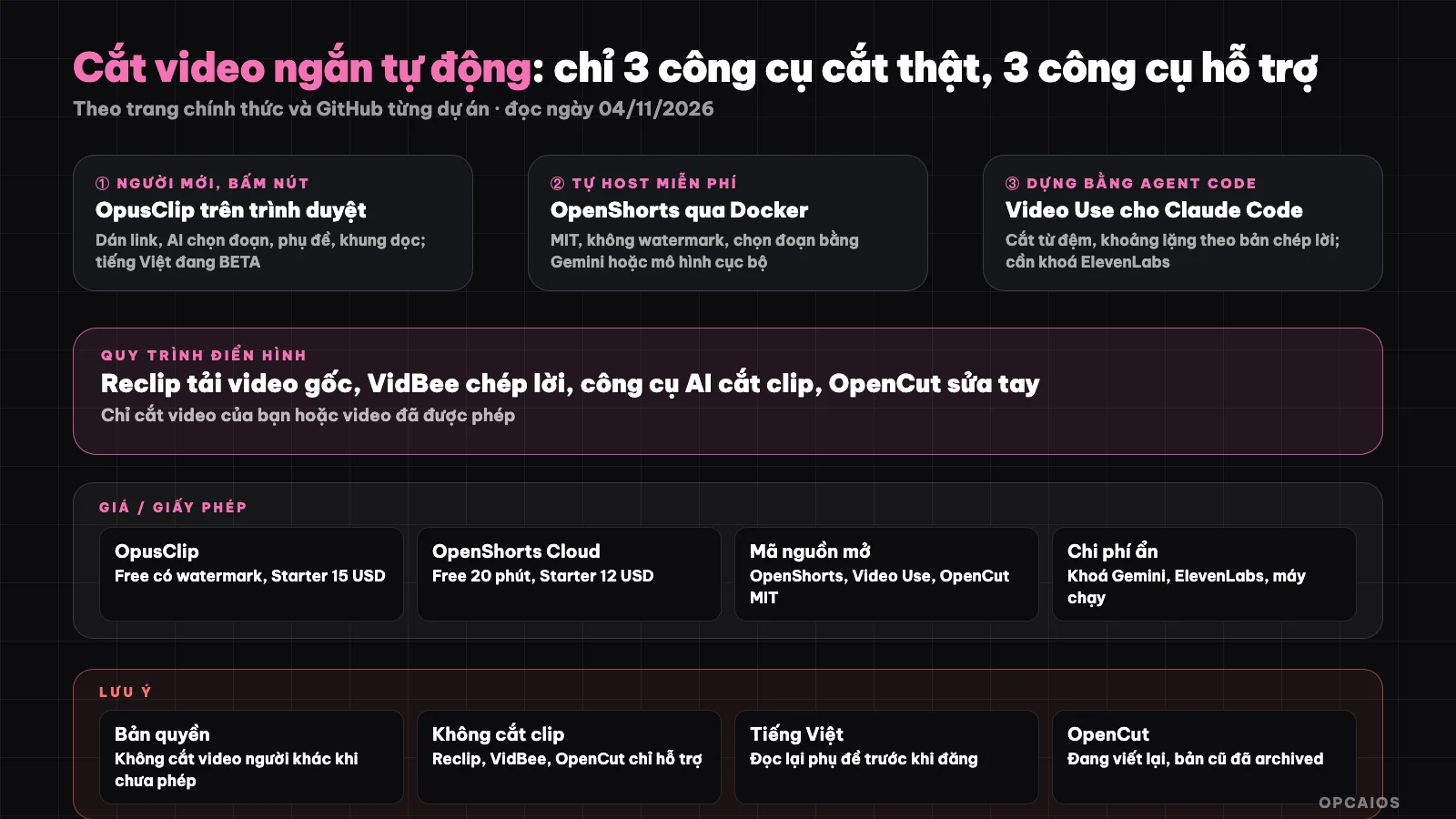
Tool selection map by stage: download video, transcribe, auto-cut, manual editing. Diagram: OPCAIOS.
Quick comparison table of 6 automatic short video cutting tools
The table below compares 6 tools by use case, starting price, self-hosting, Vietnamese support, and difficulty. Only OpusClip, OpenShorts, and Video Use actually auto-cut clips; the other three serve stages before or after. Prices read on 04/11/2026, before tax, subject to change.
Logos of the tools in this post, taken from each project's official page.
| Tool | Best for | Starting price (04/11/2026) | Self-host | Vietnamese | Difficulty |
|---|---|---|---|---|---|
| OpusClip | Beginners, paste link and get clips | Free; Starter 15 USD/month | No | Yes, BETA version | Easy |
| OpenShorts | Self-host auto-cut clips | Self-host free; Cloud from 12 USD/month | Yes (Docker) | Not verified | Medium |
| Video Use | Edit with Claude Code, Codex | Free + ElevenLabs API key | Yes | Not verified | Hard |
| OpenCut | Manual editing, clip refinement | Free (MIT) | Yes | Not verified | Easy |
| VidBee | Download and transcribe to find clips | Free (MIT) | Yes | Per transcription model | Easy |
| Reclip | Download video only | Free (MIT) | Yes | Not applicable | Easy |
What criteria do we use?
We evaluate short video cutting tools by their actual role in the workflow, then move to price and difficulty. All assessments below are from reading official documentation and GitHub API on 04/11/2026. OPCAIOS has not actually used any of these six tools.
- Actual role: does the tool auto-cut clips, or just download, transcribe, and edit manually. We sort by README, not by name.
- Price and license: prices taken only from official pricing pages; open source tools get their license listed.
- Self-hosting and data: your videos stay on your machine or the company's servers.
- Hidden costs: API keys (Gemini, ElevenLabs), GPU, maintenance time.
- Update frequency: date of most recent code push and archived status on GitHub.
- Vietnamese support: we only mark "yes" when official documentation explicitly mentions it. We have not measured subtitle quality in Vietnamese for any tool.
Detailed evaluation of each tool
Each automatic short video cutting tool below is described in the same framework: what it is, who made it, price or license, role in the process, then strengths and limitations. Star counts and update dates are from the GitHub API on 11/04/2026. Any figures self-reported by projects are noted as unverified.
1. OpusClip: best for beginners
OpusClip is a web service using AI to cut long videos into multiple short clips, automatically add subtitles and change aspect ratios, with no self-hosted version. According to OpusClip's pricing page read on 11/04/2026, the Free plan costs 0 USD with watermarks on dynamic subtitle templates, MP4 files can only be exported within 3 days, maximum 1080p, and archived files expire after 3 days. The Starter plan costs 15 USD/month to remove watermarks and extend storage to 29 days. The Pro plan costs 29 USD/month and adds 1:1 and 16:9 aspect ratios, motion object tracking, clip selection by image, audio, and emotion, plus video editing API and MCP server. The pricing page does not list processing minutes per plan and does not specify whether tax is included. For Vietnamese, OpusClip's official help page lists Vietnamese (vi) but marks it as BETA.
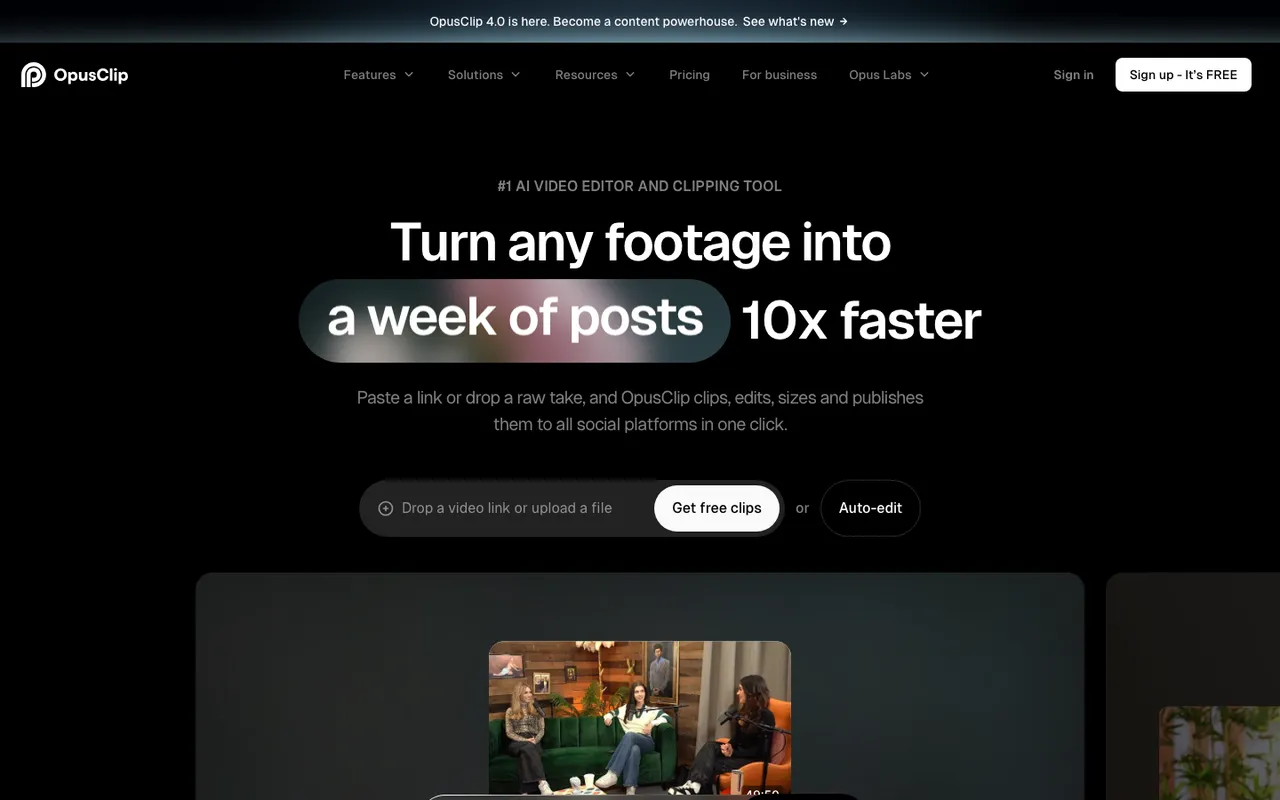
OpusClip homepage (opus.pro), captured on 11/04/2026. Screenshot: OPCAIOS.
Strengths: Paste and go, no setup required. API and MCP available in the Pro plan. Vietnamese support, though in BETA.
Limitations: Free plan limits file export to 3 days. Video must be uploaded to their servers. Pricing page does not state processing minutes per plan.
Read more: What is OpusClip?
2. OpenShorts: best if you want to self-host
OpenShorts is open-source software under the MIT license, introducing itself as an alternative to OpusClip: turning long videos into 9:16 vertical clips for TikTok, Reels, and YouTube Shorts. According to the GitHub API on 11/04/2026, the mutonby/openshorts repository has around 7,462 stars, created on 12/19/2025 and last updated on 11/02/2026. According to the README, Gemini 3.1 Flash-Lite reads the transcript and scene boundaries to select 3 to 15 clips worth cutting; you can swap this for a local model via Ollama or LM Studio. The 9:16 aspect ratio is cropped by face detection (MediaPipe and YOLOv8), subtitles come from faster-whisper. The self-hosted version runs on Docker and needs 8 GB RAM or more; the README reports around 5 to 8 minutes for an 8-minute video on CPU, unverified. According to OpenShorts' pricing page on 11/04/2026, the Cloud plan has a Free tier with 20 minutes/month plus watermark, and Starter at 12 USD/month for 100 minutes.
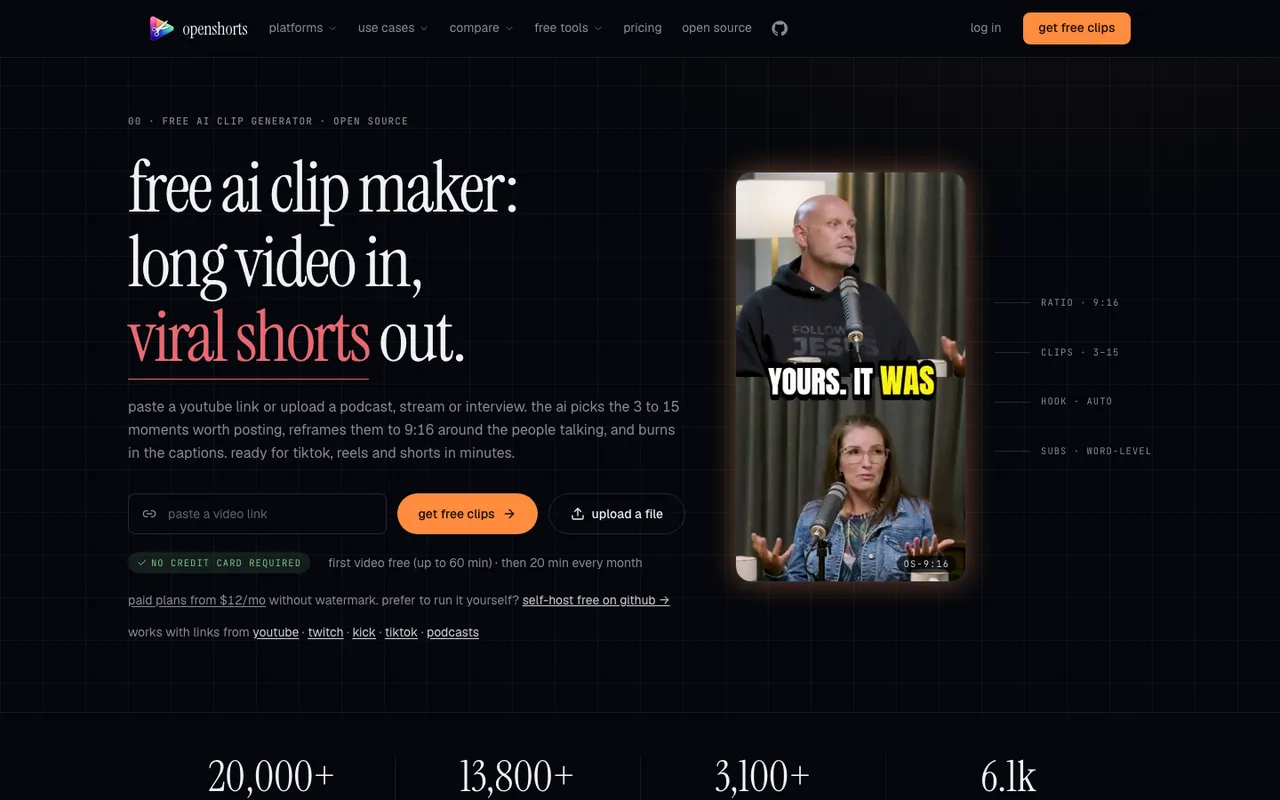
OpenShorts homepage (openshorts.app), captured on 11/04/2026. Screenshot: OPCAIOS.
Strengths: Self-hosted for free, no watermark. Can run with local models. Frequent updates.
Limitations: New project, less than a year old. Requires API key if not running local models. Has additional "AI actors" feature that warrants careful ethical consideration.
3. Video Use: best if you build with code agents
Video Use is an open-source skill set from Browser Use under the MIT license, letting Claude Code, Codex, or code-executing agents build videos from raw footage. According to the GitHub API on 11/04/2026, the browser-use/video-use repository has around 30,510 stars, created on 04/12/2026, last updated on 10/08/2026. Video Use is not a "find viral moments" machine like OpusClip. According to the README, you put footage in a folder, chat with the agent, and get final.mp4: the agent cuts from silence buffers and gaps between takes, adjusts color, adds subtitles, creates effects via HyperFrames or Remotion, then reviews the cut points itself. The agent does not examine individual frames but reads a timestamped transcript from ElevenLabs Scribe, so you need ElevenLabs API key and ffmpeg. To get a short clip, you request it in natural language in the chat.
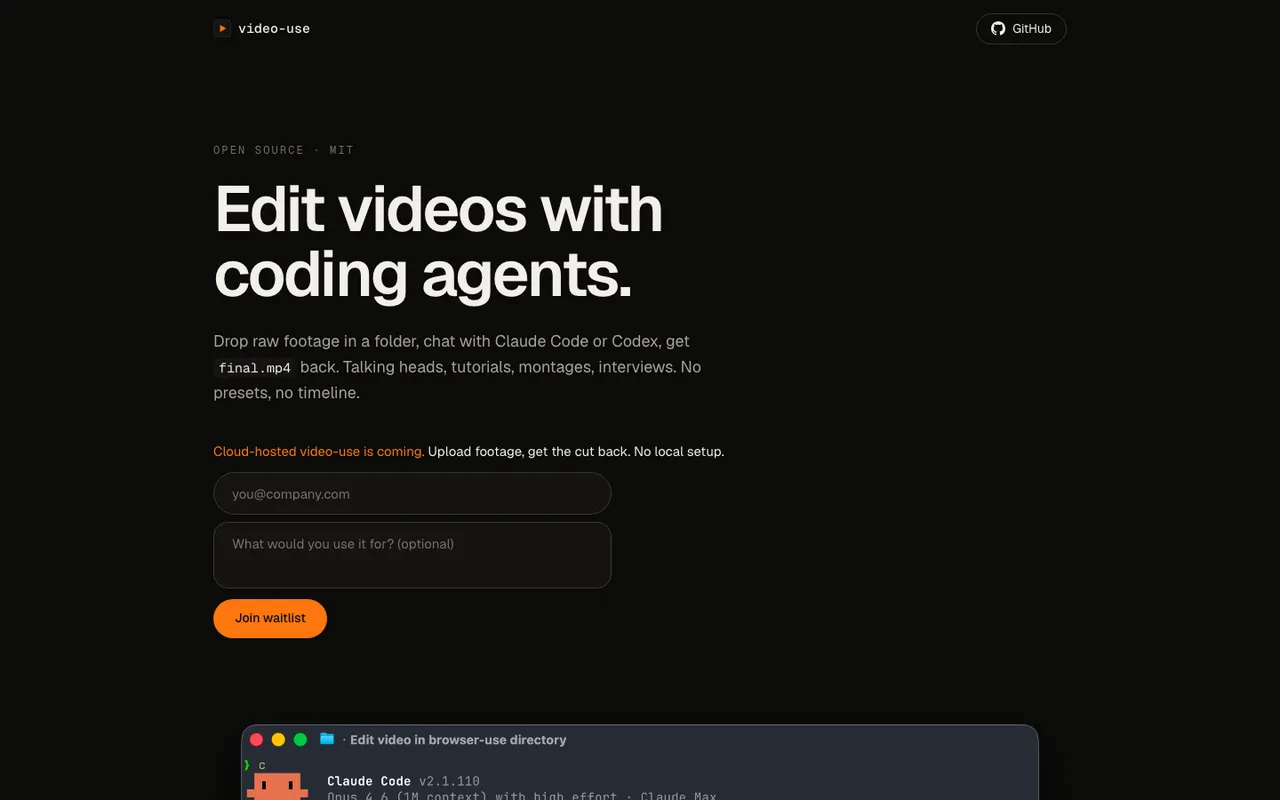
Video Use homepage (video-use.com), captured on 11/04/2026. Screenshot: OPCAIOS.
Strengths: Flexible, not locked into presets. Cuts at transcript boundaries so fewer cuts mid-sentence. Right for people familiar with Claude Code.
Limitations: Requires paid agent and ElevenLabs key. Does not auto-select "viral" moments. Non-technical users will find it hard.
Read more: What is Video Use?
4. OpenCut: best for manual tweaking after cutting
OpenCut is a free, open-source video editor under the MIT license, presenting itself as "an open-source CapCut alternative" for web, desktop, and mobile. OpenCut does not cut clips automatically: it is a timeline editor where you fix clips that an AI tool has already cut, add text, and adjust pacing. According to the GitHub API on 11/04/2026, the OpenCut-app/OpenCut repository has around 97,275 stars, last updated on 09/24/2026. Key note: the README states OpenCut is being rewritten from scratch in Rust with plans for plugins and an MCP server for AI agents. The working version today is the older "opencut-classic", still running at opencut.app; the opencut-classic repository on GitHub has moved to archived status.
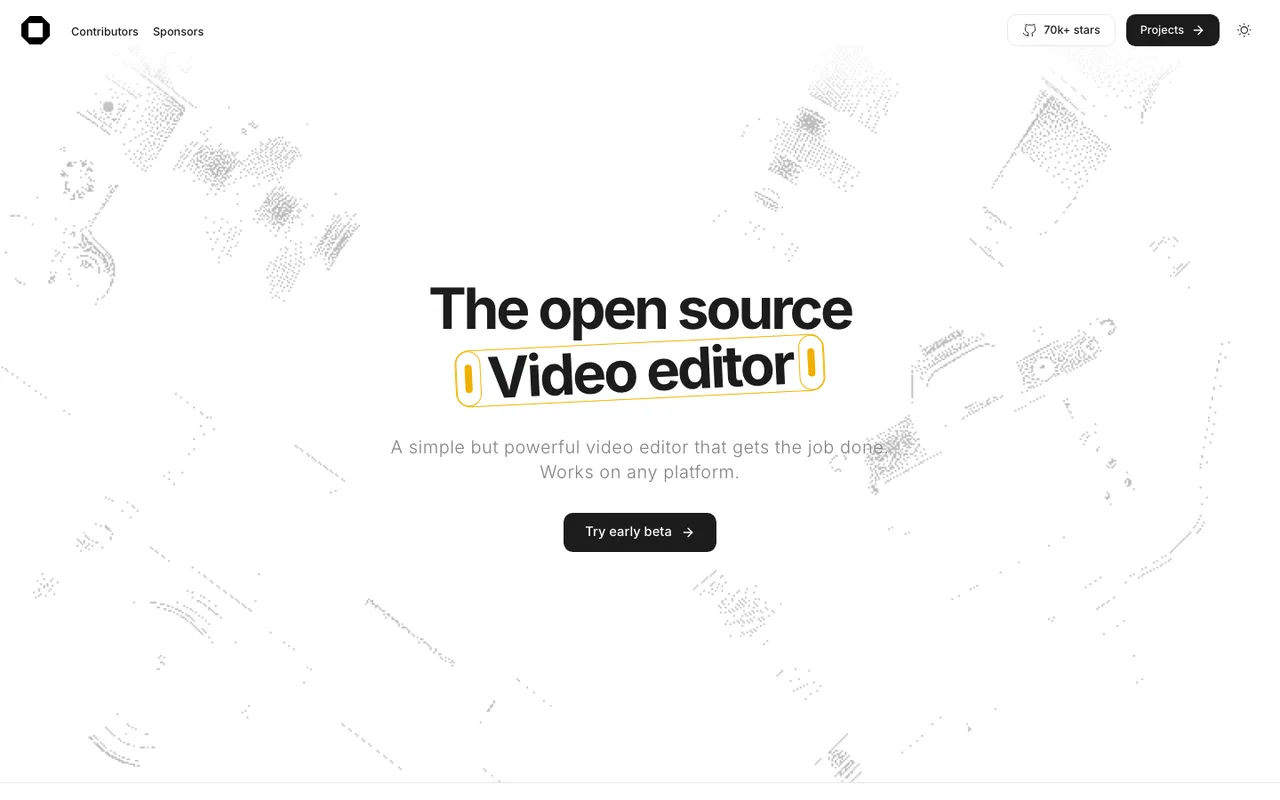
OpenCut homepage (opencut.app), captured on 11/04/2026. Screenshot: OPCAIOS.
Strengths: Free, runs right in the browser. Huge community. Plans for MCP for agents.
Limitations: No automatic cutting feature. In rewrite phase, older version no longer developed on GitHub.
Read more: What is OpenCut?
5. VidBee: best for downloading and transcribing to find good moments
VidBee is a free, open-source desktop application under the MIT license by developer nexmoe, turning video and audio into a searchable library. VidBee does not cut clips automatically. According to the README, VidBee downloads video from over 1,000 sites via yt-dlp, transcribes on-device using Whisper, SenseVoice, Parakeet, Qwen3-ASR model families, tags speakers, then summarizes or answers questions using the AI provider you choose, including Ollama or LM Studio running locally. In the clip-cutting workflow, VidBee fits the step of finding moments worth cutting via the transcript. According to the GitHub API on 11/04/2026, the nexmoe/VidBee repository has around 11,064 stars and was just updated on 11/04/2026. Vietnamese support depends on the transcription model you choose; we have not tested it.

VidBee homepage (vidbee.org), captured on 11/04/2026. Screenshot: OPCAIOS.
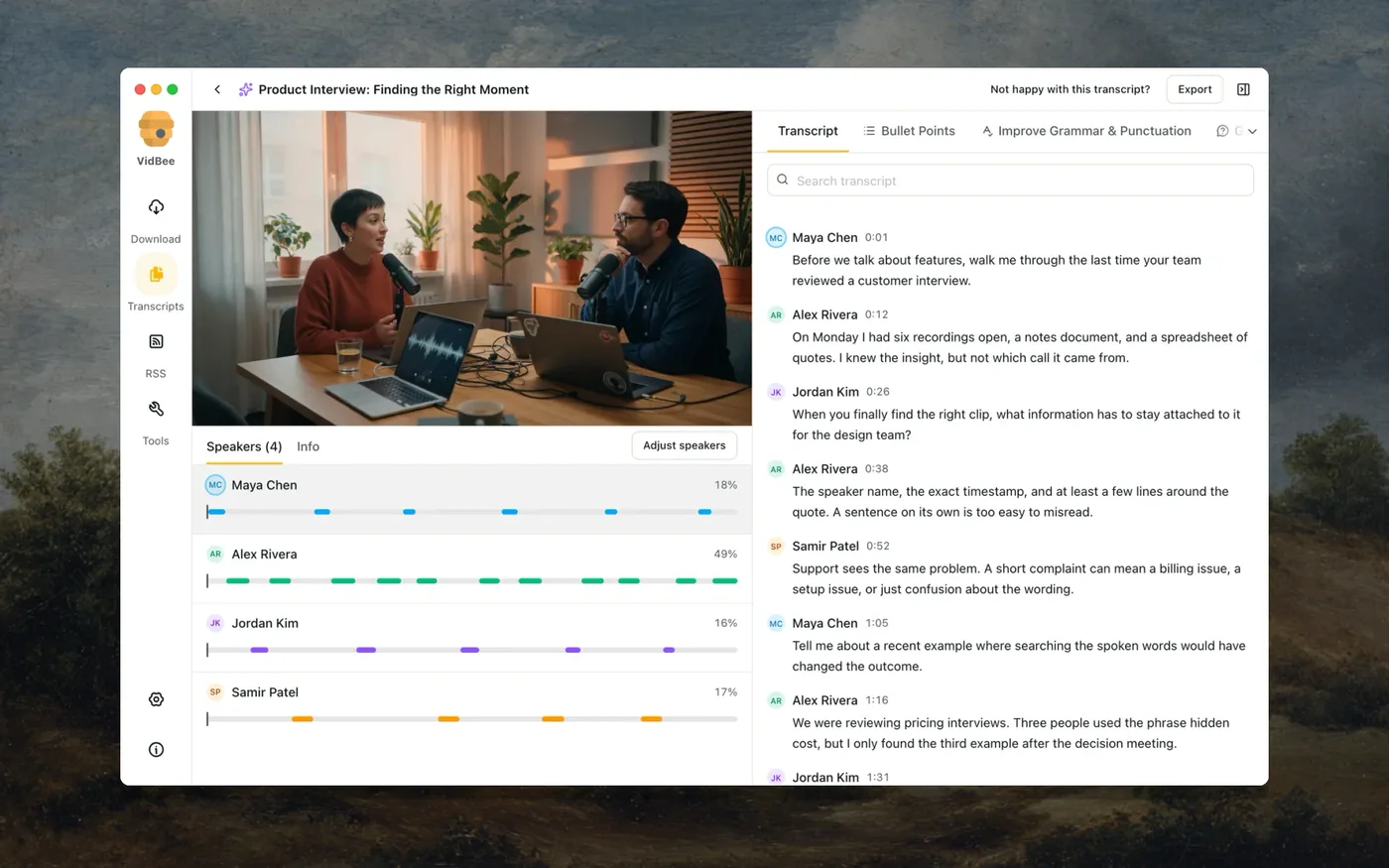
VidBee interface. Image: GitHub README nexmoe/VidBee.
Strengths: Transcription runs on-device, no need to upload media to a service. Tags speakers. Continuous updates.
Limitations: Does not auto-cut clips. When using cloud AI, the transcript is sent to that provider.
Read more: What is VidBee?
6. Reclip: best for just downloading video to your machine
Reclip is a self-hosted video and audio downloader, open-source under the MIT license, by developer averygan, with a minimal web interface. Reclip does not cut clips: you paste one or more links from YouTube, TikTok, Instagram, and over 1,000 sites supported by yt-dlp, pick MP4 or MP3, choose quality, and download. According to the README, the server part is a Flask Python file around 150 lines, run via included command or Docker. According to the GitHub API on 11/04/2026, the averygan/reclip repository has around 11,175 stars, created on 03/31/2026, last code push on 07/09/2026. In the clip-cutting workflow, Reclip is the first step: getting the source video onto your machine to feed into OpenShorts or Video Use. The README explicitly states the tool is for personal use and users must respect copyright and platform terms.
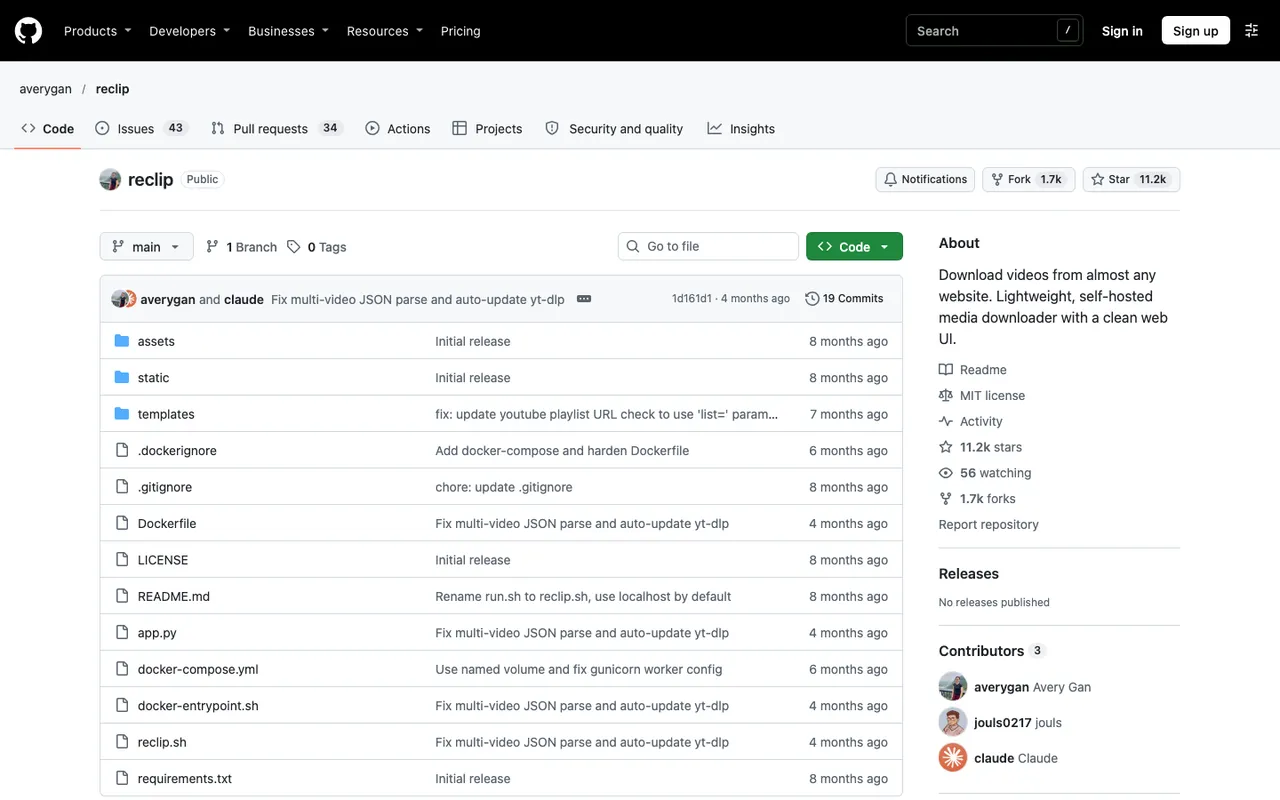
GitHub averygan/reclip (github.com), captured on 11/04/2026. Screenshot: OPCAIOS.
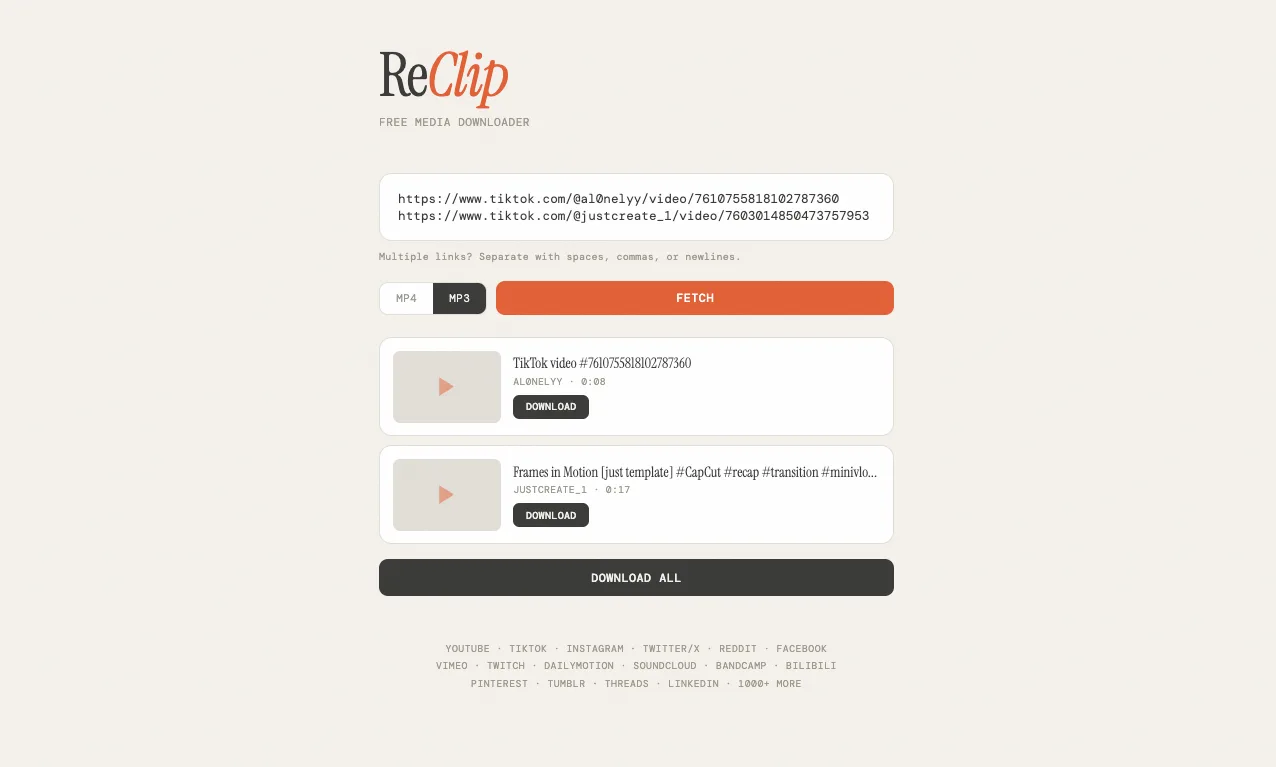
Reclip interface. Image: GitHub README averygan/reclip.
Strengths: Very lightweight, easy to read all the source code. Batch download. Self-hosted, no ads.
Limitations: Download only, no cutting or transcription. Few updates since July 2026. Copyright risk if downloading others' videos.
Read more: What is Reclip?
Which tool should you choose? By situation
Choosing an automatic short video editing tool should be based on two questions: do you want to click a button or self-host, and are you comfortable with the command line. The table below groups tools into workflows for common situations of solo content creators.
| Situation | Recommendation | Reason |
|---|---|---|
| Have a long podcast, need clips today | OpusClip | Paste link and run, has Vietnamese BETA |
| Want to self-host, no watermark | OpenShorts | MIT, Docker, run models locally |
| Have raw footage, comfortable with Claude Code | Video Use | Agent cuts by word boundaries, reviews itself |
| Already have clips, need to fix captions, change pacing | OpenCut | Free editor in browser |
| Want to find great moments through transcript | VidBee | Local transcription, speaker tagging |
| Need to download your own video source | Reclip | Lightweight, batch download |
Example (hypothetical): a finance podcaster has a 60-minute livestream on their channel. First, they use Reclip to download the recording. Next, they put the file into OpenShorts so AI picks about 10 segments and crops to vertical format. Finally, they open the 3 best clips in OpenCut to fix Vietnamese subtitle errors before posting.
Risks and general notes
The biggest risk when using automatic short video editing tools is copyright: cutting clips from someone else's video and reposting may violate copyright and platform terms. Here are four main points to keep in mind. This is reference information, not legal advice.
- Copyright: only cut videos you own, videos you have a license for, or content with open licenses like CC BY (credit properly). Reclip's own README states the tool is for personal use only.
- Platform terms: YouTube, TikTok, Instagram have their own terms about downloading and reposting content.
- Personal data: video with someone else's face and voice is personal data. Cloud services keep files on their servers; when you use cloud AI, transcripts are also sent away.
- Hidden costs: Gemini or ElevenLabs API keys charge per use, self-hosted machines consume power and maintenance time, cloud plans have minute limits.
Before posting, also see audit AI content before posting.
OPCAIOS experience
OPCAIOS has not actually used OpusClip, OpenShorts, Video Use, OpenCut, VidBee, or Reclip. What we have is a video editing tool we built in-house in our admin panel: faster-whisper (Whisper model running on CPU) gets timestamped transcription by word, then Remotion builds the video. We have not measured transcription accuracy by number.
From that tool, we see the approach of OpenShorts and Video Use is familiar: both use timestamped word-level transcription to decide where to cut, rather than looking at each frame. We have also installed Remotion and HyperFrames skill sets for Claude Code, the exact two tools Video Use uses to create effects, but have not run Video Use yet. All comments about the six tools in this post come from official documentation.
Read more: What is Whisper?, What is Remotion?, Best code-based video tools, Turn YouTube video into 10 posts
Frequently Asked Questions
What's the best automatic short video cutting tool for beginners?
For beginners, OpusClip is easiest because it runs in a browser: paste a link, wait for AI to pick clips, and get vertical videos with captions. According to the pricing page as of 04/11/2026, the Free plan has a watermark and only lets you export files for 3 days; the Starter plan costs $15/month and removes the watermark. OpenShorts has a Cloud version with a Free plan of 20 minutes/month, and you can self-host once you get comfortable. Video Use is more flexible but requires knowledge of Claude Code or Codex.
Are there free automatic short video cutting tools?
Yes. OpenShorts self-hosted is free under an MIT license, no watermark, no minute limits; you only pay for the machine running it and API keys if you use Gemini. If you point OpenShorts to a local model via Ollama or LM Studio, the clip selection part also costs no API fees. Video Use is also free source code but needs an ElevenLabs key and an agent like Claude Code. OpusClip has a Free plan but comes with a watermark and file export time limits. OpenCut, VidBee, and Reclip are free but don't auto-cut clips.
Do these tools support Vietnamese?
Only OpusClip explicitly lists Vietnamese in its official documentation: the help page lists Vietnamese (code vi) and marks it as BETA, meaning emojis or trending keywords may not be accurate. OpenShorts uses faster-whisper for captions, VidBee uses Whisper and other models, Video Use uses ElevenLabs Scribe; Vietnamese support depends on those models, and we haven't tested them. Whichever tool you use, you should review Vietnamese captions before posting, since tone mark errors and proper name mistakes are common.
Can Reclip and VidBee cut clips?
No. According to their official READMEs, Reclip is just a video and audio downloader: paste a link, pick MP4 or MP3, download. VidBee downloads video, transcribes on your machine, labels speakers, summarizes with AI, and exports video with captions, but doesn't auto-select and cut short clips. These two tools fit the start of your workflow: getting the original video and finding clips worth cutting through the transcript. Auto-cutting belongs to OpusClip, OpenShorts, or Video Use, while manual cutting belongs to OpenCut.
Is it legal to cut clips from someone else's video?
Usually not, unless you have a license. Videos on YouTube, TikTok, or podcasts all have owners, and cutting and re-posting may violate copyright and platform terms, even if you credit the source. The safest route is cutting your own video, video you have written permission for, or content with an open license and proper source attribution. This is for reference only, not legal advice. If you want to learn how to build a proper AI short video workflow, you can check out OPCAIOS's AI application training course.
Sources: opus.pro/pricing and help.opus.pro (language list), openshorts.app/pricing and GitHub mutonby/openshorts, video-use.com and GitHub browser-use/video-use, opencut.app and GitHub OpenCut-app/OpenCut, opencut-app/opencut-classic, vidbee.org and GitHub nexmoe/VidBee, GitHub averygan/reclip, GitHub API for star count, licenses, update dates (read 04/11/2026); not read/not verified: processing minutes per OpusClip plan, speed claimed by OpenShorts, Vietnamese caption quality from all tools (we haven't tested); prices and star counts may change. Experience is from OPCAIOS.
Translated from Vietnamese with AI. Read the original.
Want to apply this in your business?
Book a free 30-minute call (Vietnam time, in English or Vietnamese).