


Want to run multiple AI agents writing code at the same time? What should you choose?
If you've already used Claude Code, start with the built-in subagent and worktree—no need to install anything else. If you want an interface to monitor multiple agents across multiple worktrees, Orca is the easiest choice. If you live in the terminal and work over SSH often, Herdr suits you better. According to GitHub (read on 04/11/2026), Orca has around 114,700 stars and released version 1.4.248 on exactly 04/11/2026. This post compares 6 tools for running multiple AI agents across five criteria: price and license, difficulty, local or server-based, how to separate work between agents, and terms of service risk. There's no absolute ranking—only choices based on your needs. Evaluation is based on official documentation; where OPCAIOS has actually used something, we say so clearly.
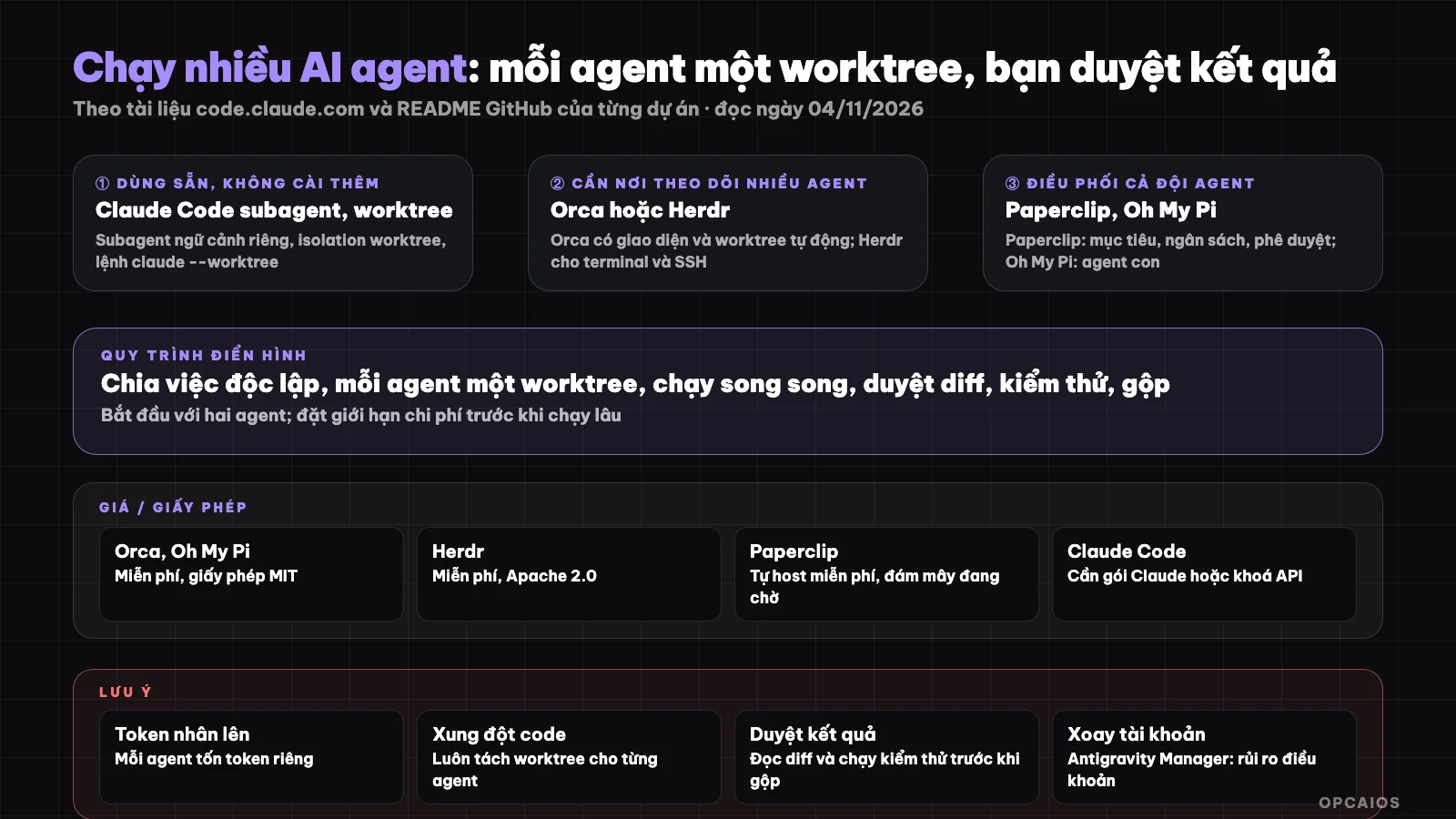
Map for choosing a tool to run multiple agents by need, with notes on cost and terms. Diagram: OPCAIOS.
Quick comparison table of 6 tools for running multiple AI agents
The six tools in this post divide into three groups. Claude Code subagent and Oh My Pi are agents that divide work among child agents themselves. Orca and Herdr are places to run and monitor multiple agents you already have. Paperclip coordinates a whole team of agents by goal and budget. Antigravity Manager is a special case: managing multiple accounts, high terms of service risk.
Logos of the tools in this post, taken from each project's official page.
| Tool | Best for | Starting price (read 04/11/2026) | Self-hosted | Vietnamese | Difficulty |
|---|---|---|---|---|---|
| Claude Code subagent and worktree | People already using Claude Code | Built into Claude Code, needs Claude plan or API key | Runs on your machine | English interface, replies in Vietnamese | Easy |
| Orca | Interface to monitor multiple agents | Free, MIT | Desktop app, has SSH | README in multiple languages, no Vietnamese | Easy |
| Herdr | People who live in terminal, work over SSH | Free, Apache 2.0 | Runs on your machine | English | Medium |
| Oh My Pi | Pick your own model, divide work to child agents | Free, MIT; pay for models | Runs on your machine | English | Medium |
| Paperclip | Coordinate agent team by goal, budget | Free, MIT; cloud version coming soon | Yes, needs Node.js 24.11+ | English | Hard |
| Antigravity Manager | Monitor rate limits across multiple accounts | Free, CC BY-NC-SA 4.0 (non-commercial) | Desktop app | Chinese interface, English | Medium |
What criteria did we choose by?
We chose tools for running multiple AI agents using five criteria read from official sources. No self-measured benchmarks. OPCAIOS usually runs multiple Claude Code subagents in parallel; for the other tools, evaluation comes from reading the documentation.
- Price and license: LICENSE file, README, homepage, read on 04/11/2026.
- Update level: latest release and most recent code push date via GitHub API.
- Difficulty: number of setup steps, whether you need terminal knowledge, git worktree, or server skills.
- How to separate work: does each agent have its own working directory, so two agents don't overwrite each other.
- Risk of cost and terms: running many agents multiplies token cost; if a tool touches the provider's account, read carefully.
Detailed evaluation of each tool
Each tool running multiple AI agents below is reviewed using the same framework: who built it, license, figures read on 04/11/2026, strengths, limitations. Key concept to know: git worktree is a separate working directory of the same repo, on a separate branch, so each agent can modify code without interfering with other agents.
1. Claude Code subagent and worktree: best for people already using Claude Code
Claude Code subagent is a specialized assistant running inside Anthropic's Claude Code, with each subagent having its own context window, system prompt, tools, and permissions. According to documentation on code.claude.com (read on 04/11/2026), subagents are defined by Markdown files in .claude/agents/ (project) or ~/.claude/agents/ (personal), requiring only two fields: name and description. There are ready-made subagents like Explore (read-only, for searching code), Plan, and general-purpose. Background subagents run in parallel with you; the documentation lists a default concurrent limit of 20. Adding isolation: worktree makes the subagent work in a temporary git worktree, auto-cleaned if there are no changes. To open multiple parallel sessions, run claude --worktree feature-auth in each terminal with a different name. Note from the documentation: each subagent consumes separate tokens, and results from multiple subagents still take up context in the main session.
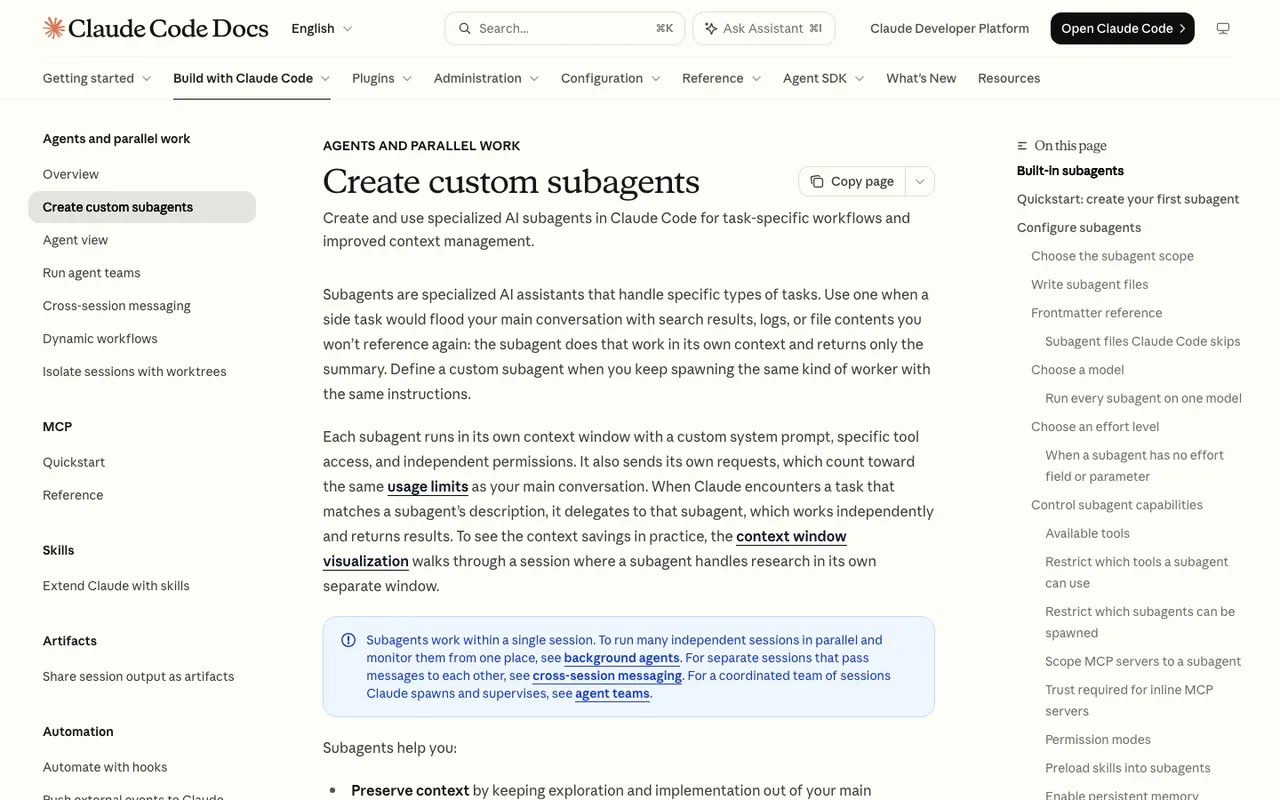
Claude Code documentation page (code.claude.com), screenshot on 04/11/2026. Screenshot: OPCAIOS.
Strengths: No additional installation needed. Limited tools, can choose cheaper models for each subagent. Worktree isolation is built-in.
Limitations: Only works with Anthropic's models. No unified dashboard to view multiple sessions like Orca.
Read more in depth: What is a Subagent?
2. Orca: best if you want an interface to monitor multiple agents
Orca is an open-source application by Stably, MIT license, for running multiple coding agents in parallel, each agent in its own git worktree. The development team calls Orca an Agent Development Environment (ADE). According to the README and onorca.dev page (read on 04/11/2026), Orca runs Claude Code, Codex, Gemini, Cursor CLI, OpenCode, Pi, and other command-line agents using your own subscriptions. Main features: divides one task among five agents then merges the best result, worktrees via SSH on powerful servers, inline notes on each changed line to send back to agents, opens GitHub PR and issues, Linear directly in the app, Design Mode to select UI elements to send to agents. Available for macOS, Windows, Linux and companion iOS and Android apps. The stablyai/orca repository has around 114,700 stars; version 1.4.248 released on 04/11/2026. The homepage states it's free and open source.
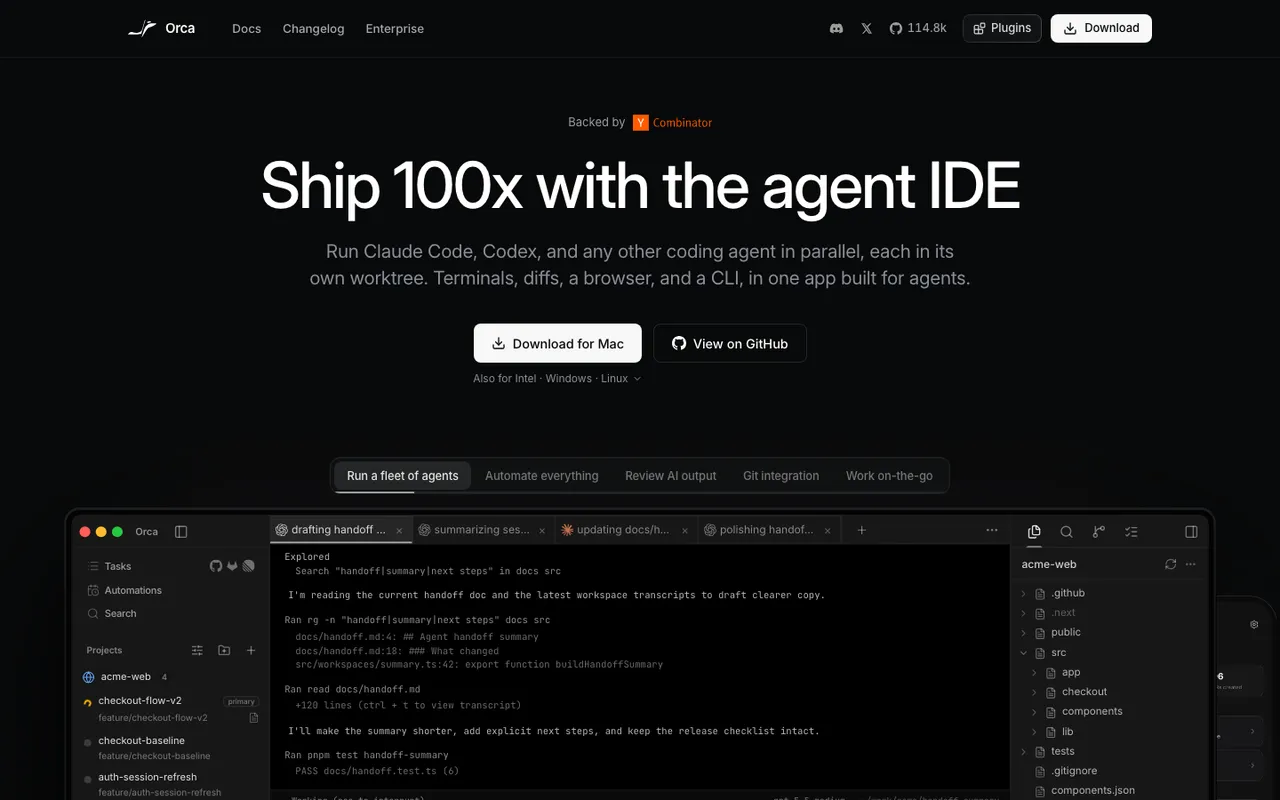
Orca homepage (onorca.dev), screenshot on 04/11/2026. Screenshot: OPCAIOS.
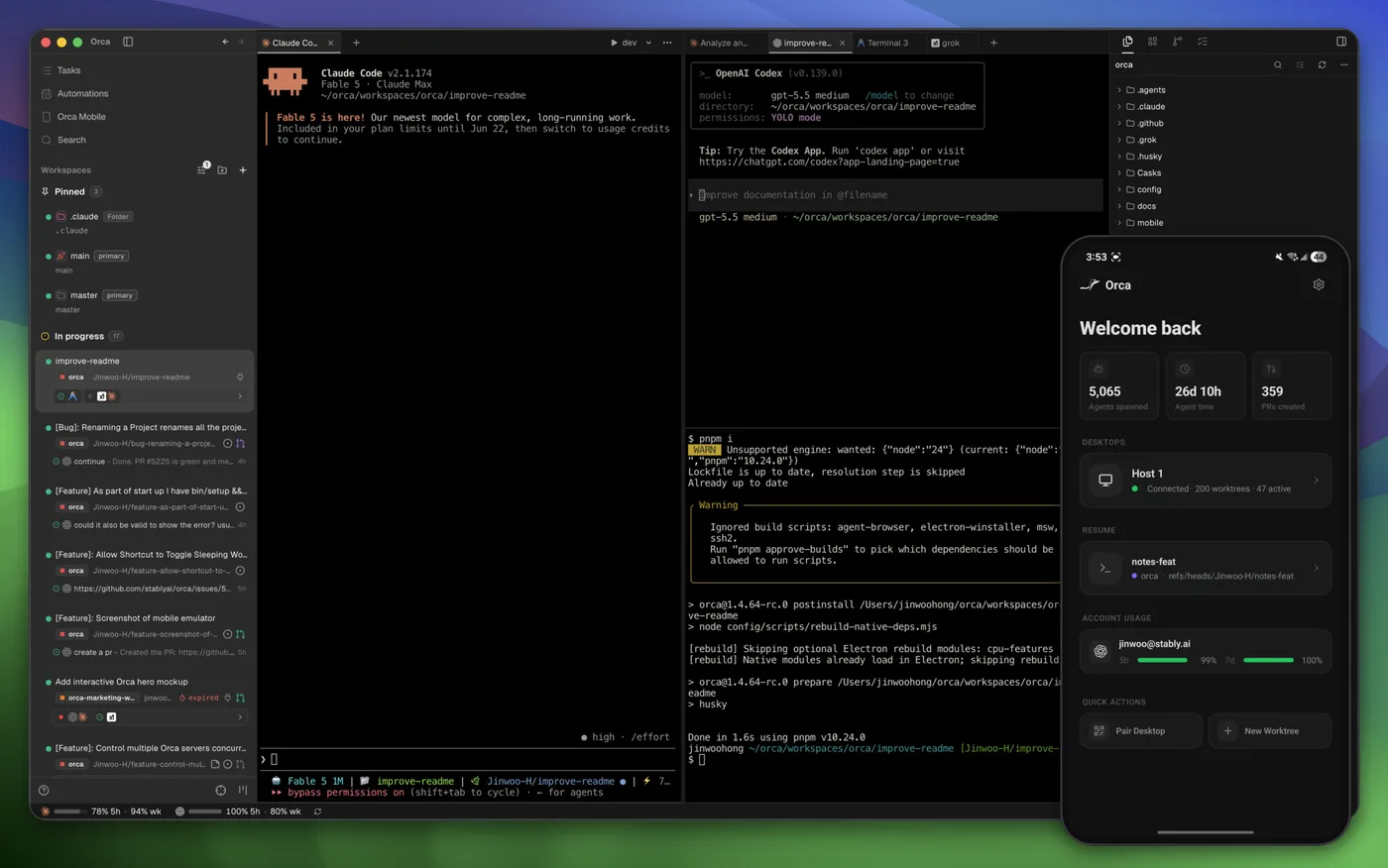
Orca interface. Image: README GitHub stablyai/orca.
Strengths: Most user-friendly for people uncomfortable with terminal. Automatic worktrees, review changes right in the app.
Limitations: Releases almost daily, prone to unexpected changes. AI costs still calculated by each agent's subscription.
Read more in depth: What is Orca?
3. Herdr: best for people working in terminal and over SSH
Herdr is a place to run coding agents developed by the herdrdev team, Apache 2.0 license, comprising a terminal version (Herdr TUI, a single file written in Rust) and a newer desktop application. According to the README and herdr.dev page (read on 04/11/2026), agents run in a small background server on your machine, so closing the terminal or losing SSH connection won't stop it. Each terminal pane is marked as working, blocked, or idle, so you know which agent needs your response. Agents can also control Herdr via command line and socket API: open new panes, message other agents, wait for other agents to finish. Herdr doesn't wrap or replace agents, only hosts terminals for Claude Code, Codex, Cursor, OpenCode. Add machines via SSH and agents on the server appear in a shared sidebar. The herdrdev/herdr repository has around 47,900 stars; version v0.9.5 released on 14/10/2026. The homepage confirms it's free.
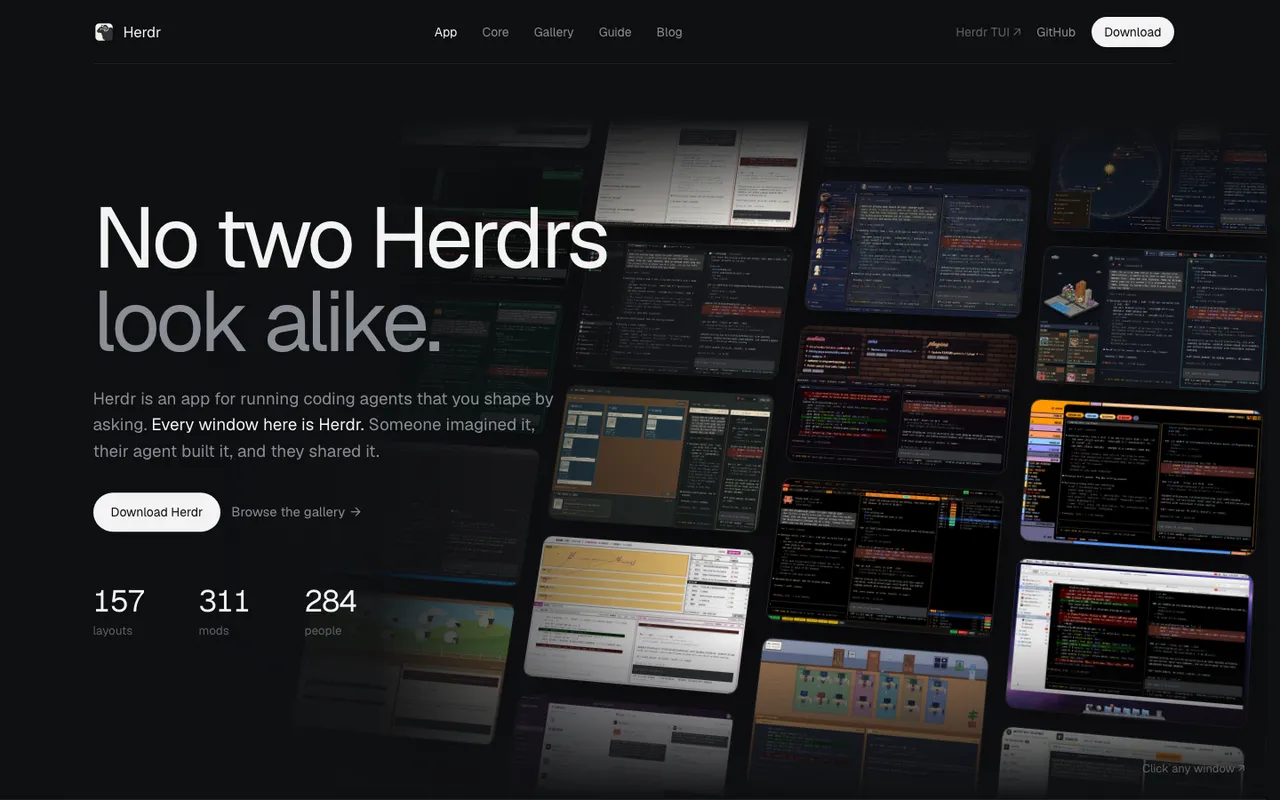
Herdr homepage (herdr.dev), screenshot on 04/11/2026. Screenshot: OPCAIOS.
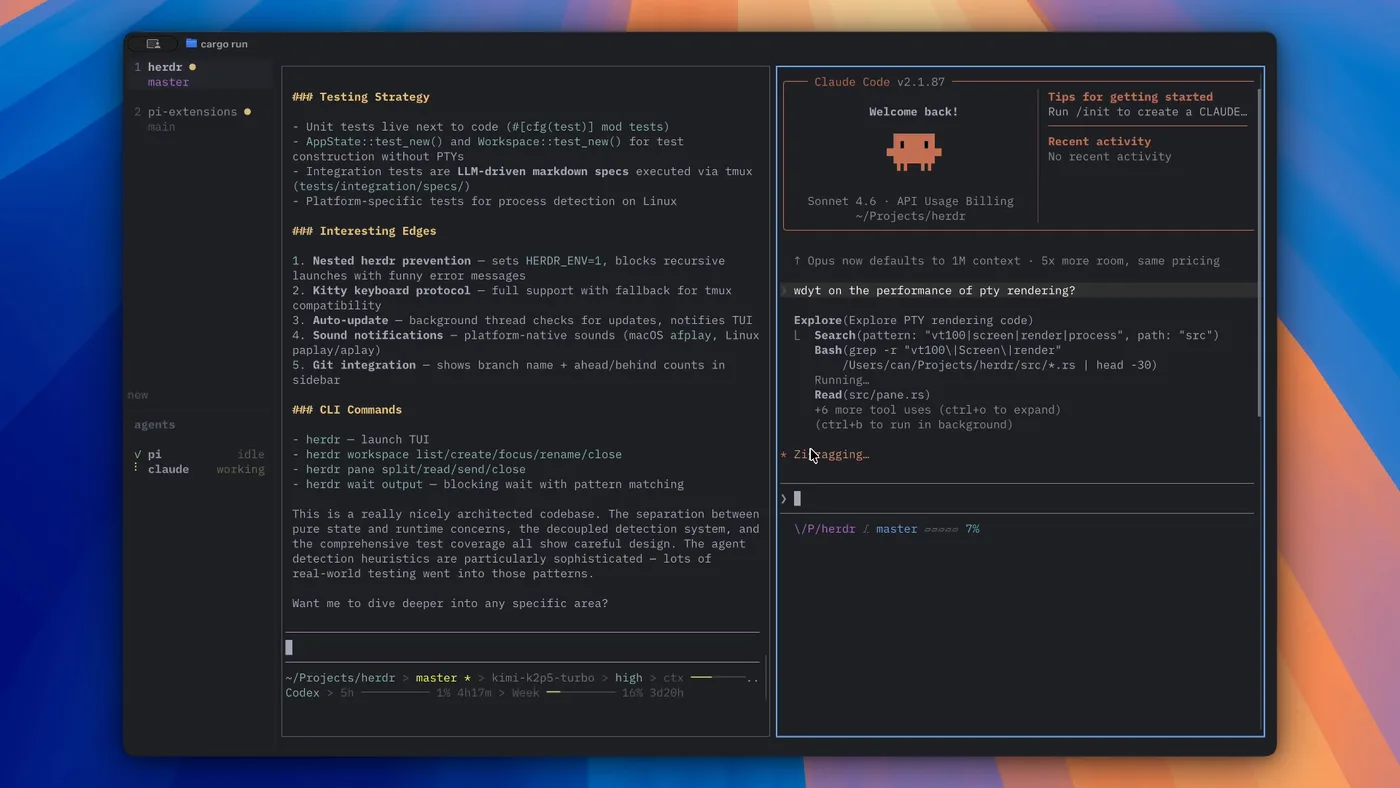
Herdr interface. Image: README GitHub herdrdev/herdr.
Strengths: Agent keeps running when you close your machine or lose SSH. Clearly shows which agent is waiting for you.
Limitations: TUI version uses tmux-like keyboard shortcuts, takes time to get used to. README doesn't mention auto-creating worktrees like Orca.
Read more in depth: What is Herdr?
4. Oh My Pi: best if you want to choose your own models and divide work among child agents
Oh My Pi (omp command) is a coding agent running in terminal developed by Stencil Labs, forked from Pi by Mario Zechner, MIT license. Unlike the four tools above, Oh My Pi is itself an agent and divides its own work. According to the README (read on 04/11/2026), the task tool divides one task among multiple child agents running in parallel, each in its own separate workspace, then returns structured results for the parent agent to read directly. Pressing Alt+A opens Agent Hub to see what each child agent is doing, how much it costs, send corrections or stop stuck agents. The /review command opens specialized review agents in parallel. The README lists support for over 60 model providers, 31 built-in tools, and has a smol role to use cheap models for child agents. The can1357/oh-my-pi repository has around 37,700 stars; version v18.16.0 released on 02/11/2026.
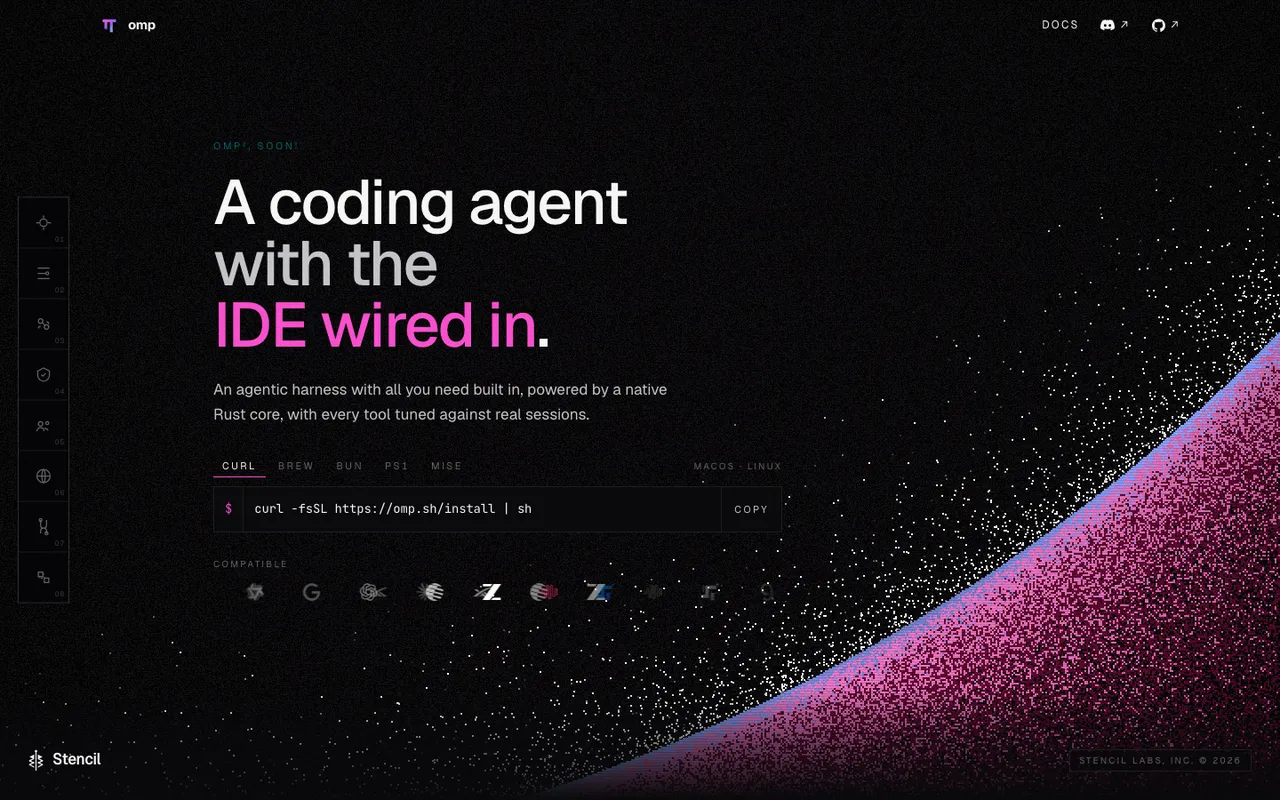
Oh My Pi homepage (omp.sh), screenshot on 04/11/2026. Screenshot: OPCAIOS.
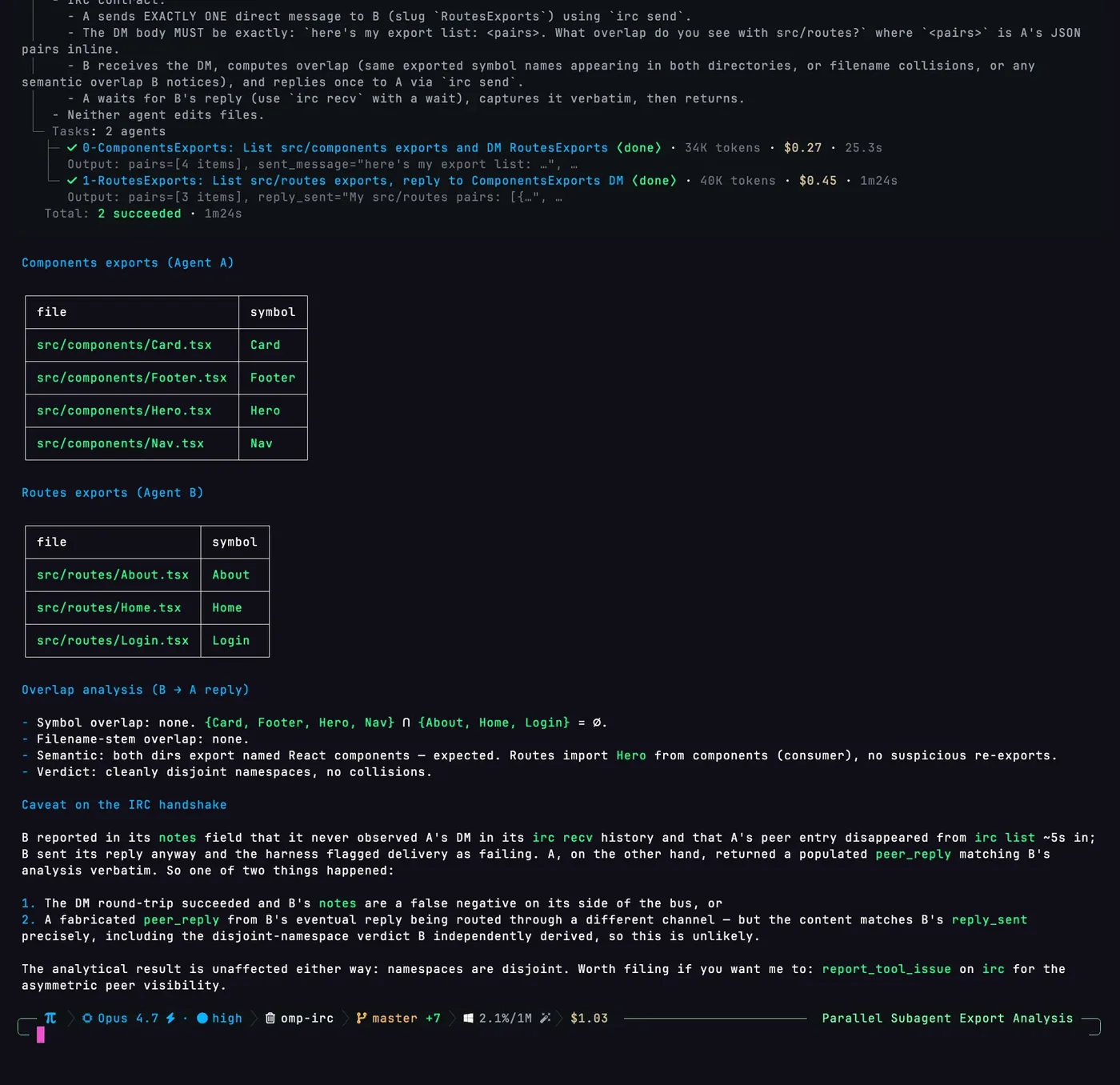
Oh My Pi interface. Image: omp.sh.
Strengths: Choose your own models, including cheap ones for child agents. See cost for each child agent.
Limitations: Many features, need to read documentation carefully. Updates very frequently, configuration easy to change.
Read more in depth: What is Oh My Pi?
5. Paperclip: best for coordinating an entire agent team toward goals and budgets
Paperclip is a Node.js server with a React interface to coordinate a team of AI agents doing business work, MIT license, developed by paperclipai. The README (read on 04/11/2026) has an analogy: if one agent is an employee, then Paperclip is the company. You set goals, "hire" agents into an organization chart with roles, permissions and budgets, then review strategy and monitor on the dashboard. Any agent receiving a "heartbeat" tick can work: Claude Code, Codex, Cursor, Gemini CLI, OpenCode, Pi, Hermes, and other agents. Paperclip tracks tokens and costs by company, agent, project, with alert thresholds and auto-stops when limits are hit; the README notes stopping may be delayed. Install via npx paperclipai@latest onboard --yes, requires Node.js 24.11 or higher, self-hosted, no account needed. Cloud version currently has a waitlist. The repository has around 110,800 stars; version v2026.1023.0 released on 23/10/2026.
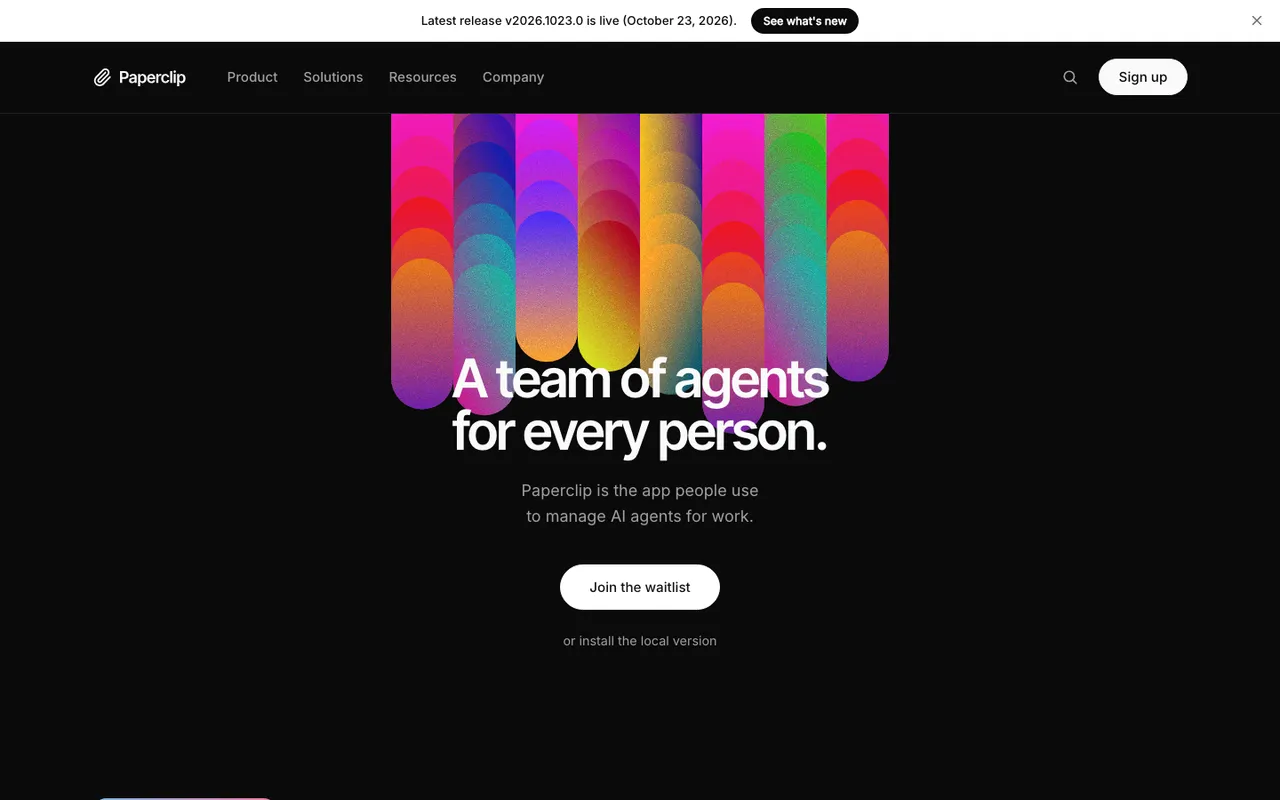
Paperclip homepage (paperclip.ing), screenshot on 04/11/2026. Screenshot: OPCAIOS.
Strengths: Budget controls, approval, and activity log, suitable for long-running agents. Not tied to one vendor.
Limitations: Heavier than typical code writing needs. Requires a server and setup time.
Read more in depth: What is Paperclip?
6. Antigravity Manager: only for monitoring rate limits across accounts, think carefully
Antigravity Manager (called Antigravity Tools in the app) is a desktop application written in Tauri v2 and Rust by lbjlaq, CC BY-NC-SA 4.0 license, meaning only non-commercial use allowed. According to the README (read on 04/11/2026, version 5.0.0 released on 24/10/2026), the app manages multiple Antigravity accounts, shows remaining rate limits for Gemini and Claude per account, suggests the best account and switches with one click. The app also turns Google and Anthropic web login sessions into API gateways in OpenAI and Anthropic formats. This is a point requiring caution: cycling accounts to exceed rate limits or converting web sessions to API may violate provider terms and lead to account lockout. We have not cross-checked specific terms; this is not legal advice. The README also has links to sponsor introductions; we do not repeat them. The repository has around 32,800 stars.
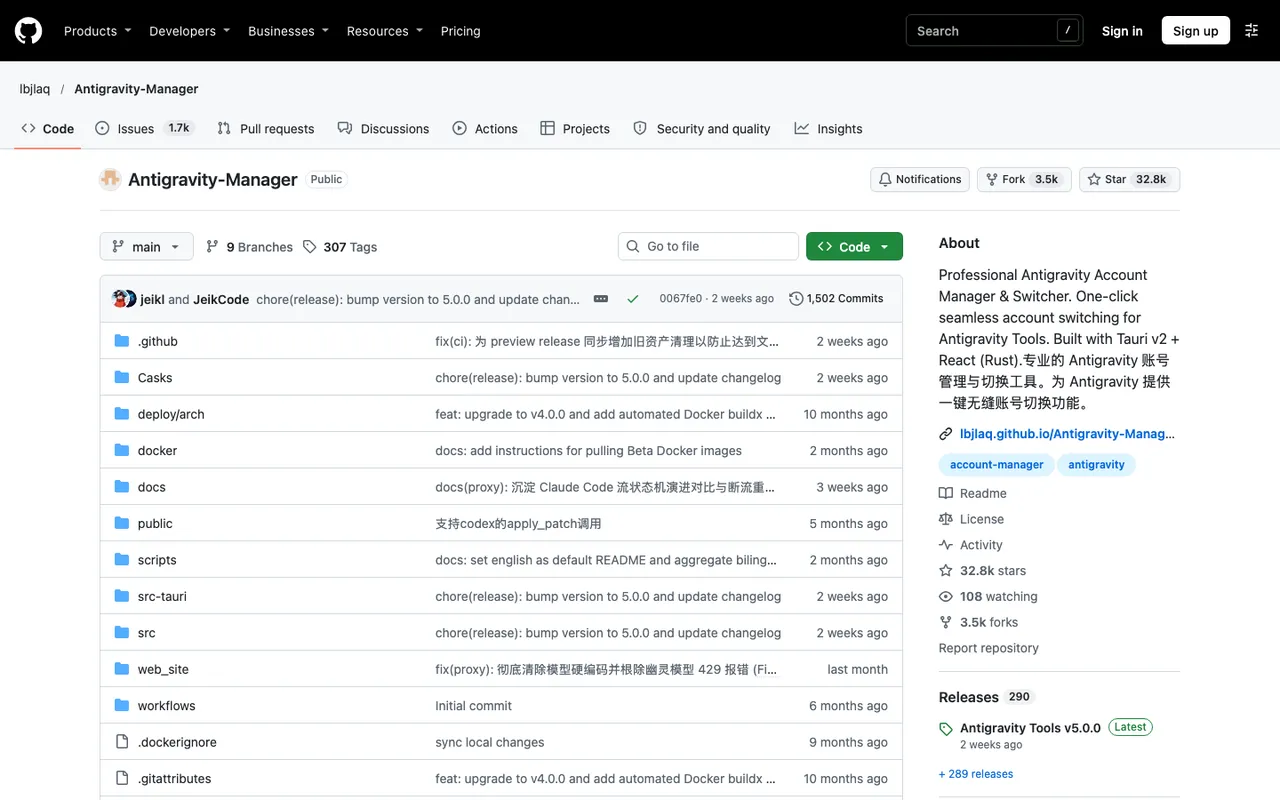
GitHub page lbjlaq/Antigravity-Manager, screenshot on 04/11/2026. Screenshot: OPCAIOS.
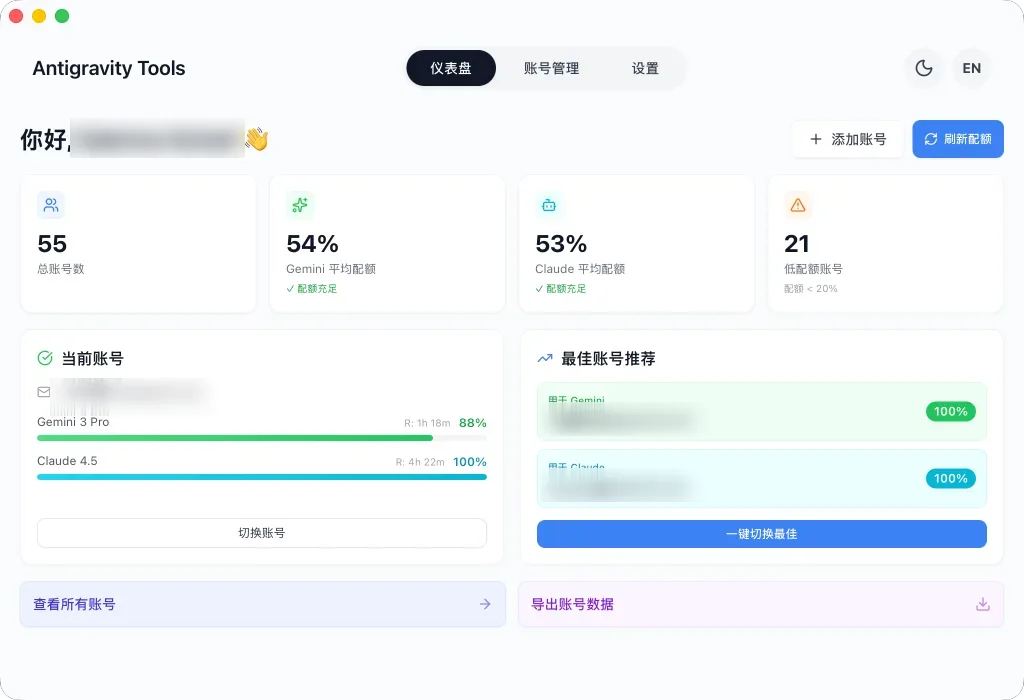
Antigravity Manager interface. Image: README GitHub lbjlaq/Antigravity-Manager.
Strengths: View rate limits for multiple accounts on one screen.
Limitations: Risk of violating terms and account lockout. License forbids commercial use. App stores your login tokens.
Read more in depth: What is Antigravity Manager?
Which Tool Should You Choose? By Situation
The best way to choose a tool for running multiple AI agents is to start small: two agents, two independent tasks, each agent one worktree. When reviewing results becomes routine, then increase the number of agents. The table below suggests options by situation.
| Situation | Suggestion | Reason |
|---|---|---|
| Already using Claude Code, want to try running in parallel | Claude Code subagent and --worktree |
Already available, no additional installation |
| Afraid of terminal, want to see all agents in one place | Orca | Interface, automatic worktree, see changes in the application |
| Working over SSH, worried about network dropout losing session | Herdr | Agent continues running when you close the window |
| Want to use a cheaper model for routine tasks | Oh My Pi | Choose model, smol role for child agents |
| Running a team of agents for long periods, need cost control | Paperclip | Budget, approval, logs |
| Want to bypass limits using multiple accounts | Not recommended | Terms of service risk; should upgrade plan or use official API instead |
Hypothetical example: you need to fix three independent bugs on a website. You open three claude --worktree sessions with three different names, each session fixes one bug on its own branch. When done, review each branch and merge those that meet requirements.
Risks and General Notes
The biggest risk when running multiple AI agents at once is that costs and errors multiply with the number of agents, while your capacity to review does not. Here are the notes, first about cost and finally about terms:
- First, token costs. Each agent, each subagent consumes tokens separately. The Claude Code documentation states this clearly. Set a limit before letting an agent run for long periods.
- Next, code conflicts. Two agents editing the same directory will overwrite each other. Always separate worktrees, and divide work that is truly independent.
- Permissions and security. Agents run commands with your permissions. Bypassing permissions is convenient but risky when many agents run at once. See security when using AI to write code.
- Review results. Five agents finishing does not mean five correct results. Read the changes and run tests before merging.
- Finally, terms of service. Tools that rotate accounts or convert web sessions to API may violate provider terms. This is a general note, not legal advice.
OPCAIOS Experience
OPCAIOS runs opcaios.org using AI agents, uses Claude Code, Antigravity and Codex daily, so running multiple agents is real work. Below is only what we have done.
- We regularly run multiple Claude Code subagents in parallel. This post itself was written that way: each subagent researched and wrote one independent piece of work, the main session gathered the results.
- Lesson: clear task assignment and making sure each subagent writes only to its own directory matters more than the number of agents.
- We have written separate posts about Orca, Paperclip, Herdr. We are not claiming we use those three tools daily.
- No metrics. We have not measured how much faster parallel running is.
Read more: Multiple AI sessions editing one project, Using Codex and Claude Code at the same time, Agent Manager in Antigravity, Best Claude Code skill set.
Frequently Asked Questions
Why run multiple AI agents at the same time?
Running multiple AI agents at the same time lets you work in parallel on independent tasks, like fixing three different errors, or having multiple agents try the same request and then picking the best result. According to Claude Code documentation, subagents also keep the main session clean because long searches run in their own context, with only a summary coming back. The benefits only show up when the work can be split and you have time to review. Tasks that depend on each other are still safer to run sequentially.
What tool should beginners start with?
If you already use Claude Code, start with the built-in subagent and the claude --worktree <name> command, since there's nothing extra to install. If you want an interface to see your agents, Orca is easiest: it creates worktrees on its own, tells you when agents are done, and you can see changes in the app. Herdr and Oh My Pi suit people who are comfortable with the terminal. Save Paperclip for later, when you really need a team of agents running long-term with a budget.
Are these tools free?
Orca (MIT), Herdr (Apache 2.0), Oh My Pi (MIT), and Paperclip (MIT) are all free as of November 4, 2026. Antigravity Manager is free but licensed under CC BY-NC-SA 4.0, which bans commercial use. Subagent is a Claude Code feature and needs a Claude plan or API key; see Claude Code costs. The real money goes to the model: running five agents means paying for tokens for five agents. Prices can change.
Do I need a powerful machine or a dedicated server?
Not required. Orca, Herdr, and Oh My Pi run on your personal machine, with the heavy lifting done by the provider's cloud model. A dedicated server helps when you want agents to keep running after your laptop shuts down: Orca has worktrees over SSH, Herdr gathers SSH machines into one sidebar. Paperclip is a Node.js server and needs Node.js 24.11 or higher. Only running a model locally requires a strong GPU.
How do I learn to delegate to multiple agents effectively?
Start with two small, independent tasks, each with clear done criteria, then scale up. Write the request as if you're giving it to a coworker who knows nothing: the goal, which folders to change, how to check. After each round, note which agent made a mistake and why, then fix your instructions. If you want someone to guide you on building a multi-agent workflow for your own work, check out OPCAIOS's AI application training.
Source: Claude Code documentation on subagent, worktree, and general workflow at code.claude.com; GitHub and home pages for stablyai/orca (onorca.dev), herdrdev/herdr (herdr.dev), can1357/oh-my-pi (omp.sh), paperclipai/paperclip (paperclip.ing), lbjlaq/Antigravity-Manager (read November 4, 2026); not yet read or verified: Claude Code pricing page today, terms of use from Google and Anthropic related to Antigravity Manager, real-world speed when running in parallel; prices and star counts may change. Experience is from OPCAIOS.
Translated from Vietnamese with AI. Read the original.
Want to apply this in your business?
Book a free 30-minute call (Vietnam time, in English or Vietnamese).